Oh, you're Sony, My Sony: Clie PEG-NX60 and Clie PEG-NX70V

The first handhelds running Palm OS 5 fresh look so attractive that inadvertently lead us to gleefully thought - an end to competition from the camp of Pocket PC in the offing. Although in reality - even very far away, because there is nothing revolutionary new computers do not offer. Increase compared with the old Palm `s screen resolution, the possibility of more or less full play music and videos, a decent performance ... But it is already in the Pocket PC. And if we talk about a breakthrough in the field of multimedia software, the new software for Palm OS 5, we have not yet seen. Did not see themselves machines. A Pocket PC - here they are, under the arms, on the shelves of computer stores, in a fairly large range.
Oh, you're Sony, My Sony: Clie PEG-NX60 and Clie PEG-NX70V
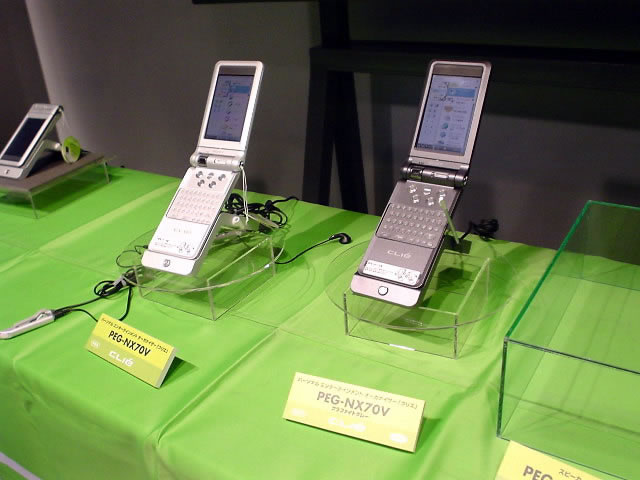
Have not seen - we'll see. More recently, computerized society had spread the news - Sony has released a light tandem of two older models of its palm `opodobnyh PDAs Series CLIE. These machines will replace the prodution computers CLIE PEG-NR70. In this case, PEG-NX60 replace basic PEG-NR70, and equipped with built-in digital camera PEG-NX70V (support MPEG-4, provides an opportunity to take pictures with a resolution of 640x480 and MPEG4 videos at a rate of 2 Mb / minute) - the same "kameroosnaschennuyu" PEG- NR70V. Here it would be appropriate to call demoted computers NR70 series and served their obsolete. Yes, somehow does not turn the language, because the models are still quite new. And all of their "guilt" is just that they worked under control going into the past Palm OS 4.1. Let's look at the new computer. I still do not today - tomorrow they will appear on store shelves, and many of us reach for the wallet, wondering how to justify to home. In that refrain from buying is unlikely, no doubt, in general, no.

Exterior

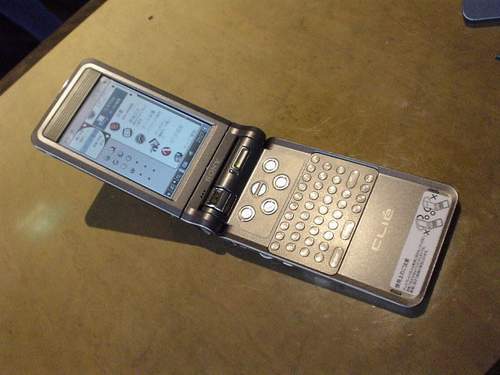
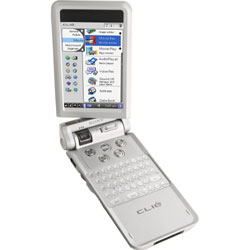
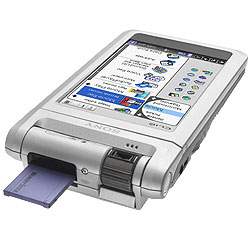
So - Sony PEG-NX60 and PEG-NX70V. Computers are absolutely identical, except for built-in digital camera with NX70V. Both computers are made in a slightly altered form factor NR70. That is the case machines are divided into two parts. In half the screen is actually a screen and under it - a microphone. As part of the keyboard - a miniature keyboard QWERTY, six buttons - call the main application and scroll buttons on-screen image upside-down.
Oh, you're Sony, My Sony: Clie PEG-NX60 and Clie PEG-NX70V
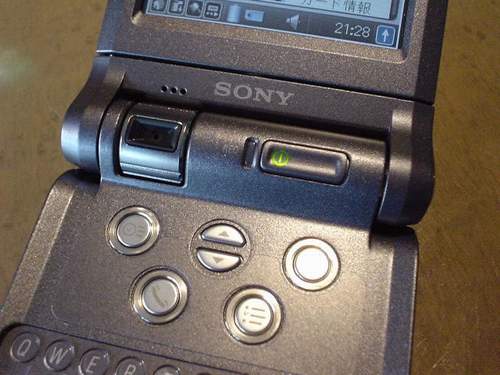
In the model NX70V in the loop connecting the screen and keyboard of the computer, you can see the lens, and in the left side of the loop (it is designed as a rolling cylinder), if you rotate the screen to the machine itself, is the button trigger the camera.
Oh, you're Sony, My Sony: Clie PEG-NX60 and Clie PEG-NX70V
The very mechanism of articulation of the two halves of the body can not only open, close the computer, but also rotate the screen of the keyboard relative to the horizontal plane. The same degree of freedom have hinged LCD screen camera - shooting is possible from any position (side, top, bottom, or upside down).
Oh, you're Sony, My Sony: Clie PEG-NX60 and Clie PEG-NX70V
In the general case (digital camera in the NX70V is still rather a multimedia appendage, a bonus than a necessary part of your computer) mobility halves handheld allows it to fit the user's needs, making typing a comfortable position.For example, expanding the screen to the keyboard and joining the halves, we get a plastic "brick" at which the matrix and the keyboard hidden inside - the most convincing protection against damage and accidental activation during transport the computer in your pocket. Placing the soft side in the same plane as the keyboard, we kind of expanded paper notepad, because the keyboard will be directly under the screen - write and see what you write. Expanding the rear of the screen to the keyboard and adding half, we get a normal PDA with touch screen input. Finally, placing the screen and the keyboard part at a certain angle, we obtain a remote semblance of a miniature laptop ... However, the experience with NR70 suggests that the latter position most uncomfortable. Keyboard half the computer does not have the necessary weight to hold the screen half and the machine constantly strives mislaid the "back". Have prislonyat it to something monumental, like a thick book.
Oh, you're Sony, My Sony: Clie PEG-NX60 and Clie PEG-NX70V
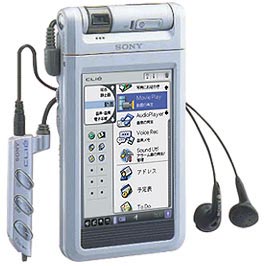
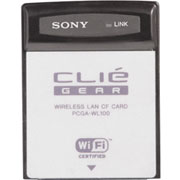
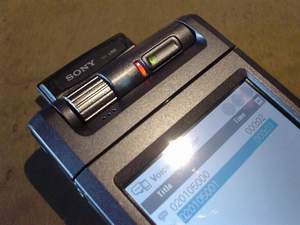
By the way, the controls on the new Sony are very good. The Power button is mounted in a cylinder hinge connecting the halves of the computer. On the left side of the body feels the wheel Jog Dial (as the same without him!) And mini-jack for connecting headphones stereotelefonov. Convenient or not the presence of tiny forks stereotelefonov near Wheel (used by owners of Sony PDAs more often any other buttons - so very convenient), will practice. But the "ears" for the new machines, as in the case of the NR70, fitted with wired remote control (it is simply embedded into the headphone wire). Say, a console compared to the previous model improved, but what is this upgrade is not yet known ... Another change - to the standard expansion slot Memory Stick slot is added to Standard Compact Flash, located at the top of the back of the keyboard housing halves. But this is not a complete CF, it is proprietary socket for the module wireless Wi-Fi (map PEGA WL-100) that Sony intends to produce for their top models of PDAs. What can turn on the application of these modules - let's talk a little lower. In the meantime, take a look at the keyboard. And once again turn to the experience of NR70. Built-in keyboard on a Pocket PC - it's very convenient. It is amenable to Russification, helps introduce small text or numeric information. Write at the same time as you can with your fingers or a stylus. You can compare the computer keyboard with a keyboard for Sony PDA Hewlett-Packard, made as a worn unit. There's buttons have a convex shape and quite tangible tactile feedback response. They should be pressed with your fingers rather than stylus. In actual use, this type of keyboard I found it convenient to ... Although, the main thing - the very existence of NX60 NX70V and built-in keyboard. For quick notes and she'll do. But for some skills (people can get used to anything), we can cope with the voluminous documents ...

What's inside

Oh, you're Sony, My Sony: Clie PEG-NX60 and Clie PEG-NX70V
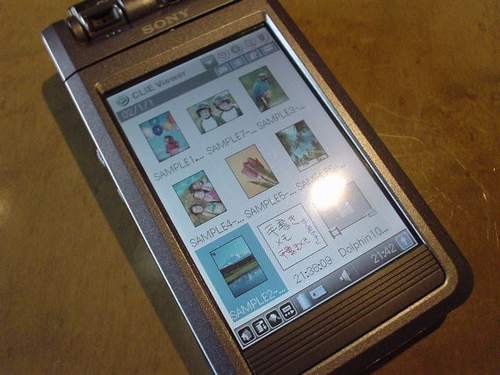
The heart of a small computer - 200-MHz processor, and the amount of installed memory - 16 megabytes. A lot or a little, still difficult to say. Povertet need a computer with Palm OS 5 in hand, try it out, start a dozen other programs ... to store photos, music or video (especially considering the screen resolution and size image files in such a resolution) - a little. But there is also a slot for flash memory cards Memory Stick, which allows you to build the device memory is practically infinite. Got me a card with recorded music on them, and all things ... No, not so simple. High resolution (320x480) color screen with "pocket" size of the LCD matrix leads to the fact that the icons on the desktop computer Sony look just microscopic.Forty icons at the same time - no joke? But you can also adjust the image to your liking? And even necessary, because computers are equipped with a curious shell program CLIE Launcher. In principle, the computer allows Sony to manufacture a desk all your heart desires (although it is an achievement of the operating system). For example, remove from the screen Graffiti area and on-screen buttons. Such a solution has been applied to computers, HandEra, is now available ... all Palm `am running the fifth version of Palm OS? Look, look. Come soon ... separate discussion is soft filling machines. List of new applications is large enough. Here and utility for video recording and playback CLIE Movie Recorder, supports the popular MPEG4 format and less well-known MPEG1, and three programs for processing and display of media content - photos, audio, video - CLIE Viewer, CLIE Photo Editor, CLIE Album. And much more like a browser Palmsource Web Browser, email client CLIE Mail, voice recorder program SLIE Voice Recorder (voice recorder format ATRAC3/MP3/ADPCM) and certainly MP3 player.
Oh, you're Sony, My Sony: Clie PEG-NX60 and Clie PEG-NX70V
But I was most interested in the program CLIE Camera, designed to work with the built-in digital camera NX70V. And above all, because the camera in the PDA - this is unusual, attractive, funny. Versions of all programs (except for mail client CLIE Mail) are marked by unity. And the only version CLIE Camera (and, I repeat, your email program) are designated as 2.0. Yes, the NX70V updated and the camera itself. The first thing we found out from preliminary descriptions of the new machines - installed in the NX70V sensor with a higher than NR70V, resolution. Alas, this is only 640x480 pixels, which is very even, "not a lot." The second - for his considerable, in general, the cost ($ 600) computer has a camera with a negligible performance. Documentary evidence yet, but the quality of images demonstrated convinces us that the NX70V used a cheap sensor CMOS, color noise is just depressing. Yes, and optics are not the fountain "- the contours are blurred, there is not enough sharpness at the edges of the image. C on the other hand, what you want from a tiny digital fotodoveska? But it's Sony. And the machines are in class "pocket high-end". And the cost of the computer with built-in camera is not a hundred or as a full-fledged $ 600 (Fit the "fifty dollars" - get the expected price in Russia). Better to spend money on a normal "tsifrovichok" when buying this PDA, you want to get and a digital camera, because what is at the new Sony, the camera is difficult to call.

And something else

Oh, you're Sony, My Sony: Clie PEG-NX60 and Clie PEG-NX70V
Sony's intention to equip its CCP modules, wireless Wi-Fi standard that they should not be called ... In the end, what difference to us - Bluetooth or Wi-Fi? The main thing is to make it all working farm and at a cost not attracted to the small imported cars. A particular device - it's for the curious and rukodelnyh. Switchers and understandably card sold separately from the CPC and is now on the site SonyStyle.com $ 149. How does the handheld, along with the card is not yet known - at least reviews on this topic on the Internet has not yet appeared, but to describe the benefits of this alliance - please. Another thing - the practical application ... One can imagine the tandem of the personal computer and PDA, the combined wireless high short-range radio communication. And - instantly and automatically update information stored in the memory of your Pocket PC ... Comes, for example, new mail, and "automatic" written in the memory device. Obsolete (if we do not bother to turn pocket typewriter) is destroyed and replaced with a fresh post. And we, going to the office, do not have to bother with data synchronization between the PC and "pickpocket".
Oh, you're Sony, My Sony: Clie PEG-NX60 and Clie PEG-NX70V
Or, given the talents of multimedia computers Sony, you can once again remember the idea, hovering around a hypothetical PDA from Apple (that does not exist only because of the vagaries of Mr. Jobs'). Namely - wireless pumping with a desktop machine in the memory of handheld multimedia content. In this case, the PDA does not need a large amount of memory, only stable compound of a radio channel has sufficient capacity. I wanted to listen to music, choose from the menu screen PDA for your favorite songs, run the program player. A handheld computer immediately to request the MS download music files (or just parts of it) and start playing. Memory Pocket typewriter turns into a buffer memory system "PDA-PC." While the matter to these futuristic applications did not happen. But Pocket PCs Sony (older models) have long acquired the ability to reproduce high-quality sound and serve as a universal remote control of household equipment. Say what you like, but for the traditional family of Palm PDA functions are not well characterized. Program control for the Palm `s there god knows how long, but it is for the panel, range of not more than five feet? Plus the problem with setting up and increased power consumption without switching off the infrared sensor ... Something interesting, unusual and attractive seems to me in an excellent functional equipment of the new machines from Sony. Something not yet diagnose ... Even the camera starts to like it. And that tricky bit in Photoshop - do not get shot, and candy.

Vegetable every time ...

... And computers Sony PEG-NX60 and PEG-NX70V - his place. The first championship is rightfully deserved. The outcome of this still very rough review of handheld computers from leading world producer of sophisticated electronics, finish a vital observation. Before the showcase, which exhibited PDA Sony, there are many people. And most of them in the eyes light up a dreary light - "Why not me Why not now?" Really - why? PS While the network does not appear impressions first English-language users of PDAs. New Sonya is actively discussed in the Japanese club, the fans machines Clie, but probably very soon we will be able to tell you about the feedback from American journalists, as these models, apart from Japan, were formally submitted to the U.S.. The authors, translation:

Workshop: SpbMobile Shell: more than just a launcher

With the acquisition of PDA or smartphone, many users are beginning to think about how you can embellish and enhance boring and not always easy to use interface Windows Mobile. Surely, almost every one of you tried to experiment with different software shells (launcher), to simplify the work with a mobile tool in terms of navigating through the menu, quick launch favorite programs, to illustrate the data and so on. Despite the huge number of such applications, new items, however, continue to be issued. And today we'll talk about one of the newly minted launcher - Spb Mobile Shell from the famous St. Petersburg developer Spb Software House.

Spb Mobile Shell

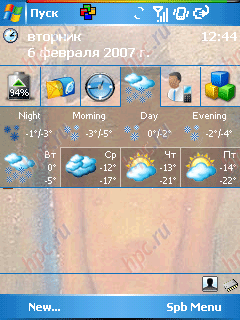
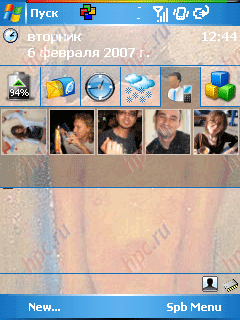
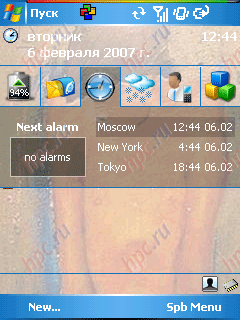
Spb Mobile Shell is an advanced shell, which not only makes the interface of the operating system more attractive, but it adds several useful features such as:
  • weather map on the panel Today (in the form of a strongly simplified version of Spb Weather)
  • demonstration of your contacts with photographs on the panel Today (five pieces)
  • Time display panel Today (three cities) and the control alarms
  • control color schemes (choice of 16 color options)
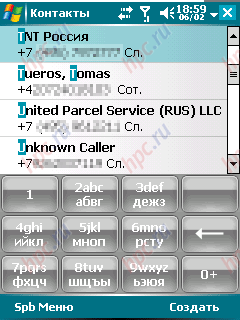
  • simple but comfortable regular replacement "dialer"
  • display panel Today most commonly used applications (this is not a full-fledged launcher, as you might think, and something resembling a standard list of recently run programs on the Start menu)
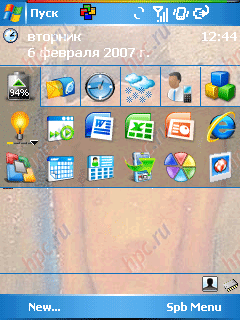
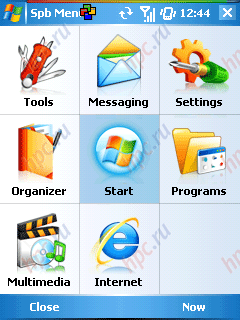
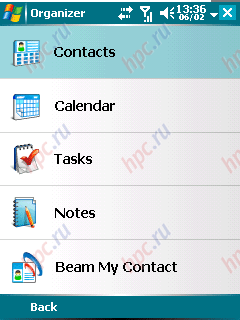
  • display colorful animated menus (in a single window display nine large icons, switching between windows is the manner of Windows-smartphones, with soft-keys «More» and «Back»).
Workshop: SpbMobile Shell: more than just a launcher
The obvious advantage of Mobile Shell at the same time - the ability to control the device with one hand, without using the stylus, simply by clicking the appropriate icon with your finger.
Workshop: SpbMobile Shell: more than just a launcher
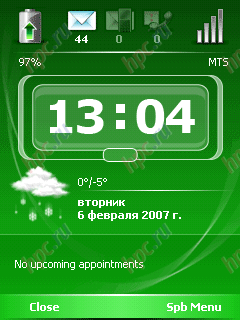
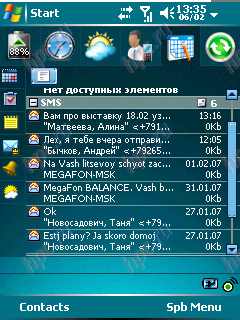
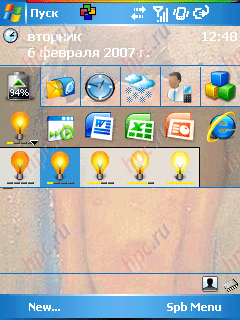
In addition, the shell contains a mode «Now», which is activated on the screen of our device displays analog or digital clock, current weather, tasks, and the number of unread messages or missed calls.
Workshop: SpbMobile Shell: more than just a launcher
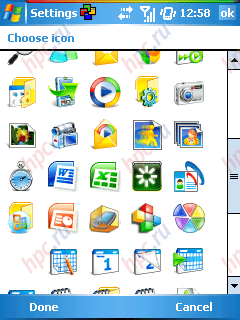
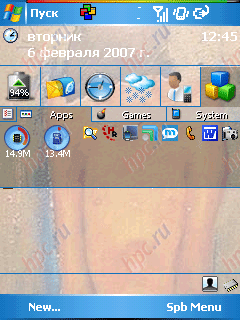
In normal mode, Spb Mobile Shell is the string on the panel Today, which can be located up to six points. For each menu item you can choose from dozens of colorful icons supplied with the program. When activated, each of them appears a drop-down menu.
Workshop: SpbMobile Shell: more than just a launcher
In addition to software components directly from the company Spb, for example, such as the famous launcher Spb PocketPlus, to program a button you can "hang" and software from other companies. As can be seen in the screenshots, Spb Mobile Shell live well, such as iLauncher or PocketBreeze.
Workshop: SpbMobile Shell: more than just a launcher
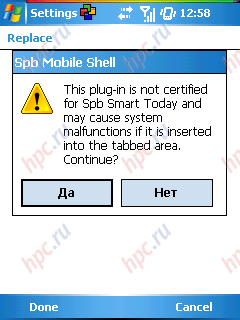
True, when you try to make the main pane any third-party program, we will see a warning about possible malfunctions.
Workshop: SpbMobile Shell: more than just a launcher
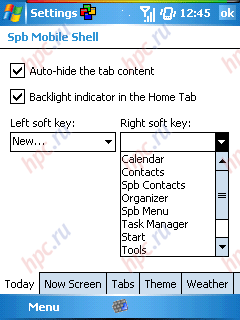
However, we note that, despite the very colorful and high quality design, the shell does not "slow" system and comfortable work it is more than sufficient 200 MHz processor. There is a program mode Auto-Hide, to automatically hide the popup menu when you press on the same icon or select any other element Today. And provides an opportunity to reprogram the left and right hardware buttons, "hanging" on them, for example, the menu «New», calendar or contacts.
Workshop: SpbMobile Shell: more than just a launcher
And on the "desktop" you can set the control level of illumination and battery indicator.
Workshop: SpbMobile Shell: more than just a launcher

Personal impressions

So popolzovavshis program nearly two weeks, for myself, I concluded as follows: I, as owner of the device, the program fits. It has almost everything needed for comfortable work with PDA like with an ordinary telephone:
  • Today-some favorites, and large enough to press with your finger
  • convenient "dialer"
  • Photo-contacts on one of the favorites
  • support for third-party plug-ins
  • excellent menu: any program, setting, etc. You can open without taking stylus
  • under the row of tabs, calm may be other elements of Today, which opens a tab when you activate them simply overrides
In addition, Spb Mobile Shell operates quite quickly, Tabs are switched instantly, at least the difference in speed prior to installation and after, I do not feel it. Nevertheless, several shortcomings in the program is present, in particular, can not configure PIM-manager and the default mail client. Whatever applications are not used, Spb Mobile Shell is still stubbornly open standard Outlook Mobile, Notes, and so on. I really hope that the next version will support more advanced third party applications. Another strange feature - Spb Mobile Shell should stand at the top of the list of Today-plugins above can be supplied only to display the date. Not the most convenient solution for owners of smartphones, I, for example, is much easier to see at the top of the phone plug, not the date. Still, the basic function - control without a stylus, the program performs a solid top five.

Results

Program Spb Mobile Shell, above all, be interesting to fans of various functional panels and launcher. The utility, at least, will save considerable space on Today, Užava six rows on the panel in a single trim line, and at best will run communicator with one hand, without resorting to the stylus. In addition, high speed shell may dispel the myth of the awkwardness of such programs. The program costs 450 rubles. At first glance the price seems a bit exaggerated - at least one flaw in the program have, on the other hand, direct competitors Spb Mobile Shell at the moment, but the products of this kind are now in demand. Download the demo and proibresti Spb Mobile Shell can be in the "Application for PDA.
    Pros:
  • Convenient "dialer"
  • Work without a stylus
  • Built-ins (weather, photos, contacts, control lights, etc.)
  • Support for third-party Today-plugins
    Cons:
  • Unable to configure a third-party PIM-manager and E-mail client
Programs with similar features: WisBar Advance Desktop, Spb PocketPlus, Multi Desk, EasyPDA, SK Today Commander. The authors, translation:

Life on the pill

Life on the pill
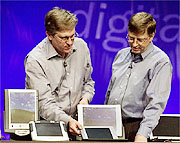
Everything is new - it is well forgotten old. Trite truth, but that it best reflects the situation in the area of ​​tablet PCs ... Frankly, the emergence of Tablet PC we are waiting with great interest. First, the fate of this technology is quite easy to predict. Second, anticipate that easy, but it is impossible to predict the outcome. This is also the creation of Microsoft, and how many have you seen a failed project in the world's largest corporations? .. Although this is also about the opinions diverge. However, failures in short supply. One of them - an attempt to release an operating system for Tablet PCs based on Windows 3.1 (in its present name for Pen - Ink). Bill Gates himself in one of his books, admitted disappointment that befell him in a test of this system in practice. Operating system simply did not recognize you, and this computer at work was inconvenient. The failure of failure, but the product was released and appeared on the market Tablet PCs - devoid of the keyboard machine, equipped with touch-sensitive to touch, screen and complete "notebook" a set of embedded devices. Gradually formed generalizing the name of the computer - "web-tablet, although any standards simply did not exist. One of the first such computer (name, if not mistaken, in Russian sounds as "Dauphin") in the early nineties and fell in Russia. No luck selling it, so the computer has remained practically unnoticed. But I still managed to try out this machine at work. Time prigasilo brightness of first impressions and completely erased some of the details. But one thing I remember clearly - this "Dauphin" seemed to me absolute nonsense ... the years passed. Manufacturers of portable computers released tablet computers, which until Russia has not traveled, and the rest of the world's great demand not have won, taking only a small part of the corporate markets. Then came the first pocket computers based on Windows CE. Over time, they were divided into several families. Small cars have lost the keyboard, classic handheld `s mostly died out (leave a memory of a Lost Dreams, and a couple are still evolving models) and gave rise to another class of devices - subbloknotnye diskless computers running all the same Windows CE. But then died out and they are ... Now everything is back to square one. That is the big keyboard computers based on Windows CE partially revived in the guise of yet unknown to us besklaviaturny Tablet PC. But at the same time revived, and tablet computers with hard drives is designed for a special edition of the operating system Windows XP for Tablet PC. So the question - what will the new family car Tablet PC - can be answered in some measure only looking back, because it was in the past, we can find answers to most questions. How's the old American movies - "Back to the Future"? That's it ...

Minimum movements

Prior to the official publication of the Tablet PC platform remains a little more time, so we can talk about these computers only in the alleged manner. Although the probability of error is very small - about the Tablet PC is so much said and written that hit the mark quite a challenge.
Life on the pill
Originally conceived as a Tablet PC only diskless machines that are running a special operating system - the successor to the unforgettable Windows CE. But here it was reported that a CE is not limited to that within the Tablet PC is possible to produce more powerful systems, equipped with hard drives and all that are equipped with "normal" notebooks - the sound and video system, a complete set of expansion slots and ports. To date, the operating system suitable for use on diskless Tablet PC, there is - it suddenly stalled Windows CE.NET.The list of technical specifications Tablet PC stringent restrictions, which were at the announcement of palm size computers are not available. This is understandable, the first palm size cars were forced to compete with the popular Palm `s who seized much of the PDA market. The devices are large and heavy, even at high functional equipment against small democratic Palm `s chances were not significant. Therefore, developers have proposed a potential buyer computers in dimensions Palm `a, but with more powerful hardware and software filling. What it has - you see yourself (as a minimum, a serious redistribution of the PDA market).
Life on the pill
With the Tablet PC the situation is quite different. They have no one to compete as the market Tablet PCs completely developed. In fact, it's not even release a revolutionary platform, and another attempt to use old ideas in order to form a new niche - besklaviaturny laptops ... I think that Gates be interested in, say, sheetfed scanner, the noise would have been no less - at the same level of "innovation . But it's Gates, he knows better ... What is a diskless version of the Tablet PC? Roughly the same as "screen" half a laptop keyboard deprived parts. That is - a small area aktivnomatrichny color screen diagonal of 10.8 inches (maybe 6 or 12 - hard install from Microsoft seems to be no) and a resolution of SVGA or XGA, equipped with a touch layer for pen input, and set in a compact body. In the first Tablet PC will be installed the same processors that are used in modern PDA Pocket PC. That is, StrongARM and XScale processor clock speed from 206 to 400 megahertz. But we can assume that with the release of new processors (Windows CE.NET does not impose restrictions on their use, as opposed to Pocket PC 2002, which permitted only one type of CPU) their appearance on the Tablet PC does not take long.
Life on the pill
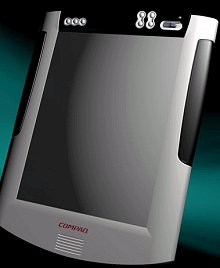
Incidentally, in common between the Pocket PC and Tablet PC diskless option than it might seem. The difference in size, only in size. And, perhaps, in the amount of expansion slots - because it is small size, handheld computers preclude the installation of the CPC set of slots at once (without any kind "jackets" - PC card, CompactFlash, MMC / SD, and etc., etc.). Not for nothing is one of the Tablet PC prototypes created in laboratories, Compaq and demonstrated at the spring exhibition in Hannover (Cebit) looked like an enlarged copy of the iPaq `Yes. It turned out funny and cute. Like a pocket-sized machine to a modern Gulliver ... In the first computers, Tablet PC, some parameters seem to be too high of promotional considerations. Take, for example, amount of RAM. 128 MB - good or bad? For the price of the computer is not very much, for the operation of the system - without any special advantages, since the software for CE.NET is not so demanding on the memory size, and the user Tablet PC, as the owner of Pocket PC, can he buy a memory card of this size, what he needs . Particular emphasis in the Tablet PC is on wireless communications. Adapters Bluetooth or Wi-Fi should be present in the computers initially. GSM and GPS modules can be connected via an expansion slot ... But the same thing we see in older models of Pocket PC - in the older model iPaq or Toshiba, for example. What is revolutionary in the Tablet PC? What should plunge us into the sweet euphoria? That is designed to entice users rassuponit their wallets? And nothing ... Big screen, solid weight (from 800 grams or more - depending on the diagonal of the screen and frame sizes), the absence of the normal keyboard ... However, the keyboard will be virtual. Moreover, so great that the keys can be pressed with your fingers rather than stylus. (And then endlessly scour doroguschy matrix). The problem of food and I do not say. The device is great, the places in the body should be enough for very high-capacity batteries.But the power of a large matrix appropriate. So that the autonomy of a Tablet PC will be approximately the same as that of the Pocket PC - for the trip to the couch just right for multi-day trips - alas ... And, of course, light. Realize a large screen showing the backlight - so knowingly waive its uniformity. If the light is the same as in conventional laptops, that is nondisconnectable, then on the "field" applications, Tablet PC, you can forget. Do not make out there was nothing - at more or less bright, natural light ...

Maximum patience

Treat six months or a year from the handheld computer, you start to take your laptop to another. Annoying slowness of loading the operating system - seemingly about the same, Windows, and downloaded a few minutes. The Pocket PC is - seconds. Once or twice and you're done. Now imagine a portable tablet computer (designed to work on weight and not on the table) that is running Windows, God forgive me, XP ... you should quickly open the database, run a word processor or spreadsheet. Well, there is record something, or conversely, to look quickly. A machine just four minutes to boot ...
Life on the pill
Disk device option Tablet PC is nearly the same device a conventional laptop. Winchester, which connects the outside (although I have seen in the announcements and internal) drive CD-ROM. Sound system, two-dimensional graphics accelerator (for toys Tablet PC is not very suitable). Keyboard connector - as, indeed, and diskless congregation. Somehow, the developers believe the ability to connect standard (which is likely to be proprietary and therefore expensive) keyboard extraordinary achievement ... Next - processors. Economical (but creepy "brake") Transmeta Crusoe, mobile versions of the Pentium III and, presumably, IV (not anymore, so in the future). Nothing extraordinary, right? Set of ports - including the video for an external monitor. Built-in wireless data transmission (the same Bluetooth or Wi-FI - depending on the preferences of the manufacturer). "Notebook" Winchester and the same lithium battery ... Because of what fuss? Ah yes, the touch screen. Muddy, soft, next to the laptop quite flimsy ... I think not? Why then not seen much hype around desktop LCD monitors with touch screen? Or simply - on removable touch-screens that put on regular monitors? Technology is good and in some cases irreplaceable. But only for special applications.

The gun on the wheel

Distract and detailed technical arrangement Tablet PC, and try to try a novelty in itself. Count up - he needs us, is whether in real life, is it worth your money?
Life on the pill
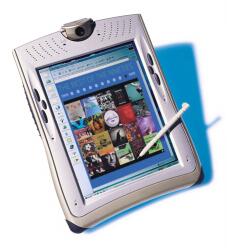
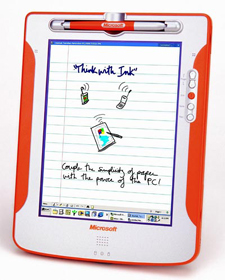
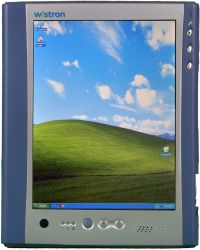
All these questions can be answered in the negative - do not need no help, not worth it. Tablet PC portable machine, but close to the Pocket PC look like a monster that exists. Imagine, for example, reading a book with a screen this tablet ... tedious (you'll crush my stomach - if you read lying on the couch). Or imagine a posted a long gave a man who needed quick access to any information. To carry a half a kilogram of electronic services, so even without the customary keyboard (by the way, the weight of hard drive-equipped Tablet PC because of the presence of the drive and higher capacity batteries will be just about half kilograms)? And battery life is relatively small, and the capacity of programs (version for Windows CE.NET) are limited. Is it not better in this case, grab a full laptop? Finally - the price. One can assume a crush at the doors of a computer store, which sells 800-dollar Tablet PC. But the landslide of 2000 the demand for dollar toy (and you can wait and much more - in 2500-3000 dollars - the price), it is unlikely ... rose sharply as to reduce the cost of computers is expected.Active matrix of large size, so even with the touch sensitivity is itself not cheap stuff. Add to this the cost of components, payment of the current developments, the cost of licenses for the operating system from Microsoft. Yes and a small print run of production of the first Tablet PC will know. In the end, this is not a game console on which the stare and the old and young ... What - the new machines did not find a demand? I think they find. Firstly, they are perfectly suited for a variety of corporate applications. For example - in the banking sector. An employee of the bank, equipped with just such a computer with a wireless network connection will have access to any necessary for databases. Or in education, where the Tablet PC can serve as a wireless multimedia terminal (today's schools use a conventional PC with a wired network connection or portable "Macintosh equipped with proprietary wireless module). Or to trade here Tablet PC will serve as a convenient tool for quick calculations and taking into account the movement of goods. It was the same in the storage business. However, in the field of topography. And so on ... We are talking again, on specialized applications for which need and special software, and possibly a special performance of themselves Tablet PC. Like industrial PDA that is available in "armored clothes" and enhanced "foolproof" (among other things, the most that neither is a technical term in non-offensive sense - button to remove the excess, there you have referred to defense). Speaking of the Tablet PC as a technological breakthrough ... No, not really. Even handwriting recognition in his works one hundred percent (I want to believe). Even the human voice, he will understand at a glance (so far not a damn thing does not understand). All the same, for thoughtful work we connect to this tchotchke normal keyboard. Or a skin-five hundred, so take a good laptop. With a laptop, it still ... more reliable. PS "Tablet", shown on the last picture, just yesterday was provided by Acer. The official presentation of the platform scheduled for November. The authors, translation:

Bowling Deluxe, rolling a ball

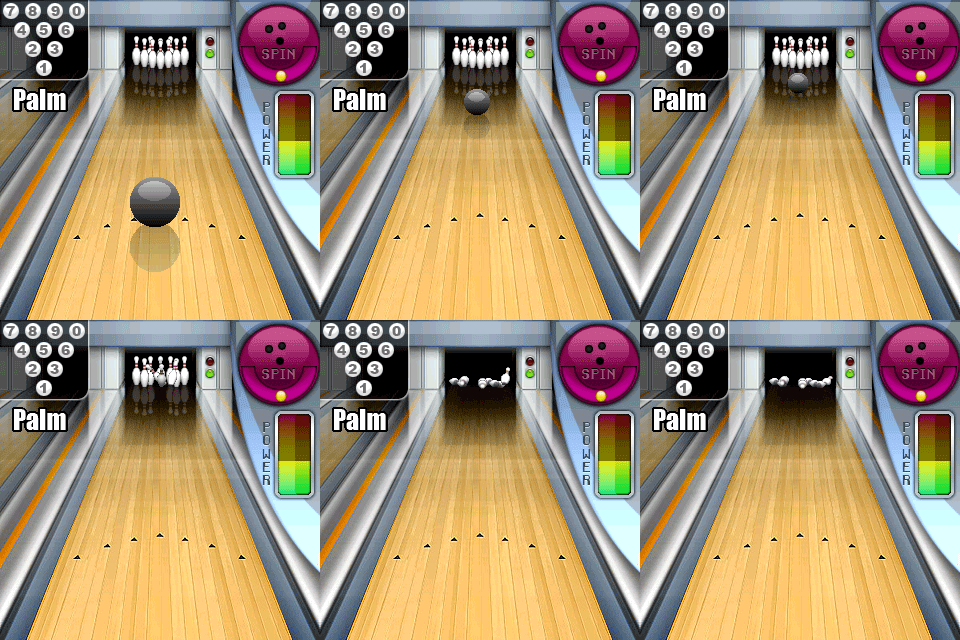
A test version of the game - Bowling Deluxe Bowling Deluxe new game company Deluxeware has a long history. We can say that this release has absorbed several years of experience. The fact that both external, and semantic similarity of the game with a well-known game Megabowling has a rational core. A new game involving people uchastvovashih earlier in the creation of Megaboulinga. However, the new product can not be called simply the result of evolution, the game used the new technology, effective implementation of which was possible only on the latest Palm OS PDA. We can say that the old idea has a new incarnation of the modern technological, ideological and artistic level. I must say that we definitely liked the game. Quality product, very easy to use and complex enough to achieve mastery, not to get bored too quickly. Good graphics and music. Attention! Animated screenshot below gives only a rough idea of ​​the program (it was better to make hard). In the real work schedule is much more smooth and exciting.
Bowling Deluxe, rolling a ball
The game is based on 3D and sprite graphics. Balls during the flight, spin, twist, reflection - all rendered in real time. Because of this, chances are pretty slow work on the old HiRes handheld, but to play by the assurances of the developer can. We also tested the game on Palm Tungsten T3 - Bowling Deluxe is working with outstanding speed and reaction to the administration. But the bowling - it is graphic sprite. However, this can not be considered a fault, the drive of their expansion is provided. A lot contributes to the overall impression and the real sound. Perhaps the highlight of the game is a pleasant way to government. They are three, let's discuss them in detail.
Bowling Deluxe, rolling a ball
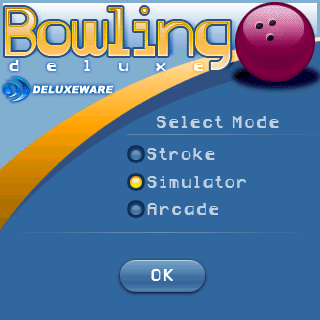
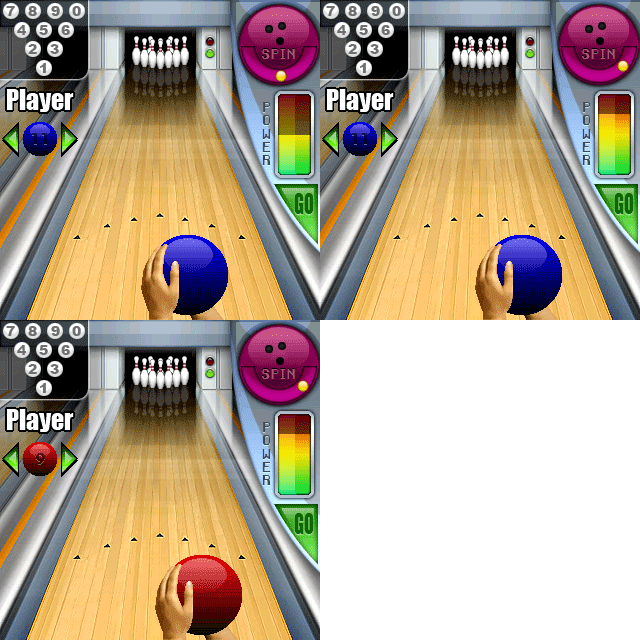
Stroke, Stroke. As the name implies, the ball goes down the path a stroke of the stylus. The faster and more confident holding pen, the ball flies faster. Send the ball in this mode, relatively easy, but achieving good results requires experience. This mode is the most intuitive. Simulator. In this mode to be manipulated by four parameters: the power throw the ball number, intensity and direction of twist of the ball, as well as launching point on the track. Mode allows you to precisely select all options throw, and last performed with mathematical precision. Like strategists.
Bowling Deluxe, rolling a ball
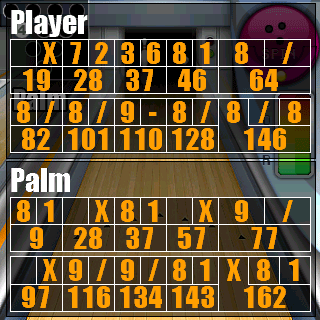
Arcade. Recalls simulator, but is complicated by the fact that the options not chosen in a relaxed atmosphere, and take turns jumping in such a way that we should have time to stop them at the right time. Quick response and accurate calculation will help to successfully play in this mode. You can play alone on stage, alone and with the computer. Multiplayer over wireless connections is not included.
Bowling Deluxe, rolling a ball
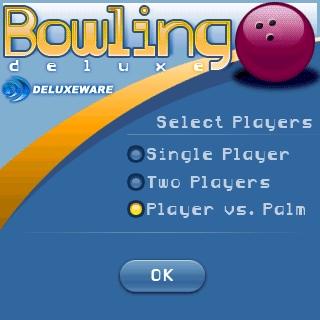
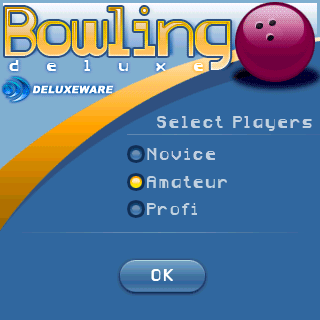
When you select a game to a computer, you can specify the desired complexity.
Bowling Deluxe, rolling a ball
In Bowling Deluxe offers three levels of difficulty. Changing complexity affects only the skill of throwing balls of computer opponent.With increasing complexity of the AI ​​starts to throw the ball more optimal, more often strikes. Deserve special mention quite a decent soundtrack and music. They create a pleasant atmosphere and unique added pleasure.
Bowling Deluxe, rolling a ball
According to the developers in the spring and summer of 2005 is expected to port Bowling Deluxe on the Symbian platform, and possibly, Pocket PC. In Russia, the program is supposed to spread the same ways as abroad - only through credit cards. Russian version ready to make the presence of about 20 Russian buyers, so if you decide to buy a bowling alley, do not forget to tick that you are from Russia. Disadvantages. But the deficiencies found in almost failed. All organized and thought out. Perhaps the only cost to make the process of selecting the game to return to the previous step. And also all the same estimate for the idea, we have reduced since her idea, for several years. Ratings HPC.ru:
  • The freshness of ideas - 3
  • Pleasure - 5
  • Quality graphics - 5
  • Speed ​​work - 5
  • Music and sound - 5
  • Management - 5
  • Reliable Performance - 5
  • Smart and implementation - 5
  • Final score - 4.8
We wish you to get real pleasure from the game and achieve much better results than ours:)
Bowling Deluxe, rolling a ball
Test Platform: Palm Tungsten T3, crack PaPiRus, MMC Pretec 64 MB. The authors, translation:

EzPad - a computer on the forearm


The doctor gives the patient a pill and says:

- One half - from the head, the second - from ... Look, do not confuse.

People's sense of humor I remembered this "bearded" anecdote, when to learn more about the new platform, Microsoft - Tablet PC. And while this device directly related to medicine has not, the people, such devices are often called "pills". Although its content more accurately reflects the term "tablet". That is so familiarly:) I'll call here EzPad, a new class of portable computers (literally, handheld computer), often besklaviaturny, which in fact can be used like the tablet from a joke - as a separate unit under the operating system Microsoft Windows CE . NET (Windows CE 4.1) or a remote wireless terminal for a desktop PC.

Design

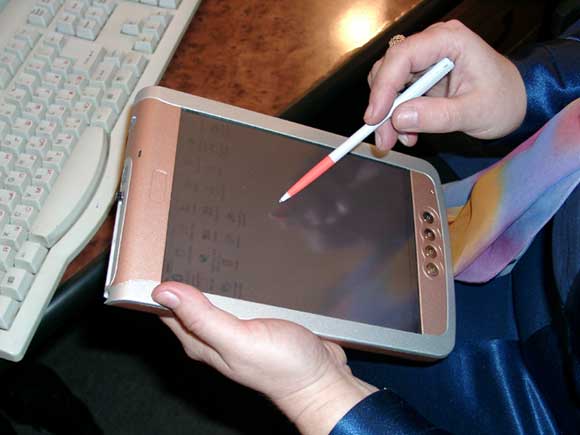
EzPad production company Epower Technologies like a very large PDA rectangular shape with rounded corners (length 230 mm, width 154 mm, thickness 20 mm, weight 755 g), much of which has excellent color display (21 cm diagonal), very bright and contrast, with a resolution of 800 x 600 pixels. Highlighting the side, not very uniform, but for such a large screen is quite acceptable (completely off). In the tablet is not the usual keyboard - to enter information using a pen-and-screen keyboard, which is called if necessary. Pen acts as a mouse or other pointing devices - for selection, clicking on the links to switch between programs and windows open.
EzPad - a computer on the forearm
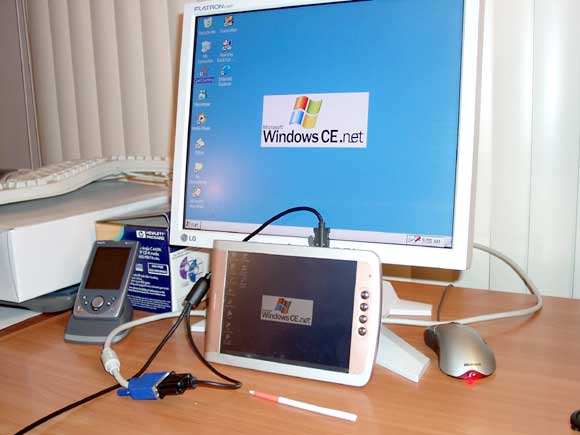
If you, for whatever reason, does not satisfy such a way to input and cursor control, you can connect to the tablet or computer mouse or full keyboard. Either-or, because the tablet is equipped with only one connector USB, allowing you to connect peripherals (USB host). C EzPad desktop computer connects through another connector USB (Client) - for data synchronization or installing software (though the wires can be replaced by an infrared link). Interestingly, the sync cable combined with a VGA-out connector - connector that connects to any standard monitor or, more useful digital projector - a good solution for presentations. In the photo: connect an external display.
EzPad - a computer on the forearm
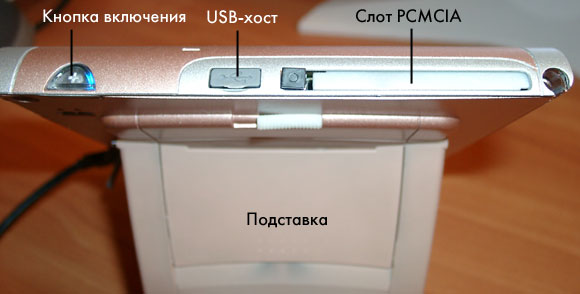
Yes, via USB you can connect a number of flash storage class USB Drive, at least, Lexmark. Housing is very similar to the metal, but is made of durable plastic-covered "silverfish. Above is a connector for cards PCMCIA (or CompactFlash adapter if), USB-host, the power button (glows a beautiful blue color) and a container for a pen.
EzPad - a computer on the forearm
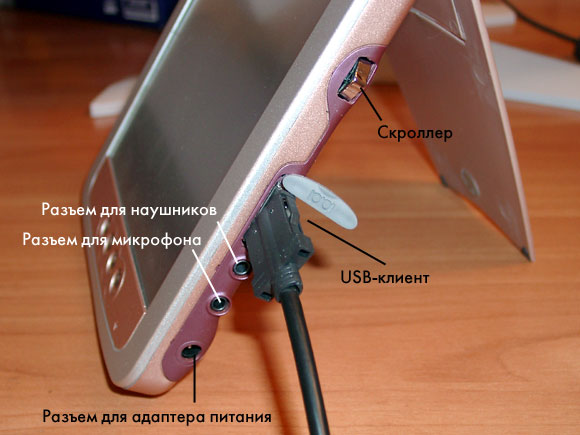
Side are: button scrolling (scroller), USB-client terminals to connect the power adapter, headphones, microphone, and infrared.
EzPad - a computer on the forearm
Under the display - four function buttons, from F4 to F1 (in that order). And the right of the tiny microphone.During the assembly at the factory buttons are assigned the following functions: F4 - fast call setup; F3 - Start your e-mail Inbox, F2 - Loading a word processor WordPad (an analogue of Pocket Word), F1 - to launch a Web Browser Pocket Internet Explorer. The back panel is attached stand that turns the tablet into the frame for digital photos, there is also fashionable now switch the battery, just below the reset button, and "hard» (hard reset)! Naively, I restarted it several times with it and then been looking for just the stored information. Who would have thought! A soft reset, it appears, is performed by simultaneously pressing the three hardware buttons. At the bottom of the rear panel is a great speaker. Despite its size, the sound of his quiet, no headphones can not hear anything. Perot heavy, weighs 1914 Long, two-toned. Along the way, can replace the dart in the game of darts:)

Memory

All memory tablet is divided into three parts. First, the flash ROM (32 MB), which houses the operating system together with embedded applications (called built-in CompactFlash, built-in CF). Second, 64 MB RAM, which can store data and programs to "hard" reboot. And thirdly, the flash memory 32 MB - a constant and not erasable for user files (something like a hard disk, but without the spinning platters). This memory can be "split" on the virtual disks - remember those times dos.

Food

I'm not chasing the plate on purpose, but 2-3 hours with a wireless card it should last for sure. Built-in battery. Very dangerous, at least in the predreliznogo copy which fell into my hands. Left unattended for a week, he "sat down" and was "hard" reset with the loss of all data in RAM. Program in flash memory remained, but confused them a little, - executables to register in the Program Files (in RAM) and have been lost (and record them in the registry). In particular, long live ordered the crack. Survived only Haali Reader:)

Applications

Crack wrote programmers MakTsentr. Somehow, the other "localizers" has not yet puzzled platform Windows CE. NET. MacCentre RusKey NET - a light version, without interface translation, but allows you to print the Russian version as a virtual keyboard (and them in tablet two - big and small) and a connected real (via USB). There is a small "glitch" - the keyboard does not understand Russian, where the tablet acts as a remote display for Windows XP, but the problem is solved and will be solved. Embedded applications are word processing Microsoft WordPad, «instant messengers» MSN Messenger, «stereo» Media Player c capable of playing audio and video from the Internet (MP3 and MPEG-4), postmen »Inbox,« raspoznavalkoy "English handwriting Transcriber "remote display» Remote Desktop, web browser Internet Explorer, toys FreeCell and Solitaire. In addition, there are several official utilitok, for example, Bluetooth Manager. Personally, I missed the program Notes, which you can write "electronic ink" without recognition of my scrawl. A pity. The screen is slightly rough to the touch, pen, it does not slide, it is convenient to write. Unfortunately, Transcriber does not understand Russian, though English handwriting, even together, translates the text quite well. The program is wonderful, but very "brake". Paragonovsky PenReader does not work, however, like other software platform Pocket PC. However, many applications for the computer keyboard class Handheld PC 2000 (in particular, for the HP Jornada 720) "stood up" without a problem - unfortunately, few of them. I must say that the program's website is constantly updated list of compatible programs, mostly commercial. But one link I was particularly pleased - Bundled Programs (ie, the program included) - and listed ClearVue (utility for viewing different file types), cePIM (I suspect that this lack of an organizer), Recorder (it is clear that recording) Picture viewer («smotrelka" pictures). But during the writing of this review section was «under construction».

Wireless connectivity Wi-Fi

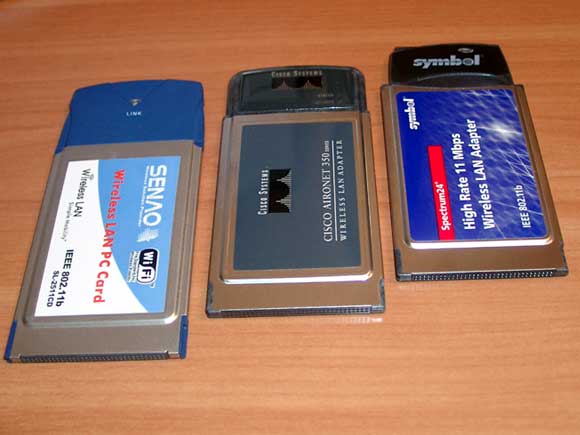
Well, you say, a wonderful device, but why and who needs it? And imagine, lightweight device with a big good screen, equipped with wireless communication anyone you comfortable standard - Bluetooth, Wi-Fi (802.11b), GRPS, CDMA. Take, for example, a standard 802.11b (or Wi-Fi), is rapidly being introduced in the corporate sector. Using the PCMCIA-card gives you access to all local area network for your company. E-mail, Internet, schedule meetings, scheduled the case, text messaging via IM (MSN Messenger or ICQ, for example), edit documents (Word or Excel) or a solution of other, more specific tasks. And all this without approaching your workplace at a distance of almost 100 meters. In principle, even this distance is not the limit, if your office is equipped with not one, but multiple access points (access point), which support each other roaming, ie, one point "passes" you have another one, if you leave the area it covers. At home you can build the same network, if your house and land is larger than srednestaticheskoy apartment. Moreover, in the open air access point provides coverage within a radius of 300 meters from it. Come out to the garden, listen to digital music, look no less digital video, staring at the Internet, but all this work does your home computer, which acts as a server connected to the Internet. The farther into the garden, the greater the need to access points. If you live in an ordinary apartment, enough to organize an ad hoc network (no access points) - you need another adapter 802.11b (on PCMCIA card, or on the board to be installed in a PC system unit). All these solutions are convenient in that you do not have to swear to the family and to plot on which his wife and children will surf the World Wide Web. After all, usually only one home computer is connected to the Internet. Wi-Fi card produced by many manufacturers, but the best results showed the PC-Adapter Cisco Aironet 350 and Senao SL-2511CD. Tablet taken them without additional software.
EzPad - a computer on the forearm
I went down through the concrete floors on three floors down, but the connection was not interrupted. These cards were immediately identified, which can not be said about the product Compaq WL100 and Symbol Spectrum24 - no driver tablet not understand them. In the photo: tablet with WLAN-card Senao and USB Drive. Note that the pen is held by a magnet.
EzPad - a computer on the forearm
Hopefully, the producers of the periphery will sooner or later descend to the platform Windows CE. NET.

Bluetooth

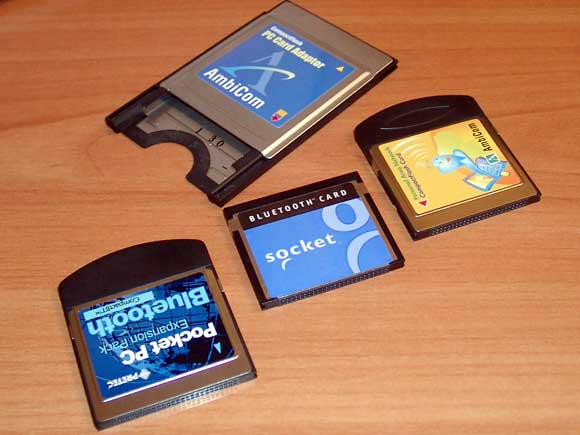
But the realization of another popular wireless standard Bluetooth in this device I was very disappointed. Rather than build kopek and a tiny transceiver inside, the developers have written a generic driver for Bluetooth-adapter on a PC-and CF-cards. Of course, a certain logic in this is because the standard has a "raw" and constantly improving. I tested four CF-cards (with "pants" adapters PCMCIA) - for none of them are no "native" drivers for WinCE. NET. This BT-adapters production Bluetake, AmbiCom, Pretec and Socket.
EzPad - a computer on the forearm
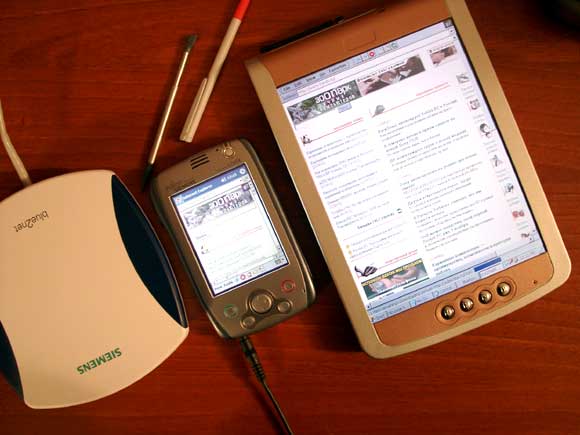
Pretec card eliminate immediately - built Bluetooth Manager tablet rejected it decisively. The remaining cards are working without sobstennyh drivers, but worked so unstable that it would be better and did not work at all. I could not understand the conditions under which a connection is established, and under what interrupted, giving an error opening the port. One time I was "sitting" on the Internet for almost two hours, but often the connection broke after a couple of minutes.And, even hard reset did not help. The only thing that pleases because it assured the Russian "promoters" tablet that promise in the commercial version to bring to mind the software responsible for the work of Bluetooth. To access the Internet through a Bluetooth access point, I enjoyed blue2net company Siemens, connected to the LAN - this little box can stand on a table or hang on the wall. She has just two connectors - for the power adapter and inclusion in the network. Our server itself has found a new device in the network (using DHCP) and is automatically conferred on him the IP-address. After that you only register in the connection settings tablet proxy server address and blue2net became a "conductor" on the Internet all around a BT-device. Retail price of this "station" in Russia is 425 euros. In the photo: simultaneous access to the Internet Tablet and handheld Pocket LOOX.
EzPad - a computer on the forearm
By the way, convinced that blue2net «hits" to a distance of 10 meters (LOOX in a coverage area within 30 meters from it).

Satellite navigation

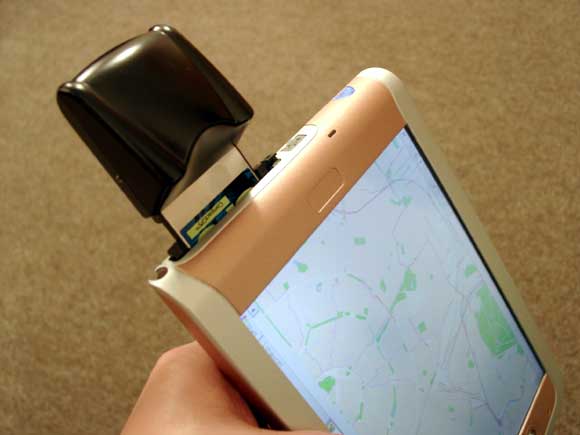
Coupled with satellite GPS-receiver tablet may be the perfect navigation solution for the car (only need to come up with a decent mount to "torpedo"). On his big screen is placed a very large chunk of cards (in my case, PalmGIS). At least, satellite navigator firm Pretec (for CompactFlash-card) was immediately recognized and took us on a journey:). In the photo: PalmGIS with satellite navigator.
EzPad - a computer on the forearm

Remote Display

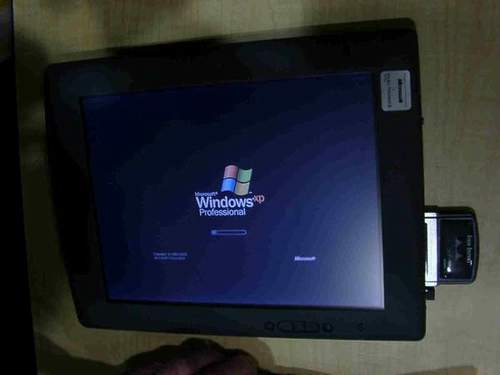
Since the tablet corresponds to the concept of Microsoft Tablet PC (though not completely), it can serve as a remote display desktop PC running Windows XP Professional, located somewhere behind the wall - for this program provides Remote Desktop. Of course, you need to know the name of the "big" PC login, password and domain (workgroup name). In this configuration EzPad uses the resources of a PC, it solves the problem, look to the Internet and so on. In the photo: Windows XP on-screen tablet.
EzPad - a computer on the forearm

Summary

If we neglect the small design flaws and "dampness" of the operating system, the impression of a tablet formed very pleasant. With an estimated retail price of $ 700 (the company "Vobis" intends to start selling it already November) EzPad tablet has a good chance to gain a foothold in several markets. Of course, without a wireless tablet has no right to exist:) - all of its charm in the possibility to walk around the house or a warehouse (or on a hospital ward) and to be associated with a home computer or server, using its resources. Advantages over a laptop - no moving parts and instant download. Advantages of the CCP - display. Disadvantages - the implementation of Bluetooth, although the latest reports, developers have been working with the company Bluetake for "repair" the drivers. In addition, at the November Comdex trade show will be presented this tablet with an Intel XScale.

Technical Specifications (according to the manufacturer)

  • OS: Microsoft Windows CE. NET (4.1)
  • Processor: Intel StrongArm/206 MHz
  • Memory: 64 MB RAM + 32 MB Data Flash (expandable to 128 MB) + 32 MB Flash-ROM
  • Display: 800x600, side lights, diagonal 8.4 "(21.3 cm)
  • Expansion: PCMCIA
  • Ports: IrDA, USB (client and host), VGA
  • Audio: microphone, jack (stereo), headphone and microphone Battery: Lithium-ion polymer Dimensions and weight: 230 x 154 x 20 mm, 755, the

And, of course, thanks:)
Blazar: space battles under the rumble of lathes

Version Blazar for Pocket PC version for MS Smartphone Blazar Blazar version for Series 60 Platform version Blazar communicators SonyEricsson What? Is space shooter still live? Fantastic! Riddle of the survival of space shooters, do not leave "counters" for several decades, until now I did not solved. The secret of their popularity is beyond comprehension - the game lies in the simple and down-movements of the fingers, are unlikely to sow reasonable, good and eternal. Usually, these games suffer from a lack of sense of humor, repetition key elements of wandering out of the game in the game, endlessly zanudlivymi spaces and the complete lack of sense. Elements Interactive software company has decided to disrupt this dense pale walls of the same type of games and a considerable variety of recently released its own shooter. Rolled up their sleeves and came up with a smile, and neatly done here ... For all the originality of some elements, the developers could not resist ... and fell victim to the "space sickness", calling his creation "blazars". "Houston, we have a problem!" Soooo, where we've got the drawings ... Parse our space saga to a cog, tell and show.
Blazar: space battles under the rumble of lathes

Story: 3 / 5

Blazar: space battles under the rumble of lathes
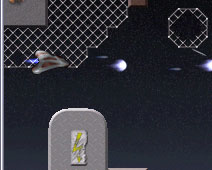
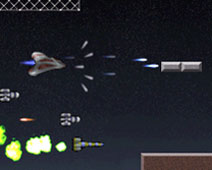
At the core of any shooter is the struggle for liberation. Rarely clear who, whom and why. Blazar here, unfortunately, the exception was not. The absence of a plot - a phenomenon quite common among shooters - here a complete mix of goals, circumstances and styles. N / O or on the website of the game or the game itself does not describe all the circumstances of the battle waged. We just run headlong into a cartoon kosmoletik and rushing to the attack. Judging by the decor, we uphold the economic independence of the land: combat flight attendant is obviously the shops of a plant. Here we fly past the mesh fence, heroically protaranennyh our predecessors in the hot battle: "Hi Malchish!". Signs "Danger" on the walls, metal bolts and rivets, endless space, numerous enemies ... interesting to see how all this evil come here. And why it's so concentrated it is here, in the native plant named you-know-who ... try to analyze a civilization trying to enslave us and take away resources. Judging by their appearance, an alliance of aliens and peremetnuvshihsya them traitors - Engineers from the ground. As you will often run a familiar kind of rocket, you will have to attack the flying machine guns, and a strange-looking creatures with tentacles (Well, where do without them? ..) In a collision with you on the nose of your nashlepyvayutsya kosmoletika, clogging the nozzle and the barrel, not allowing the fire aggressive enemy side. "Velcro-octopuses" can shake if accelerate progress. A surprising number of ... Although the absolute grounded the story and its protagonists parties, the name of the game are absolutely astronomical and intended, perhaps, to remind us of the futility of all our militant liberation sentiment. The fact that the blazar - a black hole, emitting narrow streams of high-energy particles. But we know that we should fight ... And in a frenzy we press the keys, nervously scratching the display with stylus and fly farther.
Gameplay: 3.5 / 5

Blazar: space battles under the rumble of lathes
Shooting just continuous. And nowhere, nowhere, nowhere on it will go. Our poor kosmoletik constantly shelled, and that quite funny, is not always clear from where. The flow of bullets flying at him just under the standard.Just in case. Those "flying machine guns, about which I wrote above, shot without a break, so that to destroy the foe was left unscathed is almost impossible that it is insulting. But this is, I think the harsh space-factory life. Playing on a course more difficult, the bosses (without which the "tape" shooters can not do) at the end of levels are outrageously tenacious, so that once got into a fight, do not have to be bored. What's good level design, with each game is changing.

Interface: 4 / 5

Blazar: space battles under the rumble of lathes
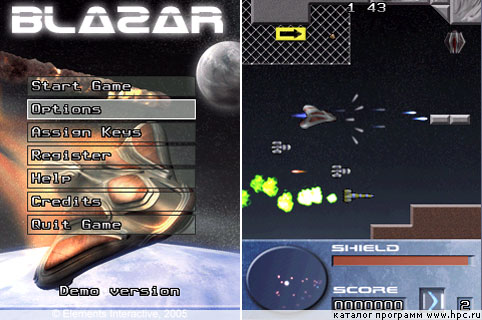
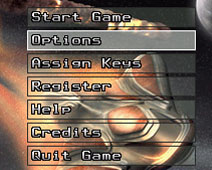
In the shooter is always quite simple. Break down than to build. Know yourself moving, still ship itself shoots. But for the fans something more complex provides the ability to disable automatic fire through the menu Assign Keys. You can also designate a key to start the game. Everything else - moving up and down and left and right - by dzhoypadom / Jogger or stylus. We have also radar - it shows the location and number of enemies and bonuses in front, and also very useful for detecting missile launches treacherous back (some subtle craftiness!). The menu can change the volume of music and sound effects, enable / disable automatic firing mode, as well as the enigmatic function «Erase Data». I guess it comes the score, which I found on the website of the game, you can even upload to the server. Also on the menu you can enter your license code to get a fully functional game (in the demo you are limited to an incomplete first level and the lack of opportunities to save points earned). Lack of menu - the menu button labels difficult to read - they are somewhat mixed with the cosmic background. Another slight drawback - it is difficult to understand what a bonus for what, and what happens if you "gobble up" one or another blue brick.

Graphics: 4 / 5

Blazar: space battles under the rumble of lathes
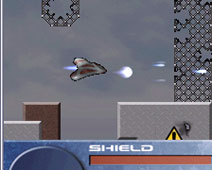
Corridors of the main site of action, which we defined as a factory and warehouse have some sad, peculiar, however, above the interior in real life. But the heroes, by contrast, are not devoid of originality, are designed well, with humor. Graphics resolution and contrast - you can immediately uglyadet all enemies, bonuses distinguish and recognize the danger, but would like more specific elements of those same details - little finishing touches that can make the game quite unusual.

Sound: 5 / 5

Thanks to a friend DJ PWB for our happy "blazirovanie! Music is good. In addition, the developers make it possible to control the level of its volume - agree, even such a simple element, not every developer account. Buhi, mutual funds and pafy also quite good, especially if you play with headphones. Just for the sound of explosion, I often neglected the enemy and chased flying through the endless "factory" cobblestone corridors - they are already very well burst.

Outcome: 4 / 5

Blazar: space battles under the rumble of lathes
Estimating the game, we took into account the specific scope and limitations of the genre of "shooter". Being a shooter, and having inherited all the flaws of the genre, Blazer, however, differs from the set of tape shooter that was done with humor. Fly and shoot.Forward to defend family economic resources!
Blazar: space battles under the rumble of lathes
See also: Li-Nuggz from the company Elements Interactive Li-Nuggz Version for Pocket PC, MS Smartphone and PDA platform Series 60. Review of the game in the "Playing the soft parade" The authors, translation: