Mobile panorama of the week. Issue 4 - May 8

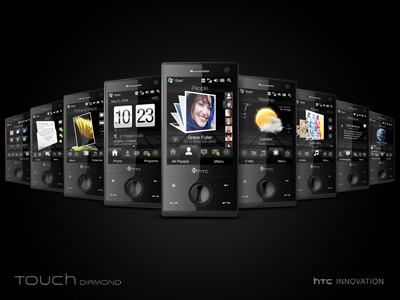
HTC Touch Diamond: a brilliant innovation

In London, May 6, HTC had a sensational announcement, clearly became the main event of the week. The press was intrigued before, in the sent invitations promised a whole "wave of innovation", so from the famous manufacturer of Windows Mobile devices were waiting a lot. Built a variety of assumptions about the nature of the "innovations" that are waiting for the world at the London event. Predicted a series of new devices, a successful series of Touch and the announcement of the first smartphone based on the platform Android. As it turned out, the debut of the Android-smartphone has not yet come, and instead of Touch-three new products was introduced only one. However, despite the fact that the presentation in London was entirely devoted to only one new product, no one was disappointed. HTC Touch Diamond has already gained the reputation of an important milestone in the development of Windows Mobile devices, and, apparently, quite deservedly so.
Mobile panorama of the week. Issue 4 - May 8
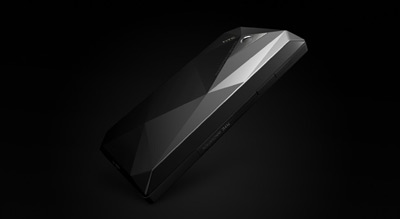
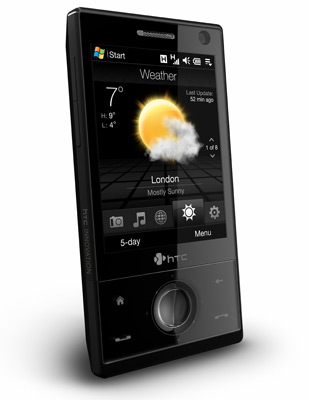
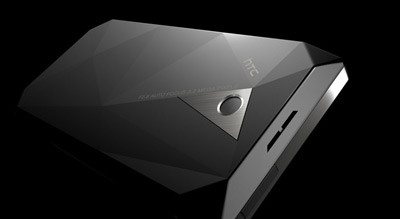
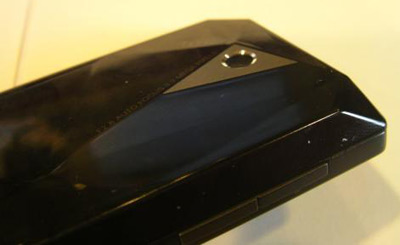
On the one hand, HTC Touch Diamond logically continues the overall concept of the entire series Touch of HTC, on the other hand, takes her to a new level. From the outset, the main advantages of Communicators Series HTC Touch was the design, compactness and ease of use, based on the company's interface, TouchFLO, improves the standard interface of Windows Mobile. Design HTC Touch Diamond stands out from the general style of the series. Instead of round, smooth shapes are dominated by the straightness and more rigor. Trace the influence of image line of phones Nokia Prism, since we use a stylized "cut", however, this may be a coincidence given the similarity of "diamond" concept Nokia Prism and the new device.
Mobile panorama of the week. Issue 4 - May 8
In size and weight of the HTC Touch Diamond is not inferior to the original HTC Touch, despite a markedly improved performance and functionality. Recall that the HTC Touch was in its time among the miniature model of Windows Mobile smartphones. Here are the values ​​of these parameters are indicated on the official website of the manufacturer:
  • Dimensions HTC Touch Diamond: 102h51h11, 5 mm
  • Dimensions HTC Touch: 99,9 h58h13, 9 mm
  • Weight HTC Touch Diamond: 110 grams (with battery)
  • Weight HTC Touch Diamond: 112 grams (with battery)
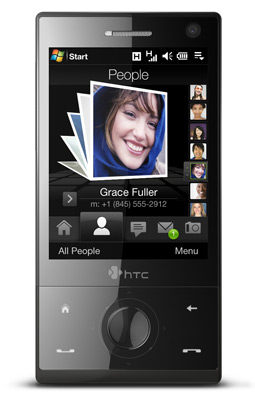
As can be easily seen, HTC Touch Diamond only slightly longer than its predecessor, but noticeably narrower and thinner. Weight is almost the same. The new interface TouchFLO 3D, which is used in the HTC Touch Diamond was previously known under the codename Manila UI. It represents the next step is to simplify the use of Windows Mobile devices, the possibility of transporting the original TouchFLO to the next level. The new version of the redesigned user interface, it now significantly more functional and impressive at first glance. Although seasoned specialists in Windows Mobile is guaranteed to choose to install your own set of programs for beginners, even those not familiar with a standard interface OSes from Microsoft, such as TouchFLO 3D add-in should be much easier to perform everyday tasks, including phone calls, mail, messages, music, Internet and so on. As before, the main task of proprietary shell - simplified access to key features, which does not require using the stylus.
Mobile panorama of the week. Issue 4 - May 8
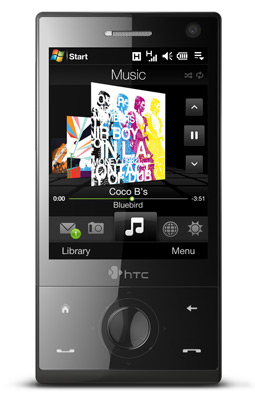
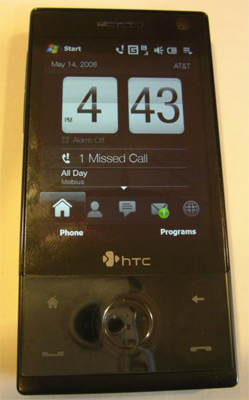
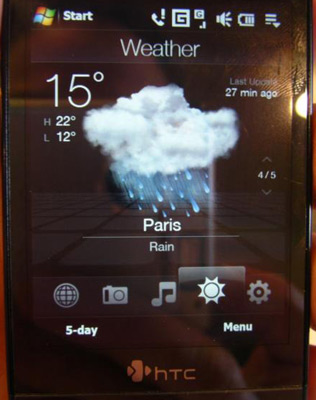
The first reviews describe the new interface as follows.TouchFLO 3D, unlike the TouchFLO, actually replaces the standard screen Today Windows Mobile, as a result of the shell does not need to step up, she immediately started from the moment the device. TouchFLO 3D has new start screen with a clock, information about missed calls and subsequent meetings. It also includes a custom list of contacts to speed dial numbers. Followed by tabs for SMS and MMS, and email. With photos and video are working on the next screen, incidentally, TouchFLO 3D is able to play video without launching Windows Media Player. Music tab displays all available tracks from the CD covers. Tab to work with the Internet browser Opera Mobile launches and displays the bookmarks. Tab displays the weather forecast, and you can track the weather in 10 cities. On top are the settings and the Programs menu, which can be partially set up and provide direct links to all available applications. In the HTC Touch Diamond uses a number of sensors, one of them allows you to automatically change the orientation of the display on the screen from vertical to horizontal when working with photo-viewer and browser Opera Mobile.
Mobile panorama of the week. Issue 4 - May 8
TouchFLO 3D will be installed in all new model series HTC Touch. Upgrades HTC Touch, Touch Dual and Touch Cruise is planned for obvious reasons - increased demands on the hardware device for processing an animated interface and specific functions such as image rotation. How convenient TouchFLO 3D will be for end-users while it is impossible to say with certainty, for the final conclusions will wait for the tests.
Mobile panorama of the week. Issue 4 - May 8
Hardware capabilities of HTC Touch Diamond does not make less impression than the interface TouchFLO 3D. This is the first classic by HTC with a screen resolution of VGA. Of course, HTC has already had experience in the production of devices with VGA-display, it comes to such monsters as the HTC Advantage X7500/X7510 (codenamed Platform Athena) and the HTC Universal, but they were not oriented to the mass consumer and not classified as habitual compact communicators, comfortable for everyday use. Among the advantages of new items - Qualcomm MSM7201A productive processor with a clock frequency of 528 MHz and a graphics accelerator, 192 MB RAM and flash memory of 4 GB, GPS-module, FM-radio, and a full range of communication possibilities on the support of cellular networks, GSM / GPRS / EDGE and HSDPA / WCDMA wireless networks to Wi-Fi (802.11 b / g) interface and Bluetooth 2.0 EDR. The camera is used rather skoromnaya by modern standards - at 3.2 megapixel with autofocus but no flash. Of the contentious issues are the lack of slots for expansion cards, memory, and a pretty big surprise cause the battery performance - capacity is 900 mAh. However, the claimed battery device on a single charge is acceptable and is noticeably larger than the same HTC Touch. As is the case in real conditions, tests show. Some sources have reported that the company plans to release a more capacious battery for the HTC Touch Diamond, but did not specify the details yet. It is also anticipated release versions with 8 GB and 16 GB of internal memory should comfort those who are 4 GB seem to be too modest.
Mobile panorama of the week. Issue 4 - May 8
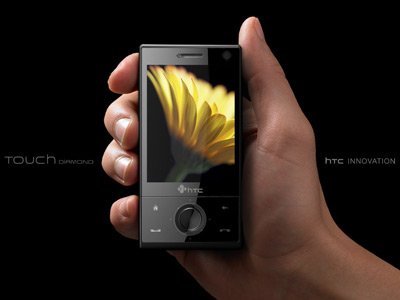
Main ideological competitors HTC Touch Diamond is not difficult to call. Firstly, this sensational iPhone, the parallels with this device can be traced even in the press materials of HTC. Take, for example, this one is easily recognizable frame:
Mobile panorama of the week. Issue 4 - May 8
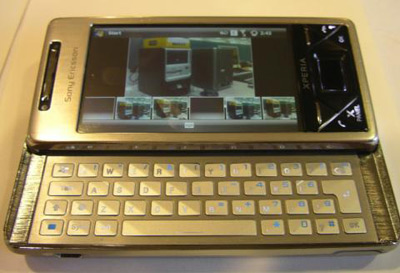
IPhone heritage can be seen in the finger-oriented interface, using sensors and even a lack of memory card slots, partly offset by a large amount of built-in flash memory. Like the iPhone, the HTC offers less freedom of choice, but greater convenience for novice users. HTC Touch Diamond has earned the title of the iPhone-like Windows Mobile device. If you take only Windows Mobile devices, there is the main competitor appears Sony Ericsson XPERIA X1. The first Windows Mobile device from Sony Ericsson built on the same platform, Qualcomm, and has a similar task-proprietary interface that focuses on the management of your fingers. The main differences XPERIA X1 in a larger display and higher resolution (3-inch 800x480 pixels), as well as the form factor of the horizontal slider, for whom he pays considerably large dimensions and weight. Interestingly, the HTC Touch Diamond - is just the first of a new generation of communicators Series HTC Touch, and by the time the XPERIA X1 in the sale of HTC can present version of the HTC Touch Diamond in a similar form factor with sliding QWERTY-keyboard. Because the timing of the issuance of the communicator Sony Ericsson rather vague, this scenario is quite real. It only remains to add that the release of the HTC Touch Diamond is scheduled for June in Europe, specifically in Russia, he should appear in July for a suggested price of 26,990 rubles.

Samsung i200: a modest business class

The next day, after a brilliant presentation of HTC Touch Diamond, took a modest announcement smartphone Samsung i200. This device is a completely different class, focused on those who need an inexpensive compact smartphone for work, in fact, the replacement of just a phone. Samsung i200 was first seen in February at Mobile World Congress 2008. The smartphone is slim, compact and fairly easy. It is made in the form factor of the classical piece with a numeric keypad. The work done on the basis of the new operating system Windows Mobile 6.1 Standard.
Mobile panorama of the week. Issue 4 - May 8
Recently, manufacturers of Windows Mobile devices have been paying less attention smartphone segment, especially in such a simple form factor. Samsung i200 has a pleasant exception to this trend. In contrast, very low cost proposals, such as RoverPC R5, Ginza MS100 or HP iPAQ 514 Voice Messenger, he significantly more functional. The new smartphone equipped with a 2.3-inch display with QVGA (240x320 pixels) instead of 2-inch display at 220x176 pixels for RoverPC R5 and iPAQ 514, 2-megapixel camera, instead of the 1.3-megapixel and supports the work of the networks of third generation. However, the same iPAQ 514 new from Samsung loses the support of wireless networks Wi-Fi, which means that the restriction on the use of VoIP-phones only cellular networks. Samsung i200 can be seen as the heir to a rather ancient Smartphone Samsung SGH-i300, which was introduced in 2005, if not outright "masthead" of the model. Samsung SGH-i300 was a leader for his time, he was one of the first smartphones based on Windows Mobile 5.0 and has a built-in 3 GB hard drive, and the Samsung i200 is positioned as a business model with reasonable price and high functionality. Since the time of release i300, the Korean manufacturer switched to a smartphone with a QWERTY-keyboard, scoring a classic form factor. Samsung is going to correct the injustice in the summer in Europe, Samsung i200 will hit the stores in June.
Issue 4 - May 8, "title =" Mobile panorama of the week. Issue 4 - May 8 "width =" 186 "height =" 400 "/>

Fuss about the iPhone

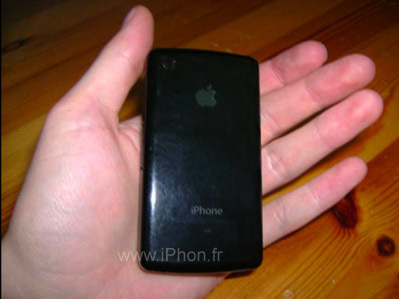
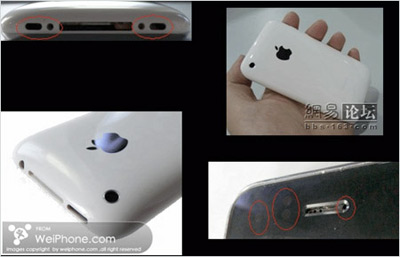
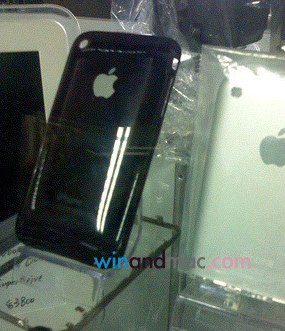
A whole avalanche of rumors, "spy" photos, fakie and simply honest announcements appeared last week in the wake of the expectations of the new version of the mobile phone iPhone. No official information about the iPhone 3G still not been provided, but the passions around a hypothetical model of the iPhone with the support of third-generation networks break out even more. The network published several options for pictures, pretending to "iPhone 3G", however, a detailed study, most of them have been found to counterfeiting, and one and did was a cover for an existing model, which was a novelty for the future of Apple.
Mobile panorama of the week. Issue 4 - May 8
Quite officially announced the signing of contracts with Apple to distribute iPhone operators such giants as Vodafone and America Movil. Until the end of 2008 Vodafone will begin selling the iPhone in Australia, the Czech Republic, Egypt, Greece, Italy, India, Portugal, New Zealand, South Africa and Turkey, and America Movil - Latin America. Details of the operators were not disclosed either on the price, nor on the exact timing of the issuance. Many analysts have expressed hope for more liberal conditions for the spread of the phone than it is now, and raise forecasts for sales of the revolutionary phone. By the release of iPhone 3G predict the total decline in prices for existing models. Also associated with the mythical announcement that the operator AT & T asks its employees not to plan vacations for the period from June 15 to July 12, 2008. Recall that AT & T last year released the first iPhone sold. In addition, the top manager of Orange gossip about the imminent release of the iPhone in Spain and Poland, and T-Mobile Austria dreams of becoming a "test ground" for the iPhone 3G. As usual with rumors about future new products Apple, so much noise that the precious nuggets of valid information to identify it becomes almost impossible.
Mobile panorama of the week. Issue 4 - May 8

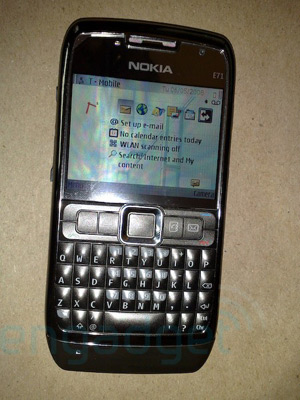
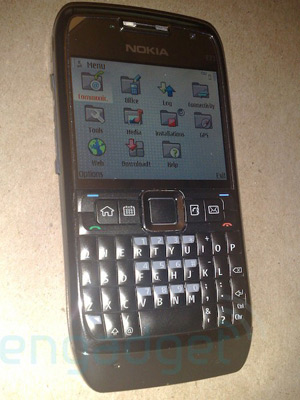
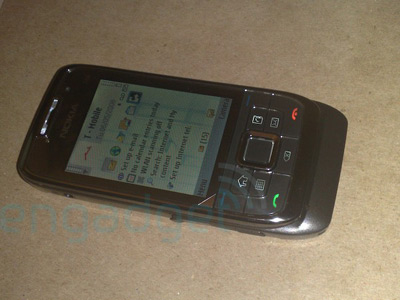
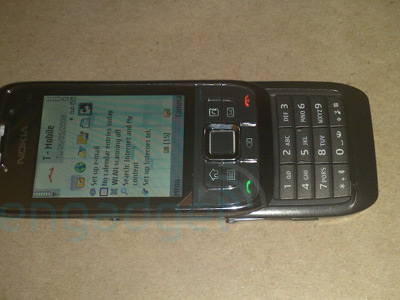
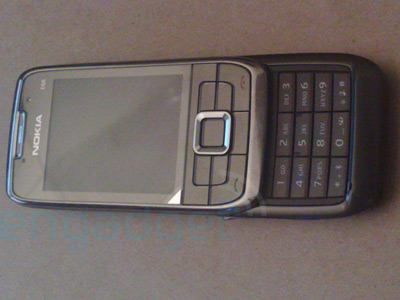
Nokia E66, Nokia E71 and Sony Ericsson Paris under the gun lens

May 8 fans Finnish manufacturer awaited announcement of two new products in the line of Business Series - Smartphone Nokia E66 and E71. Expectations were not fulfilled, the event was held purely financial topics were discussed, and new devices have been submitted. Of them have already said enough, we recall only that the Nokia E71 smartphone is the successor of Nokia E61i, and Nokia E66 - Nokia E65.To fans of Nokia did not despair and continued to wait for the announcement, the resource Engadget Mobile has published a small photo shoot with these smartphones.
Mobile panorama of the week. Issue 4 - May 8
Nokia E71
Mobile panorama of the week. Issue 4 - May 8
Nokia E66
Mobile panorama of the week. Issue 4 - May 8
Nokia E66
Mobile panorama of the week. Issue 4 - May 8
Nokia E66
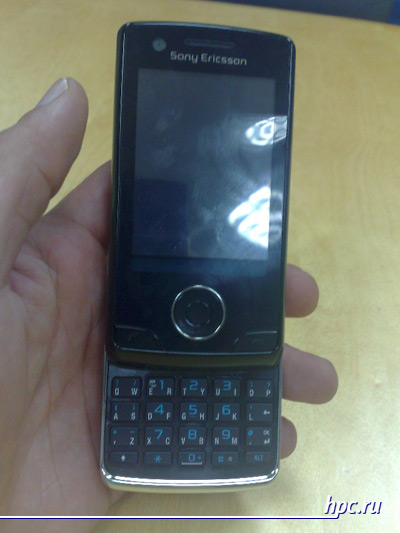
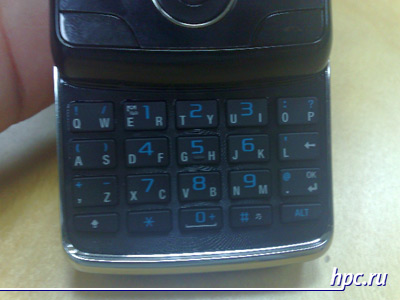
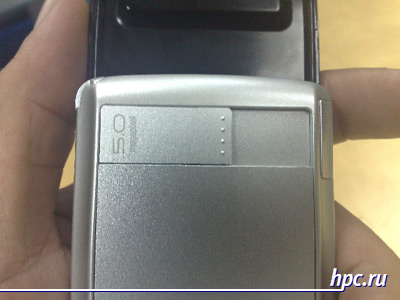
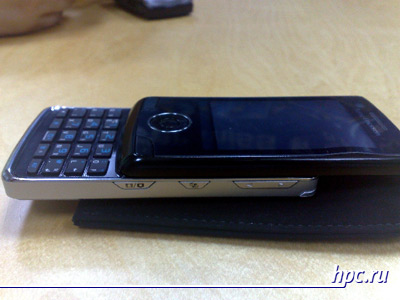
Also, the first detailed photo-session with the smartphone, codenamed Sony Ericsson Paris, posted a net forum visitors My-Symbian. This will be UIQ-model, made in an unusual for the Japanese-Swedish manufacturer of form-factor. As can be seen in the photographs, Sony Ericsson Paris is a vertical slider with a retractable hybrid 20-button keypad, similar to that used in models of the M600 and P1. According to preliminary information, it is equipped with 5-megapixel camera, GPS-receiver, supports third-generation networks and Wi-Fi with Bluetooth. If all this proves true, the Sony Ericsson Paris will become the flagship UIQ-line Sony Ericsson, and, currently, has no competitors in the market.
Mobile panorama of the week. Issue 4 - May 8
Sony Ericsson Paris
Mobile panorama of the week. Issue 4 - May 8
Sony Ericsson Paris
Mobile panorama of the week. Issue 4 - May 8
Sony Ericsson Paris
Mobile panorama of the week. Issue 4 - May 8
Sony Ericsson Paris

Revolutionary Xenium with touchscreen

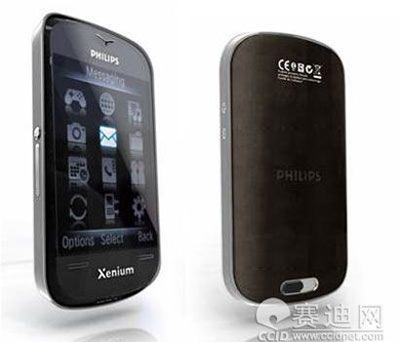
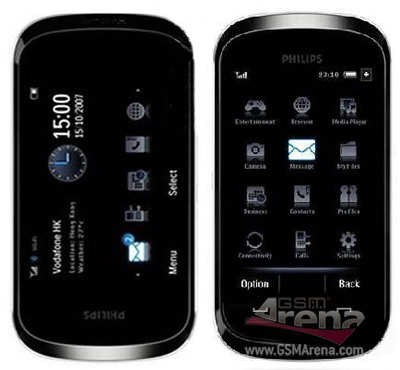
The company itself is not the Philips is working on a mobile phone, but the brand was bought by a Chinese manufacturer and Philips phones continue to please fans of low-cost models.If we believe the Chinese core resources in the next month under the name Philips will be just sensational novelty. iPhone-like similar designs infused it with the world famous Runtime Series Xenium.
Mobile panorama of the week. Issue 4 - May 8
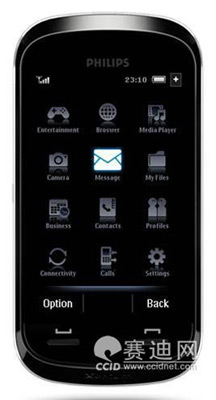
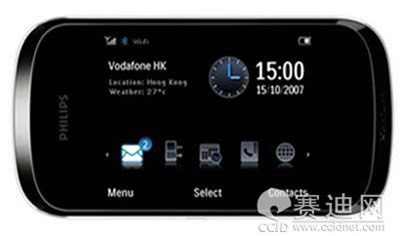
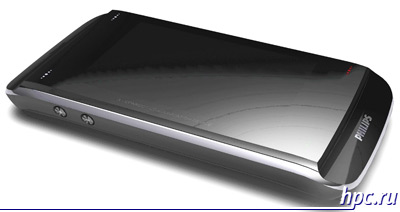
Phone under the name Philips Xenium X800 e2e will be equipped with large 3-inch touch screen with WQVGA (432x240 pixels). Reduction of "e2e" stands for "edge to edge", which symbolizes display "from edge to edge." Besides the large touch screen, in the characteristics Xenium X800 e2e indicate features such as Wi-Fi, FM, built-in camera (resolution not specified) and functions for working with office documents. Interface is implemented based on proprietary platforms.
Mobile panorama of the week. Issue 4 - May 8
Remains a mystery as when such characteristics developer will be able to provide time on a single charge at least similar to the standard indicators Xenium. Recall that for a series of Xenium phones while in standby mode up to a month - it is quite common, is a model that can hold up to two months autonomously. If Philips Xenium X800 e2e close to such indicators, it becomes a real champion among models with touchscreen. The main drawback of the model in this case will become a non-standard interface. Unfortunately, the exact capabilities of the future new items are not yet known. The authors, translation:

Treo 90: handheld communicator in binding

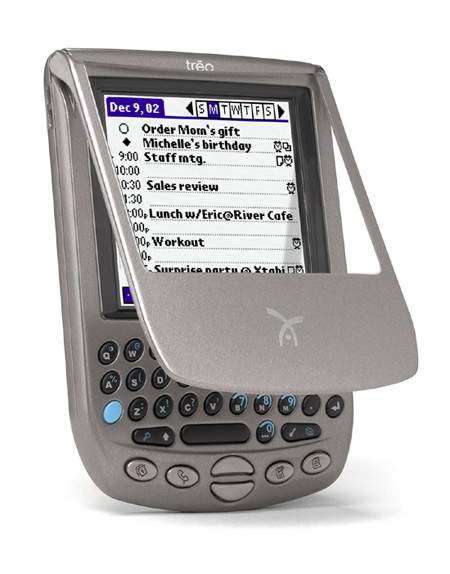
About two months ago, Donna Dubinsky CEO Handspring announced that the company has until June plans to release a device that will not belong to the family of handheld Visor, but its design will be borrowed from a smartphone in a series of Treo. However, the novelty, contrary to the company, in which she promised to reorient production to production of smartphones, is a conventional PDA. Continuous conflicts have generated a lot of debate around the future of devices that are not abated until the news release. It turns out, not in vain strove - PDA deserve such attention.
Treo 90: handheld communicator in binding
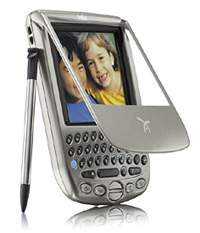
Dubinsky as the water looked (or rather, in the roadmap:) when talking about a new PDA. The product acts as a kind of middle way between a series of Visor'ov representing conventional handhelds, and a series of Treo, which includes communicators. Treo 90 does not have the communications part of the smartphone, but it has a keyboard and color screen, as well as more than an attractive price. Thus, the new handheld has become a very strong competitor in the niche of low-cost PDAs with a color screen and an expansion slot. But is it still good? You wonder how much brand attributes of Palm handheld computers donated Handspring. In her new child is not accustomed to "palm" of handwriting graffiti, and no slot Springboard, specific to the products of this company. A screen is framed by a black frame, which also had never met in the design and handheld communicators. In general, it came out really kind of strange, nothing on a similar device - an intermediate in the evolution of PDAs to smartphones.

Appearance and ergonomics

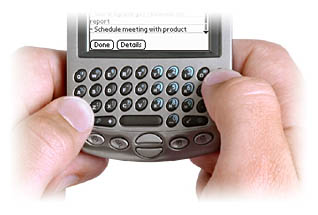
Speaking of the Treo 90, first like to mention ergonomics and light weight thereof. Its easy to carry and convenient to use, that is not normally characteristic of a large keypad and handheld communicators. A major contribution to comfort when dealing with this palm makes a keyboard. Of course, the fans draw curlicues shaman with me agree. But in fact, typing using a keyboard is a lot less mistakes, and even a novice to learn graffiti is clearly more complicated than learning how to use already familiar keyboard. By the same brush when typing long texts on the keyboard a lot less tired than when you work with a stylus. Only now there are no miracles, and Handspring still had to make concessions in order to reduce the size of the manipulator.
Treo 90: handheld communicator in binding
Thus, the keys were quite small, and usually an adult is not so easy to type texts accurately. Not all the buttons fit on a small base, so some of them have several functions, but it's not as convenient as we would like. The choice of an alternative function of a key occurs by simple manipulation of the pop-up window on the screen. As a result, the owner of the PDA with 34 keys is able to use 200 characters. In addition, the keyboard is located on the site of graffiti, and therefore performs and functions conferred upon the crippled application buttons that were there once. In general, if you do not pay attention to some minor shortcomings, ergonomics Treo 90 can accept very high. But for all the comforts of the keyboard it has one big disadvantage - the relative complexity of localization. That would not just crack to write - and then there's the keyboard driver is needed, and engraving or a sticker still one set of characters required. So, for Russia, this handheld will have to finish.
Treo 90: handheld communicator in binding
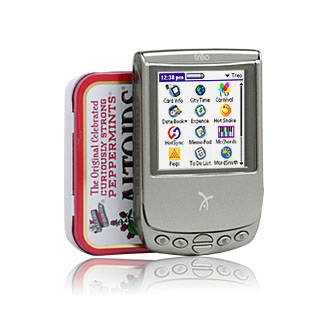
Design innovations are also very good. PDA is made of black plastic, which adds the device reliability. All parts are made in a style that can not help but reflect on the positive side on the exterior as a whole. As I said above, the device is quite small (10.8x7.1x1.6sm) and lightweight (only 114 g). Overall design Treo 90 has turned out pretty strict, stylish and ergonomic.

The Hardware and Screen

No matter how good ergonomics and design new products, without adequate performance and a nice screen it is not a nothing. Although the terms Treo 90, everything here at a level due to Dragonball VZ 33MHz processor and 16MB of RAM. Of course, today it's not the height of perfection, but good to get the configuration to perform everyday tasks. Most palmovyh handhelds and that do not have a more powerful processor for the absolute majority of applications are required. It is gratifying that Handspring did not follow the example of Palm Inc. and did not skimp on memory. This Treo 90 compares favorably with Palm m130 c 8 MB of memory.
Treo 90: handheld communicator in binding
But the screen does not shine "tricked out", rather the opposite - if the resolution remains the standard (160x160), then color impoverished. Now it's only 12-bit against 16 competitors. That is, for the Treo 90 is available about 4000 colors instead of already familiar 65000. But little did this? 12 bits is enough to read books with simple illustrations and the game in most of today's entertainment, but that when viewing photos problem starts. Therefore, looking at the CCP complex graphics or pictures are unlikely to be pleased. But fans will be sure to check out on the road from the screen in delight as the colors that should show the Treo 90, he shows remarkable - there are no distortions or turbidity. Everything clearly. There is another minus the screen. Out on the street during the day, you will immediately feel all the "charms" of his work in bright light. However, this "disease" suffered by most PDAs with color screens. With regard to the size of the screen in the Treo 90 bit smaller than usual. But I'm not inclined to consider this as a weak - after all pixels have not gone away. They just become a little smaller and closer to each other, making izobrzhenie clearer. Incidentally, the display Treo 90 is almost the most striking among palmovyh handhelds. The same Palm m515 and Sony T615C, known for their high brightness, much lower than this index novelty from Handspring. If you compare the screens Treo 90 and Palm m130, major competitors in the niche of inexpensive color PDA, it is worth noting that they are very similar, but the Treo screen 90 is slightly larger. Both the screen a blue tint, but Treo 90, he expressed to a lesser extent. At the same time, the Palm m130 screen capable of displaying all 65000 colors, you will not tell his congregation at the Treo 90. In general, it is very difficult to say which of these screens is better - it all depends on the tasks that are scheduled to perform at the CCP. Handspring for their offspring expansion slot chosen card slot standard, Secure Digital / MultiMediaCard. This is certainly a wise step, since such a slot has long been used in handhelds from Palm Inc., And therefore there are no problems with the search for the periphery of the former Springboard and problems in the transition from Palm'a. I do not think anyone would argue that the Springboard slot was a big discovery company. Though it was released a large number of devices in this slot, they are still far from cheap cost, and size is the same, more memory was an order of magnitude greater than memory for SD / MMC. But one significant drawback of the memory of Treo 90 is still there. It turns out that the novelty does not support the so-called Standard SDIO, which makes use of the device, other than additional memory modules. It is really very serious disadvantage, becausenow just beginning to widely develop the production of peripherals for SD / MMC, which simply would be useless in symbiosis with the Treo 90. Let's hope that soon this will be minus all the same fixes.

Meat

"Soft" part of the CCP before running PalmOS 4.1. This OS was first installed on the product from Handspring - PDA and all previous communicators is powered by a 3.5-second versions. Coming soon all the manufacturer would continue to use the old version, if not for the lack of ready code to support SD / MMC slots in it. That had to withdraw from Handspring outdated software shell. Slight disadvantage is the use of mask ROM type in this PDA. As a result, the user can not upgrade the OS. But if he needed it? I think not - PalmOS 5.0 still requires an ARM-like processor that Treo 90 does not possess. Therefore, drastic changes, even in the presence of flash ROM, you bring all the same could not. Included with the Treo 90 comes with several modified Address Book, in which developers have added some new features and call contacts. For example, it is now possible to see immediately the names and phone numbers in two columns, and the recruitment of the first characters of name from the list of deleted records that do not contain these characters. In addition, it is now very convenient to dial directly from Contacts via the infrared port on your mobile phone. Modifications have touched and Calendar, which received its name in the end "+", got some new features - mostly related to improving the visibility of information on the screen. With regard to third-party software, the Treo 90 comes with a very powerful word processor WordSmith from Blue Nomad, thanks to which the developers at every step proudly point out that "the device allows you to fully synchronize with your desktop PC, including support for Microsoft Word'a". Only for some reason it seems to me that the user will still install the usual Quickoffice, so that additional software in the sales package - plus a controversial, but as they say, it is still nice. Also included is a browser Blazer, fancy version of the regular hours CityTime World Clock and the program to work with SMS Palm SMS Application. As can be seen, the delivery is very self-sufficient and able to meet any user's needs.

Little nothings of life

Besides all of this of paramount importance to the user, of course, has a battery life of PDAs. In the case of Treo 90 with this no problem. New works almost 4 hours at maximum light, and if opolovinit brightness, the handheld will last more than 10 hours. Similar results have and the Palm m130. I can not fail to mention the sound, which is able to publish this device. Of course, this is not the most important parameter of the handheld, but for Treo 90, he is notable, since the internal speaker has an impressive power and has the best loud sound among palmovyh.
Treo 90: handheld communicator in binding
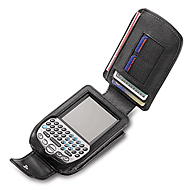
Natural vision is also aware that the developers have already announced new accessories for the Treo. For example, in late June will be available the first cover for the Treo 90 for $ 24.99. As can be seen in the figure, it can accommodate two memory cards, 2 credit cards and 5 cards. In addition, he case is designed so that access to the keyboard is open continuously, and it does not need to shoot to print something. Also being developed are cables to connect the new items with different phones. For example, such accessories for mobile phones announced by Samsung, Kyrocera, Motorola and Nextel. In general, buyers Treo 90 will not be left without support.

Total

So, what do we have? Stripped-down Treo and Visor supplemented in one person with the screen, most likely a screen Palm m130. However, the similarity not only with Display screen: Treo 90 is almost the same for U.S. users, and how much product from Palm for the Russian, namely $ 299. Hence, the adjusted our prices it would cost compatriots somewhere in the $ 400. But do not forget about half the amount of RAM and no keyboard at the m130.I myself am not a supporter of universal devices, and therefore Treo 90 I was not repelled by his truncatedness communications functions. Yes, and the camera I have some other type of memory that is used as the Treo 90 in LCD'shki to show only that the pictures taken I also do not need. But high performance, inherent in all Visor'am in general and Treo 90 in particular, no one hurt. In addition, due to further reduce prices because of the disappearance of label new items, this PDA can become almost the only correct choice among the brethren for the price. In general, the fate of the Treo 90 will decide the time ... and the buyer, of course. The authors, translation:

Mobile panorama of the week. Issue of May 12 - May 16

Moebius from Microsoft

Last week, Microsoft has held in Seattle, a small two-day conference titled Mobius 2008. Mobius has traditionally devoted to Windows Mobile, you can get to it by invitation only, who receive the most eminent commentators and journalists.
Mobile panorama of the week. Issue of May 12 - May 16
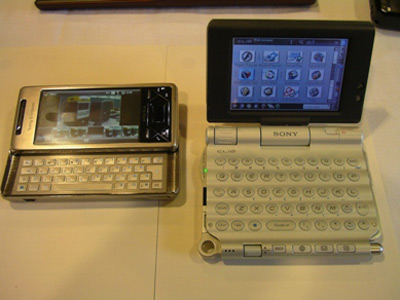
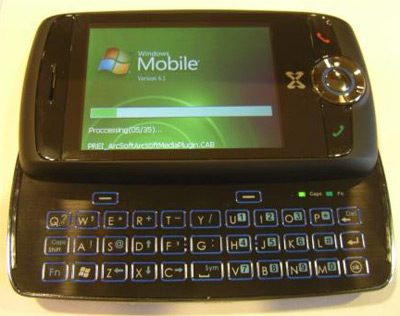
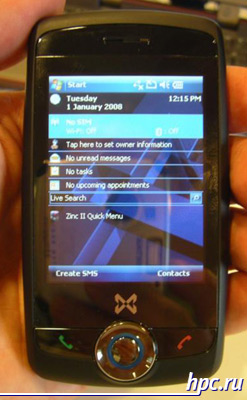
This year's conference did not bring the sensations, even though it involved such companies as Microsoft partners HTC, Sony Ericsson, Velocity Mobile, ASUS, LG, Toshiba and MWg (formerly O2 Asia). At the conference, journalists were able povertet in the hands of new products from HTC and Sony Ericsson, has not yet been released for sale - HTC Diamond and Sony Ericsson XPERIA X1. Also underwent a detailed study of a new device from the Zinc II MWg, which accurately discern the outlines glofiish M810/M750.
Mobile panorama of the week. Issue of May 12 - May 16
HTC Diamond
Mobile panorama of the week. Issue of May 12 - May 16
HTC Diamond
Mobile panorama of the week. Issue of May 12 - May 16
HTC Diamond: Opera Mobile
Mobile panorama of the week. Issue of May 12 - May 16
HTC Diamond: Chamber
Mobile panorama of the week. Issue of May 12 - May 16
HTC Diamond: Features
Mobile panorama of the week. Issue of May 12 - May 16
Sony Ericsson XPERIA X1 and Sony Clie
Mobile panorama of the week. Issue of May 12 - May 16
Sony Ericsson XPERIA X1
Mobile panorama of the week. Issue of May 12 - May 16
Issue of May 12 - May 16 "title =" Mobile panorama of the week. Issue of May 12 - May 16 "width =" 400 "height =" 385 "/>
Mobile panorama of the week. Issue of May 12 - May 16
MWg Zinc II
Mobile panorama of the week. Issue of May 12 - May 16
MWg Zinc II

Debutants Windows Mobile 7 in 2008

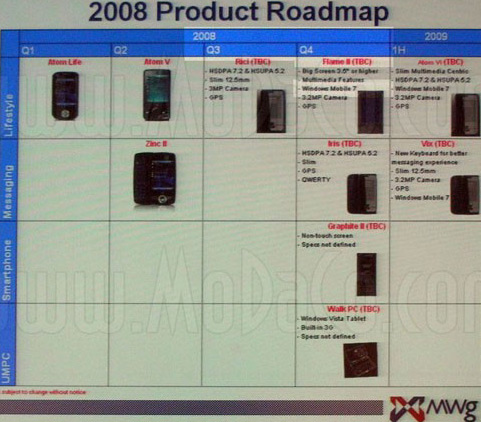
Without waiting for the Mobius 2008, the company MWg (Mobile and Wireless Group) held a roadshow in London on the findings to the European market a new brand and the announcement of the European models with the Atom V Zinc II. At this press conference MWg lift the veil of secrecy over its plans for the remainder of 2008 and early 2009. If we believe these materials, we are waiting for a lot of interesting things. Recall that MWg is formed with the direct involvement of the operator O2, the exclusive carrier-known versions of interesting mobile devices. Communicator Atom V was released in Asia much before European announcement, it is almost identical to the characteristics of the model Zinc II, the main difference comes down to other form factors - the classic candy bar, without sliding side QWERTY-keyboard.
Mobile panorama of the week. Issue of May 12 - May 16
Despite the fact that Microsoft is going to introduce a new version of Windows Mobile only for the next year, MWg plans to show the first device based on it by the end of 2008. Among the debutants MWg this year - a device codenamed MWg Flame II, MWg Rici, MWg Iris and MWg Graphite II. Of course, details on future updates until the extremely poor. At the presentation of them reported the following.
Mobile panorama of the week. Issue of May 12 - May 16
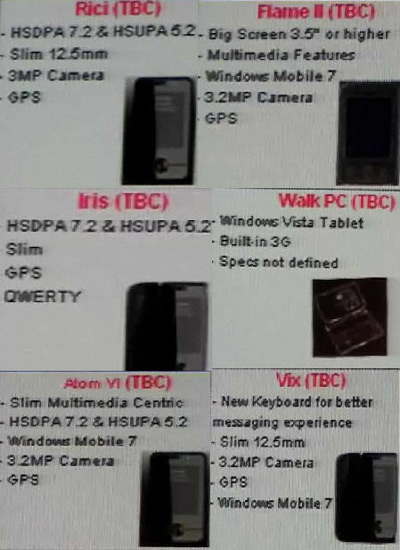
MWg Flame II, as the name implies, is the successor model of O2 Xda Flame, who became in due time flagship O2 performance. Flame II, as well as its predecessor, features a large 3.5-inch display, in addition he will receive GPS-module, a 3 megapixel camera, against former 2-megapixel and a new operating system Windows Mobile 7. What additional changes will occur with MWg Flame II is not yet clear. Recall that the O2 Xda Flame has a display with a resolution of VGA. At the time of this model, Windows Mobile PDA with such a resolution was quite low. In addition, the device had a surprisingly full for the time set of communication capabilities, a flash drive of 2 GB and the processor Intel XScale PXA 270 520 MHz with 3D-accelerator NVIDIA GoForce 5500. Communicator MWg Flame II should be submitted in the fourth quarter of 2008. For the other three Windows Mobile innovations planned for 2008, is not specified operating system. Consequently, MWg Rici, MWg Iris and MWg Graphite II, will likely be running already released Windows Mobile 6.1. Model MWg Rici appear faster than the other - in the third quarter. About it is known that a thin candy bar (12,5 mm thick) with support for high-speed communication standards such as HSDPA (7,2 Mbit / s at boot) and HSUPA (5,2 Mbit / s data transmission from the mobile device) and the availability of GPS-module and a 3-megapixel camera. For MWg Iris announced similar features plus another slider form factor with a side QWERTY-keyboard.Unlike MWg Rici, MWg Iris presentation is scheduled for the fourth quarter of 2008. Specifications MWg Graphite II have not been determined, we know only that this is a smartphone without a touchscreen. It should be remembered that the predecessor, O2 Xda Graphite, was released in early 2007. For the time smartphone has a very quite good performance - support for 3G and Wi-Fi (802.11 b / g), CPU Intel Xscale PXA 270 416 MHz. It was one of the few smartphones that have the ability to upgrade to Windows Mobile operating system 6. Last year 2008 new from MWg not classified as Windows Mobile smartphones. Mysterious device called the Walk PC will be pre-installed Windows Vista and supports 3G-network. It is not clear whether it will simply UMPC class UMPC, or a device like the HTC Shift, which can be used with Windows Vista, and with a stripped-down Windows Mobile functionality to extend battery life. In early 2009, will be even greater diversification through models MWg Atom VI and MWg Vix. Both of these new items are marked as running on Windows Mobile 7. It turns out that the next update models of ultra-compact series of Atom will happen in about a year. Of the currently known differences between models with number VI on the model under number V can be called great communication capabilities (will support HSDPA at speeds of 7.2 Mbps and HSUPA at speeds of 5.2 Mbps), a new version of the operating system and a camera better (3.2 M). About MWg Vix suggests that this will be the further development of horizontal sliders like MWg Iris. This model will be a thin (12.5 mm), will receive 3.2-megapixel camera and the version of Windows Mobile 7. Separately marked a new kind of keyboard, but is likely to have in mind a familiar QWERTY-keyboard, with minor improvements. At the moment it is all known details about the grand plans of MWg. If the company really get so early to present the first Windows Mobile 7 device, it's really good news. Spoils the impression only to realize that until Microsoft will hold an official presentation of Windows Mobile 7 release devices in the sale not take place.

Xenium: records with touchscreen

The network has spread to more detailed information about the LP touchscreen phone Philips Xenium X800. While the manufacturer has not announced any release date or estimated price, but the network has a fairly detailed specification, which is declared as the "official". Given the intricacies of copyright Philips and proximity to Chinese producers may have leaked into the network description actually corresponds to reality in the near future will be a press release telling the details of the departure of the sale of the new Xenium. Judging by the preliminary information, Philips Xenium X800 is not going to compete with Apple iPhone, soon to be imitated. At a novelty Xenium display has a diagonal of 2.9 inches and a resolution of 240x400 pixels does not support wireless networks Wi-Fi, from the communication opportunities provided only GSM / GPRS interface and Bluetooth 2.0 (with the profile A2DP), a rather large amount of built-in memory has a slot for expansion card format microSD. The main thing is just a killer, the dignity of the phone - in the traditional series of Xenium battery life - up to 8 hours of talk time and 850 hours of standby time. We look forward to confirming these settings from the manufacturer and the announcement of the recommended price.
Mobile panorama of the week. Issue of May 12 - May 16
Philips Xenium X800
From the camp of fans Xenium-centenarians came another news - supposedly there is a more functional type of phone Philips with a large touch screen. It is reported that the name of this model Philips Xenium X-Connect, but features are like a dream than a description of a real device.Xenium X-Connect brand does not make that semi-budget impression, which remains after reading the specification Xenium X800. According to preliminary information, given one of the forum visitors Italian resource Telefonino.net, in contrast to the Xenium X800, model X-Connect is not limited to Java MIDP 2.0, but a fully fledged smartphone running Windows Mobile operating system 6. Among the advantages of the proposed new items mentioned Intel processor with 624 MHz, 3-inch touchscreen, GPS-receiver, not only GSM, but UMTS with HSDPA. Especially for those who worry about the reality of a decent battery life in a device with such characteristics of the possibility to use batteries size AA / AAA as a backup power source. How true these reports are not clear, have a lot of patience to find out the details.
Mobile panorama of the week. Issue of May 12 - May 16
Philips Xenium X-Connect

Breeding blackberry vrazves

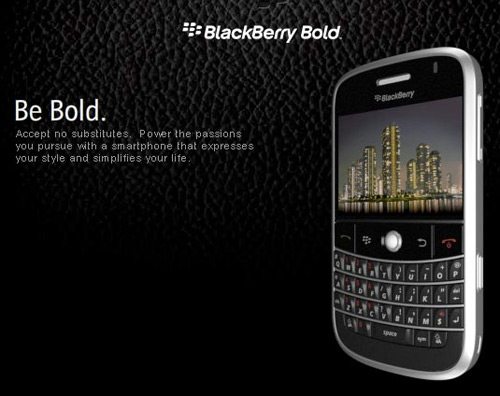
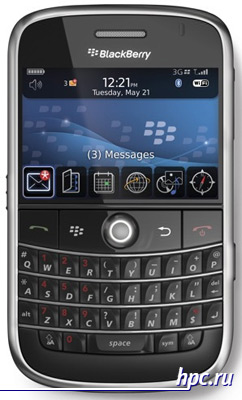
News about BlackBerry smartphones are becoming more urgent in the CIS countries. The Ukrainian unit operator MTS started selling tiny BlackBerry Pearl, a pleasant assortment that had previously been limited to the ancient BlackBerry 8700g. Maybe in Russia will soon be this hit international scale. Meanwhile, RIM does not stand still and Russian operators have warning in advance to keep pace with the times. Was finally, officially presented the first BlackBerry smartphone with support for third-generation networks. BlackBerry Bold (marking BlackBerry 9000) also supports the wireless Wi-Fi network and GPS-navigation is based on Intel PXA270 processor clocked at 624 MHz and has a flash memory capacity of 1 GB. The previous BlackBerry models, used considerably more modest processor and traditionally lacked support for 3G, and a model with GPS-receiver and Wi-Fi started to appear in the portfolio RIM recently. Display of new items until you touch, but already has a decent resolution - 480h320 pixels.
Mobile panorama of the week. Issue of May 12 - May 16
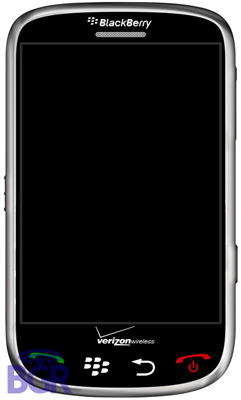
Rumors about the future BlackBerry-updates are also evolving. Cost occur announcement BlackBerry Bold 9000, as the network has unofficial information about BlackBerry Thunder 9500. This smartphone promises to be a real breakthrough for RIM. It will thus welcome the first smartphone RIM touchscreen. Interestingly, in the initial rumors about the first BlackBerry with a touchscreen mentioned marking 9000, but then it turned out that the nine thousandth model will be considerably greater than the predecessors, but still remains a traditional RIM monoblock with QWERTY-keyboard and usually do not touch, the display. In the BlackBerry Thunder 9500 hardware QWERTY-keyboard will be abolished and replaced with a large touch screen, which occupies almost the entire front surface of the device. Of the hardware buttons remain only four - for the start / end call, BlackBerry menu and back button. Presumably, among the versions of the BlackBerry Thunder 9500 will be released dvustandartny version with support for CDMA EV-DO Rev. C and HSPA, and in the longer term - with the support of 4G-standard LTE. It is expected that the very first version of the BlackBerry Thunder 9500 will be presented in the third quarter of this year.
Mobile panorama of the week. Issue of May 12 - May 16

Debut Palm Treo 800w in the photo

After lengthy discussions, unfounded model Palm Treo 800w in the network finally appeared the first live shots of the device. Now we can assume confirmed information about the integrated support networks Wi-Fi, a special button located on the upper shell of the new Treo. Also an amateur photographer noted features such as infrared, the chipset MSM-6800, 101.53 MB of free memory, operating system, Windows Mobile 6.1. Probably in the near future will be known more details about the characteristics of Treo 800w, for example, will a determination of built-in GPS.
Mobile panorama of the week. Issue of May 12 - May 16

Communication-EXPOCOMM 2008, notes the eyewitness

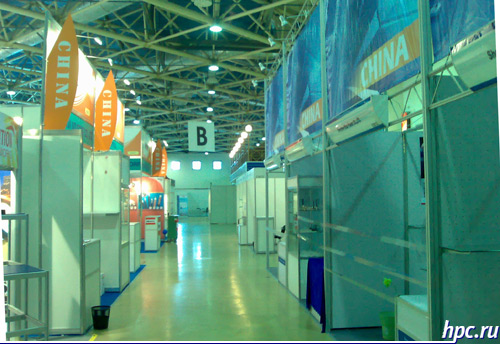
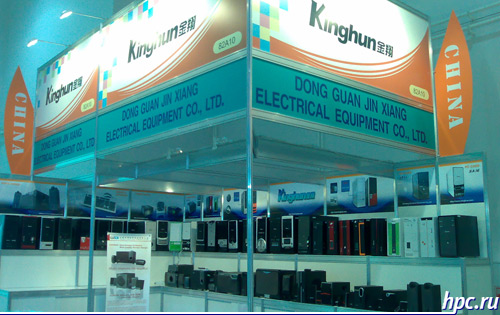
The current exhibition CSTB, as reported by the source, is the anniversary - Twenty on the account. For its anniversary exhibition almost completely got rid of the "mobile" component and has ceased to be interesting to end users - you can not find her or stands well-known manufacturers of mobile phones, or cellular operators, or large retailers of our market. The exhibition area is quite uzhalis - it takes less than three of the eight pavilions. And, thanks to the huge number of Chinese stands (sometimes as much as "Chinatowns" - see photo) show be called the "International Chinese":) Also, our Chinese friends did not limit himself themed exhibitions, and so here and one there you can find unusual Stands - for example, showing the body to a PC or a variety of gadgets for communication has nothing to do with.
Mobile panorama of the week. Issue of May 12 - May 16
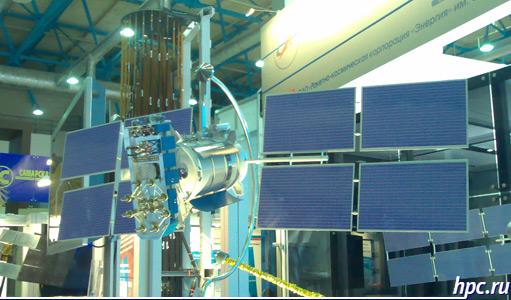
In addition to China at the show often come across the Korean stands, in a separate pavilion is concentrated in majority Russian producers. Stand GLONASS found not once, but it is tastefully decorated and provides a visual representation of what satellites are flying over our heads, and allows you to touch a working equipment that supports this standard.
Issue of May 12 - May 16 "width =" 400 "height =" 533 "/>
Mobile panorama of the week. Issue of May 12 - May 16
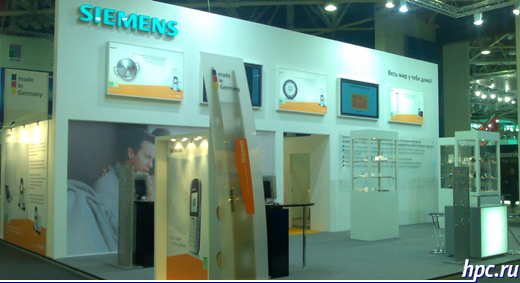
Separately, from the point of view it is interesting to the end user - the non-specialist, we can distinguish a great stand Panasonic, which shows "all his" from telephones and televisions and finishing stand and Siemens, which demonstrates their new DECT-handset with support for the protocol SIP - as a joint PR-actions with the SIP-provider sipnet.ru they make free calls anywhere in the world.
Mobile panorama of the week. Issue of May 12 - May 16
In general, from the standpoint of a professional exhibition will be useful, because one day you can learn a lot of offers from cable equipment to ready technological solutions in any area of ​​communication, exchange contacts and chat, I varied manufacturers. From the perspective of end users 'mobile technology', ie we are with you - nothing interesting from a practical point of view you are likely at this show will not find. The authors, translation:

Great joys and small troubles or five months with Casio BE-300

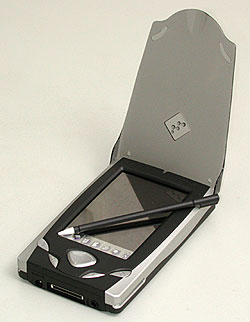
Time flies. It seemed only yesterday that I brought home a blue box with a handheld Sasio BE-300, and that's on you - almost half a year has passed ... I have to say - a good machine and money to their small stands. The closest her rival - fiscal Palm m130 with a color screen. This class of similar computers (if you do not pay attention to the soft fillings), intended for either constrained in the media user, or for a person who has enough attractions and in addition to the CCP. So, a competitor of BE-300 (diminutive nicknames over time as something of themselves "resorbed, now I call her just" BE-s three hundred ", without any kind of familiarity) Computer wonderful in all respects. But look what happens - m130 is cheaper and has less than BE-300. It lies almost in all stores, and BE-300 will have to search (the price for it in Moscow shops remains unchanged - 235-275 dollars). What does this mean? The high demand for the Casio BE-300 and a lack of demand for Palm m130 (relative, of course, just all ran to deliver the first Cheap Palm with a color screen and is clearly overdone). That is, BE-300 is quite competitive and today, after nearly a year since release. Without hardware upgrades and major changes in computer software and can now cope with the tasks assigned to it. Although ... That "while" and we'll talk.

Hardware romp

The first step is a reservation - all comments about the Casio BE-300 have emphasized the subjective nature. To a computer that is always with me, not an open mind. This helper, and entertainment, and even a friend. (Oh, Satan - we have the glands begin to humanize what is going on, when computers will be embedded in watches or directly into the brain?) Here and sympathy. This and other demands.
Great joys and small troubles or five months with Casio BE-300
From the very chepuhovogo - translucent plastic cover, which is completed BE-300, went to the farthest corner of a desk drawer in the first day. It's awkward and dysfunctional. The cover is designed to protect from damage the screen and the hardware buttons on the front panel. And it properly protect them, but requires at the same time more security for itself. In a folding cover increases the size of the CPC so that clings to the surrounding objects (eg, burgher my stomach). Nothing terrible happens, cover with a contemptuous crash falls off, that's all. In place of the installed without problems. Then he flies away. And it also opens with a bang. Intermediate position, as indicated by curly cuts in the computer, keeps the lid in half-state. Throws further - Cracks ... In short, put this thing and do not recall more than five months. I take the leather cover ... No, do not use it, just asking prices. Nothing decent does not get, and if they come across, it is very very prohibitive - toad strangling ... Even before the screen lid was dismissed stub communication (or system) connector. Stub it is designed as a miniature plastic strip with a projection for a coin, screwdriver or other means at hand (personally, I set out to use the nail varnish one lady, but ran into confusion and retreated). Stub bounced itself and lost. And with delight found, was placed in the same drawer in the same corner. I understand the electrical connectors must be protected - from dust, dirt, from all piggishness. But while the developers would be nice to try out their own invention in practice. Do not know a single user, who would not lose the damn plug (not only on the BE-300, they are a disgrace to all parked their cars) ... However, a trifle, of course. No protection system connector - and is not necessary. All-time active service with the connector contacts slo nothing had happened ... Or am I chistyulya? Housing machines does not cause any objections.True, at first I thought that painted silver inserts on the sides of the body lose their color - the guiding slots wiped off the cradle projections. But it was limited to a pair of dark stripes, which to the naked eye can hardly see ... Oh, those experiencing a private owner! Buy an old car and rushes around him, like Kvočka. Scratch a breeze - preinfarction state, some nut came off - the direct way in the mental hospital ... so then - the car, not a pocket toy. (Do not worry, I'm with myself).
Great joys and small troubles or five months with Casio BE-300
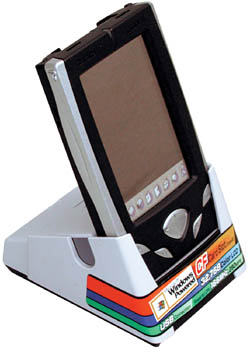
A more or less serious. No matter the connection holds the cradle and the connector device. No, everything is fine, any damage ... but no machine in the cradle got some mobility. Anyway, cowboy energetic movements (such as - cast machine with a blunder in the "bed") is best avoided. Painfully delicate design .... As a positive example we can recall the construction of the cradle of computers Sony CLIE. I had to deal with the very first model - with the S300. Blade and guides hold the machine securely and safely. Your computer can "pull" from the "crib" in either direction - by ourselves, up, sideways. Nothing terrible happens, the contacts remain intact, no loose or creaking ... And the most ugly design - a Palm m130 and referred to his predecessor, m125. Not only is the cradle of models borrowed from the older series and not as it should be adjacent to the lower edge of the casing PDA and it will connect with some terrific gnashing of teeth.

On starvation rations

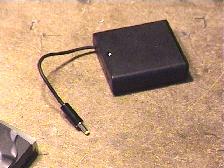
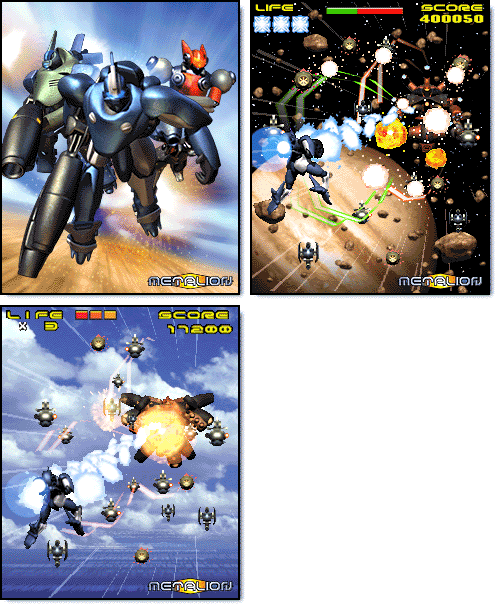
All this is nonsense - compared with the problem of power BE-300 ... This is a problem because the problem. What 6 hours of battery operation? What 4:00 listening to music? A 2 hour with a small tail do not want? That's how much work Casio BE-300 with all of the maximum brightness of lights, and when you run demanding applications, such as playing MP3, video, or three-dimensional toys (there are, for example, known to all holders of BE-300 remarkable "letalka-shooter» Metallion). Negligible capacity internal battery - a headache for all owners Casio BE-300. An external battery, whose image can be seen on the package computer to our brother in that bull red rag. Where, you say to me, buy this imported battery? "Expensive", - said Moscow sellers - for eighty dollars, this battery no one will. " "No more is spent on the BE-300-money - I object -" or do you advise me to give up on a hand machine and spend another two hundred fifty bucks on a color Palm? »Where, you say to me, to go" behovladeltsu? Who complain to the vest? Output, of course. It is only necessary to have a soldering iron and hands to it - to dazzle the external battery pack itself (an article about this homemade published recently). But the fact of the matter is that - blind. A machine, meanwhile, branded. Made in Japan. Impossibly beautiful and elegant as a Parisian mademoiselle ... As to the overseas quirk prisobachit box with batteries? Pharmacy gum? Corn plaster? Fabric Velcro? Oh, do not make me laugh ...
Great joys and small troubles or five months with Casio BE-300
The external battery pack, hand ...
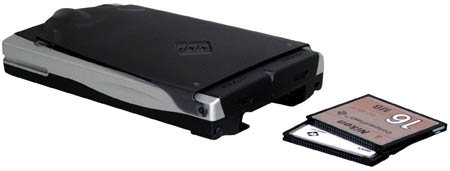
Seems to have to wait for the promised MakTsentr industrial unit, which must somehow be attached to the computer (otherwise, what a commercial), the slots for this machine is on the case - this time. And two - regularly ask them the same firm an extra battery (water, as you know, sharpening stone).Eighty dollars is not the money to move to another platform. But with such a microscopic energy stored on board the BE-300, rather useless toy than tool. By the way, the recommendations of the Casio itself to the limit to reduce the screen brightness to prolong the battery life of the computer, I do not accept. What does it mean - to reduce? I do not see it. I do not see, if you do not bring the screen brightness for at least three-quarters of the maximum ... The Palm m130 brightness cut is not necessary, but on the BE-300 can not get away. It's a shame, you know! For the blood shed ... The problem is, in fact, very serious. Use a PDA only to lie on the couch and read a detective - an expensive (for reading on the couch I have a laptop, which on its own battery, by the way, working longer BE-300). Take the same machine with them to the middle of the day to hear the plaintive squeak of the system power - they say it's time to recharge - also to anything ... or Casio BE-300 for anything worthwhile is not suitable, and we really should not have to spend money on it?
Great joys and small troubles or five months with Casio BE-300
I think that these glorious cars must be sold together with the memory card (it will not buy all the owners of BE-300 - at the nominal 16 megabytes of "RAM" at considerable appetites programs for Windows CE does not earn a lot) and an additional battery (plus cables, adapters, branded pens, wallets, covers - all of the useful and useless "pocket-computer" small things, the acquisition of which is absolutely impossible to resist). Exact - next. If you have money, you take the car with the additions. No - I dig a bit and come to the store at another time. The most curious thing that even a fully-equipped memory card and extra battery, the machine remains the best value and the cost will be no more than 380-385 dollars, a hundred-odd cheaper than the very low-cost PC-class Pocket PC. In this case, the user remains the possibility of gradual modernization - a kind of loan, when the basic configuration is already in his pocket, and eventually those sweet makeweights, which we just talked about.

Case system

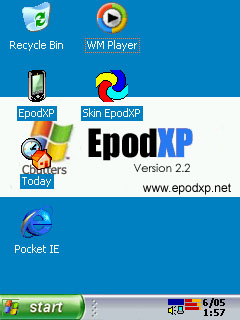
Oddly enough, but personally I have no way offended by the fact that the Casio BE-300 is installed truncated version of the operating system Windows CE 3.0. Moreover, if the system is truncated and then it is done correctly and not without good cause. I do not remember in his typewriter single critical failure that plunged me into the hopeless despair ... And the Pocket PC such an accident happened! (I assume only from personal experience). System menu by which users interact with the handheld assistant, not the top of programming art. There are some "bugs", not without reason, Casio has produced several packages upgrade operating system components. But, in general, to communicate with the newly purchased computer is very simple. For the inexperienced user, this is the same elementary simple machine, like the computers of the family Palm. Then, when there is a desire to see on the PDA is something more interesting rectangles menu system, you begin to pile up a variety of shells. I've tried them all. Began with a package of SQ, which is "lived" on my machine for three months. Then looked closely at KCmenu II. Found this shell beautiful, spectacular, but extremely uncomfortable. Experienced a variety of shells, whose names as primitive as the programs themselves - «menu number so and so" and point. Now happily relocated to Epod version 2.2 (for the quality of Russification which bow maestro Shveps `y).
Great joys and small troubles or five months with Casio BE-300
Favorite EPOD 2.2
My favorite Epod (I recently had a very different opinion about him, from what does not refuse - saying that gladly move to Epod, if we detect any outstanding qualities, found and moved) requires the mandatory presence of a memory card and takes on her some space. This is the only drawback shell, although not as significant. Not greedy enough when buying flash memory cards, and the problem is removed. On a 64-MB card can fit everything you need (including business applications, dictionaries, books, toys). A few words about Russification. With each new version of localization professionals RussKey MakTsentr can shoot two birds - translated into Russian system messages on-screen keyboard, menu names, and to catch minor "bugs" without which it is a part of the operating system. Running more advanced, a test version of a full translation of BE-300 in Russian language RuassKey 2.0, I was glad to find that all the programs, starting with a notebook and ending with the browser to work fine with the Cyrillic alphabet, interact with each other and do not create absolutely no problems. For the first time since the acquisition of BE-300, I realized what is this wonderful thing - a pocket PC. Previously, we had talked more to the touch. He - in English, I - in Russian.

Software suffering

Yes, with programs for the Casio BE-300 case nevazhnetskie. Few programs, as necessary and useful - even less. A truncated version of the operating system Windows CE 3.0, the application processor once popular family of MIPS, a limited amount of memory (a flash memory card suitable for storing programs and data - like disk drives for personal computers), all of which reduces the number of programs suitable for running on the BE-300. In addition, for the normal installing programs on the Casio BE-300 uses a unique system of timing. Therefore, in order to properly "register" program from the created for the Pocket PC or older machines, and capable to run on the BE-300 (which can be determined empirically, downloading free programs from the internet and trying them one by one - a typewriter from these experiments did not will, if correctly remove the "tracks" erasable applications) have to replace full-time synchronizer PC Connect the standard Pocket PC Software ActiveSync. However, they do not work, forcing disconnect one and then another (the fact that written specifically for the BE-300 programs are installed only through a PC Connect). In short, no adventure is complete ... everything you need from the software is. Text editors (unpretentious), table (smart), planners (alas, only paid) games. But the number of programs for the BE-300 is huge for a "full-fledged» Pocket PC in hundreds, and for the Palm - the thousands. What to do? Part of the problem is solved with a software emulation of other computers and game consoles. For example, installing the emulator NES (the most stable and not demanding compute-intensive PDA), you get a colored pocket gaming console - the same Dandy, that in the early nineties brought to mind all the underage Russia (in the West, he pohozyaynichal still in the eighties). Toys to the NES on the Internet as much as necessary (in my estimation is not less than five hundred). On the BE-300 are almost all - with very few exceptions (the dignity of not machines Casio, and quality written software emulator). Drawback - the use of management games, hardware and software buttons. That is, the playing field is not controlled by a stylus. Usually in the game for BE-300 (or any PDA), game objects can be manipulated by touching the pen to the screen. Here we have to remember the skills to use the gamepad - if they are, these skills have ever been. Improved emulator - SNES. This is different and higher level of quality.Stereo (which is on a typewriter can be heard only through headphones or external speakers), great graphics - Super Nintendo's own persona. Under the SNES emulator are not all games have to be selected empirically. Also can not do without utilities distribution of RAM, since most games require more memory than required by the system BE-300. Of the computer "software-bogus" comes to mind emulator ZX Spectrum. Given the number of programs for the old platform (hundreds of thousands!), Their free and available (downloaded instantly as it is very small in volume), the life of the owner Casio BE-300 looks in pink. Alas, it is not. Emulators, emulators, but for the BE-300 has not written a decent text editor, even remotely approaching the functional saturation of Pocket Word. The same applies to other business applications - program planning, presentations, browse databases (there are a couple programs, but to me they liked) and so on. In any case, the number and variety of computer software Palm still unrivaled. Machine Pocket PC to this program far in abundance, and Casio BE-300 - so far. After a weak battery is a second reason for my doubts - do not hurry I with the acquisition of BE-300. To be honest - today I would take a color Palm ... I guess ...

Good man, sit down - three

The final score, which I dare to expose the Casio BE-300 is a sturdy trio - on the traditional five-point scale. True, the five do not shine nobody, and the computers Pocket PC 2002 only to pull a three-minus. This seemingly low estimate reflects my personal attitude to the situation in the market of handheld PDAs. Popular Computers Palm, get on my amateur exam quadruple-minus (for lack of multimedia capabilities), have leading positions not only because of some supernatural qualities (they simply do not) but because of the availability of these machines to the widest range of users. Hence the huge number of programs, including - free. Whether today is the same abundance of programs for the Pocket PC, who would have paid attention to the cost of computers themselves? Would buy it. And on the other computers would not pay attention.
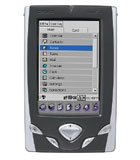
Great joys and small troubles or five months with Casio BE-300
However, it is not so - in a sense is not so primitive. The unprecedented success of expensive iPaq, suddenly overshadowed the ubiquitous Palm, - in their perfection, flawless construction, and not the quantity of software. Success is always caused by a number of reasons, especially in high technology fields. Attempting the same company to release a cheap Casio Pocket PC analog clearly failed. Among the simplifications that radically affect the final cost of the BE-300, is very, very controversial. "Dohlenky" battery, and the absence of infrared port - the most obvious. Computer can be used in conjunction with a cell phone, but only if the cable connection. It's awful inconvenient and, in general, is problematic. Where to find drivers to support the exchange of BE-300 with a cell phone? Do they exist? And will it work like a symbiosis without the proper software? It seems that once again will have to experiment ... Meanwhile, an infrared port (which cost - a few cents!) Completely would remove any difficulty. Notice in the cheapest Palm IR port is installed and working fine ... Therefore, to cell phone buy Casio BE-300 is useless. Alas. Another significant limitation - the specificity of the operating system installed on the BE-300. Say what you like, and programs for this machine is woefully small. Moreover, the company promised Casio upgrade your operating system to Windows CE.NET status in no way changes. Quite the contrary - is aggravating scarcity of software. Judge for yourself, and programs for Windows CE.NET still not enough to swear by. And we, the owners Casio BE-300, will also seek out special editions - for processor MIPS.And check the program for the demands to the amount of RAM, which is in the BE-300 does not add any means ... The very same Windows CE.NET for the BE-300 has already caused in the camp of frustrated users. The same truncated version of the base operating system with some, perhaps curious about the changes. But, I repeat, truncated.
Great joys and small troubles or five months with Casio BE-300
Metalion looks on the small screen just fine ...
Summing up, frankly - I machine and was delighted and disappointed. Cheered the high quality of performance (Casio - a Casio), balanced performance (same Metallion looks on the small screen just fine), an acceptable set of features (music by stereotelefony sounds great, read books on the BE-300 is a pleasure and Scribbles handwritten notes funny entertainment ) and, of course, reasonable cost. Color PDA for two hundred and fifty - is not a miracle? A disappointment - permanent "hungry syncope, multiple hardware" Beheading "and a small amount of programs. It's time to exclaim indignantly - and what do you want? It wanted to. And leave it in the near future is not going to. And what happens - let's see ... Believe me, no - not a hand rises to disable it from the mains. Like saucers of milk deprive a helpless kitten. And she lives in his crib, only occasionally going on a short journey into the next room - to entertain me with new books, so crazy games "in line" ... to more serious travel in my pocket, it has not yet matured. The authors, translation: