CASIO Cassiopeia E-115 Pocket PC

Introduction

Quite unexpectedly, with the help of MakTsentr, I was lucky enough for a couple of days to test the CASIO Cassiopeia E-115 Pocket PC. This event coincided with the dispatch giving to my family, so I could at such short notice to do quite a lot:). This machine is based on a model CASIO Cassiopeia E-105 Palm size PC, and staffed the new operating system from Microsoft - Windows CE v.3.0 Professional Edition (previously mentioned codenamed Rapier). About CASIO Cassiopeia E-10x Palm size PC is already written quite a lot (see "A Tale of the ugly duckling"), so it makes sense to focus on the features of the new PDA.

Complete. Iron

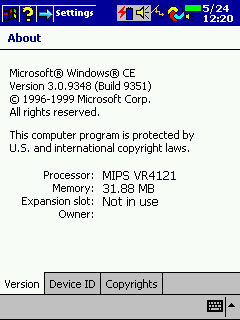
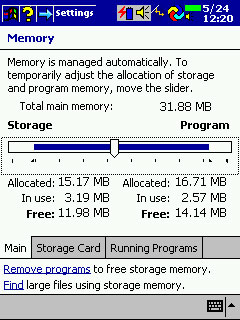
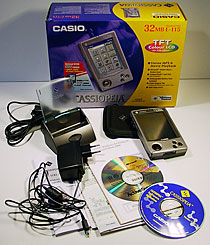
In the bright, colorful box are: self CASIO Cassiopeia E-115 Pocket PC, a cradle for synchronizing with a PC, power supply, spare battery Backup, software on CD ROM from CASIO (Button Assignment, Mobile Camera, Mobile Video Player, Mobile Video Converter, TDK-GlobalPulse, ZIO Golf Demo 3D), software on CD ROM from Microsoft (Active Sync 3.1, Windows Media Manager for Pocket PC, Microsoft Expedia Pocket Streets, Windows CE (Active Sync 3.1), Mobile Favorites Synch Provider, Notes Synch Provider, Transcriber, Outlook 2000, IE 5, the book format LIT), advertising, registration cards. New PDA made in the case E-10x, but differs from previous models in color. It is darker. Then, the Esc key now performs the function button Windows Start. E-115 has 32MB of RAM (as much as, and E-105) and 16 MB of ROM. Fixed annoying problem E-105, when the storage of programs it was impossible to allocate more 16MB. Now you can use the RAM in its sole discretion, and the OS can reconfigure the RAM when you need to free up resources for the implementation / storage programs. Speed ​​work is impressive. At the same CPU NEC MIPS Vr4121 131 MHz, it works about half as fast! OS works fine! Machine is completely never freezes! Reset button had to use a lot less:)! The screen is the same bright and contrast. In my opinion, better than the built-in microphone. Recording on tape obtained very good, with no extraneous noise. In the ROM is written the following software: (Pocket Word, Pocket Excel, Pocket Outlook, Notes, Voice Recorder, Channel, Calculator, Active Sync, File Explorer, Pocket Internet Explorer, AvantoGo plug-in, Microsoft Reader with ClearType (Audible Support), Windows Media Player for Pocket PC, Mobile Calendar, Mobile Address Book, CF Backup, E-Mail Set-Up Tool).

Software

First of all operating systems.
CASIO Cassiopeia E-115 Pocket PC
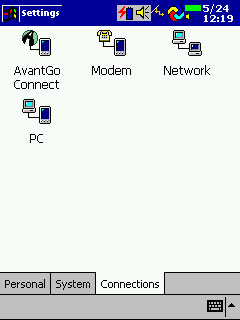
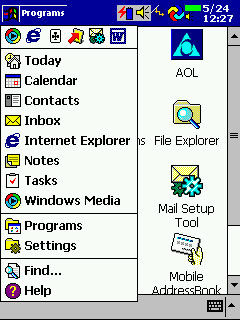
The new interface - it's not just cosmetic changes. By switching to 2d interface greatly increased speed. Rewritten many things. Actions are performed by one click! When you press and hold the stylus on a couple of seconds at the facility, the setting, a context menu. Setup generally bears little resemblance to the previous wording Windows CE!
CASIO Cassiopeia E-115 Pocket PC
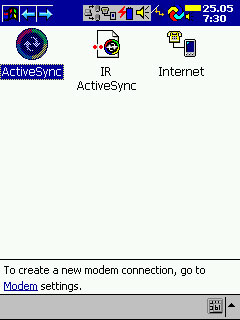
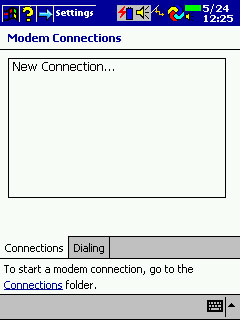
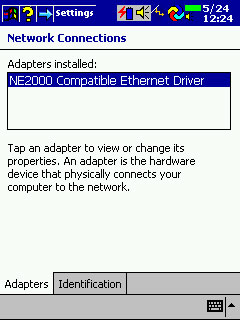
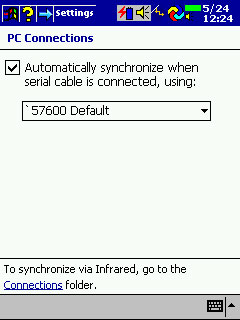
Significantly change your communications.By the way, now recorded in the ROM driver for the network card NE2000.
CASIO Cassiopeia E-115 Pocket PC
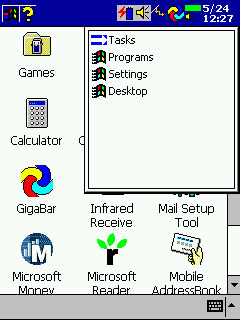
Application Management (switching between them, closing) is now transferred to the memory settings. Close button appears in all:)! The Start button has been moved to the upper left corner. When the program is a check box at the top of the Start and name of the current program. Taskbar where it had happened, and it can only be seen at work Today ("Today" is on a plan of programmers, the host from which you can see who came mails, tasks, etc.)..
CASIO Cassiopeia E-115 Pocket PC
Applications running all your bookmarks, settings and menu items are displayed below. In the lower right hand corner appears and the keyboard. At the top of the Start menu is up to six icons of applications running in lately. Therefore, switching between applications is somewhat alleviated. Closure is only through the memory settings.
CASIO Cassiopeia E-115 Pocket PC
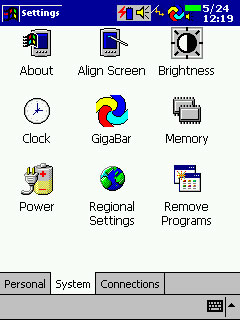
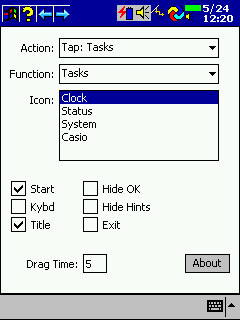
To facilitate this task, I used a Freeware program Gigabar. Configure the program - a single, great conversation, but chances ... something! On the screen appears at the top taskbar, which displays running applications can be displayed Task Tray. There can make icons, which can be programmed set of events: click, double click, a long click, click with the shift to the right (left) and so on. There are pre-programmed icons! Warning: Users of Windows NT and Windows 2000 must use version 1.01 (bug fixes installed on PDA).
CASIO Cassiopeia E-115 Pocket PC
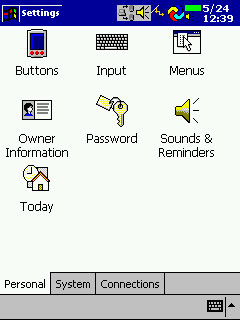
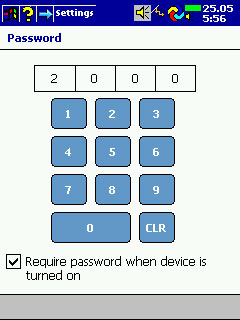
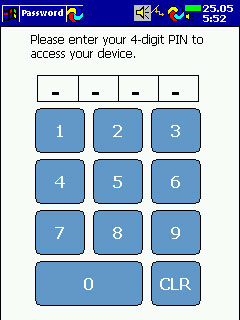
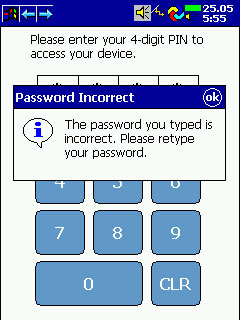
Changed utility Password. Now the CCP "locked" PIN code (as a card:)). And when you start PDA 4-digit code is typed on a special keypad.
CASIO Cassiopeia E-115 Pocket PC
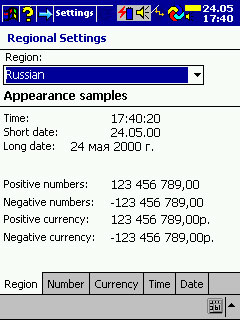
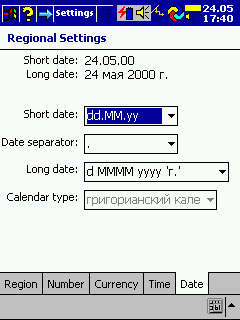
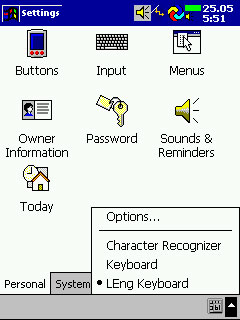
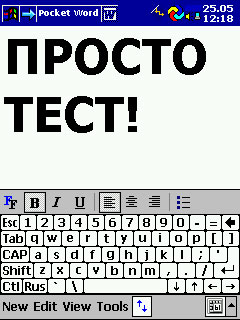
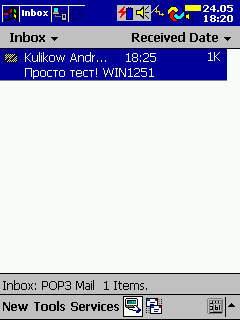
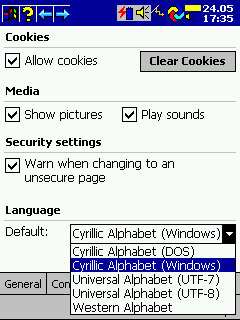
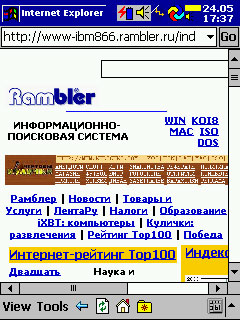
With former Russian language problems! Capitalists do not respect us! In plants of the region Russia NO! Fortunately, Paragon announced test LEng for Pocket PC and I had a crack LEng Lite v.4.01. In the Inbox supported codepage Win1251. In Pocket IE can view your page and Win1251 DOS866.
CASIO Cassiopeia E-115 Pocket PC
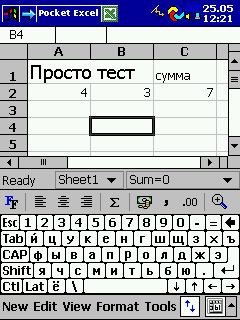
Built-in Pocket Word and Pocket Excel understands not only the pocket format, but documents prepared in MS Office 2000. Attached to the letters of Word and Excel files can be viewed and edited without conversion.
CASIO Cassiopeia E-115 Pocket PC
Inbox enough had changed in appearance, but the new features I discovered. LEng allows you to receive e-mail encoding WIN1251, but sending messages, there are some difficulties. The fact that the letters are sent only to the US-ASCII encoding! However, all this can in good conscience write off on an early beta LEng.
CASIO Cassiopeia E-115 Pocket PC
Pocket IE - a program which is severely lacking in the E-10x. Now you can surf the Internet and browse html documents without installing additional applications! True, animated gif files are not supported. As I mentioned with LEng may view Win1251 and DOS866 page.
CASIO Cassiopeia E-115 Pocket PC
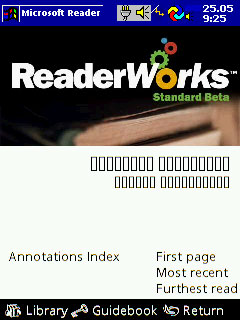
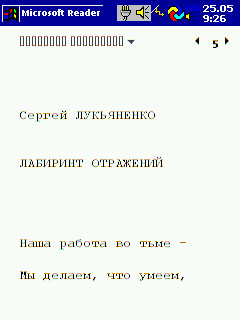
Pocket Reader - A new program that allows you to read documents and books in a specific format LIT. 29 books in this format (in English) is present on the CD ROM ActiveSync 3.1. Advanced English books can be downloaded from Barnes and Noble.com. In Russian of the books there, but you can do yourself, if we use ReaderWorks beta. It turns a normal e-book in Russian. The only problem with the title and author of the book when they are selected for reading. They do not want to appear in Russian! In the Pocket reader technology is applied ClearType, which allows you to get excellent quality of the text. Advanced Pocket Reader supports books in a format Audible.
CASIO Cassiopeia E-115 Pocket PC
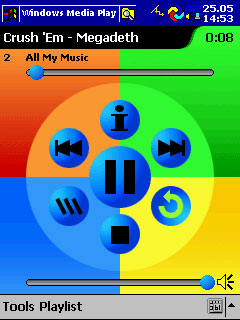
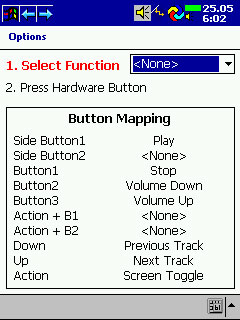
MS Media Player is now written into the ROM. The program is very much updated. Now there are no pauses in the song selection from the list. You can disable the screen to save battery life. Cassiopeia keys can be reprogrammed in its sole discretion to perform various actions (increase / decrease volume, next song, off the screen, etc.)..
CASIO Cassiopeia E-115 Pocket PC
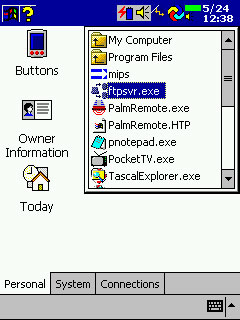
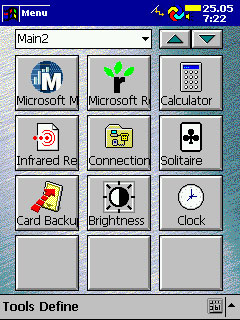
To work with files Pocket PC got a File Explorer.Unfortunately, this single window browser, but the basic steps you can do with files (starting programs, copying, deleting, renaming files). Updated software CASIO Menu. Now you can have multiple pages with icons to launch programs.
CASIO Cassiopeia E-115 Pocket PC

Conclusion

Rapier OS and Pocket PC - the next evolutionary step of Windows CE. An excellent set of programs, excellent performance and reliability - these components of success! Moreover, remains compatible with "old" applications PsPC (all of the programs described in the article "A Tale of the ugly duckling" work fine). The only "flaw" - "old" hardware (not USB). I'm beginning to think seriously about buying a Pocket PC ... CASIO Cassiopeia E-115 Pocket PC has been granted by MakTsentr. The authors, translation:

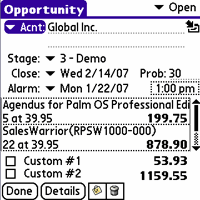
Sales Warrior - application for professionals in sales

Sales Warrior - application for professionals in sales
Company iambic has released an update for the application Sales Warrior - version 2.7. Sales Warrior - application that allows you to control every stage of the sales cycle.

Compaq iPAQ. Myths and Reality

Introduction

Releasing the iPAQ Pocket PC, Compaq bring us closer to our dream PDA. There is everything or almost everything that we want to see in an ideal device: small size and weight perfectly readable in daylight color screen, fast processor, decent amount of RAM, just an incredible opportunity to expand! This article has been prepared solely on the materials found on the Internet. Now, first things first.

Specifications

With some exceptions, technical specifications iPAQ H3650 well within the parameters of other Pocket PC. Here they are:
  • Processor: 206 MHz Intel StrongARM 32 bit RISC Processor
  • Display: TFT, 240 x 320, .24 mm Pixel Pitch, 4096 colors, sizes 2.26 x 3.02 inches
  • RAM: 32 MB
  • ROM: 16 MB Flash
  • I / O Ports: Interface with USB cradle, IRDA 115 Kbps, the sound of 3.5 mm Stereo, Microphone
  • System Expansion pack - detachable multifunction expansion
  • Battery: 950 mAh Lithium Polymer (up to 12 hours of continuous operation)
  • Dimensions: 129.8mm x 83.31mm x15 .75 mm
  • Weight: 178.6 city (including batteries)
  • OS: Windows ® Powered Pocket PC (Rapier)
The first thing that you want to pay attention, because it is the processor. Prior to this StrongARM was to make only one mass PDA Window CE - HP Jornada 820. Therefore, at first, will experience a shortage of software for this computer. On the other hand, StrongARM causes simply "fly" this crumb. Those who saw him at work, they say that subjectively it 2-3 times faster CASIO E-115 and HP Jornada 545. Second, what you want to draw attention is the use of Flash ROM. The PDA based on Windows CE is found for the first time! Now it will be possible painless OS Upgrade to a newer version. More than that. Already have an opportunity to establish this PDA Linux (though at the moment can not be rolled back to Windows CE). The third "whale", which keeps iPAQ, is a system extension Expansion Pack. All the functions of a personal digital assistant to hold the main unit. All additional (network connection, GPS and others) are solved by using Expansion Pack (or as it is fashionable now to call skin). Among other innovations are the ability to sync via USB and control system screen brightness depending on lighting.

Housing

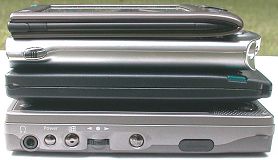
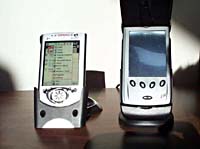
Just great! You look at the photo (from top to bottom: Palm Vx, iPAQ 3650, Palm IIIc, Casio E-115)! iPAQ is comparable in size to the Palm IIIc. And the weight? CASIO E-115 - just a brick compared to the iPAQ (255g. (without batteries!) Vs 179g). " The only caveat to the material body (plastic). Maybe the metal would have been better?
Compaq iPAQ. Myths and Reality
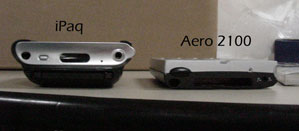
Thickness of the shells
Hats off to designers of Compaq. Everything in its place. IRDA is at the top (I am always surprised at the location of the IRDA CASIO E-1xx). The power button is located so that it accidentally nazhmesh. Microphone at the top. The speaker is combined with a navigation button (just Jog Shuttle which is:)).

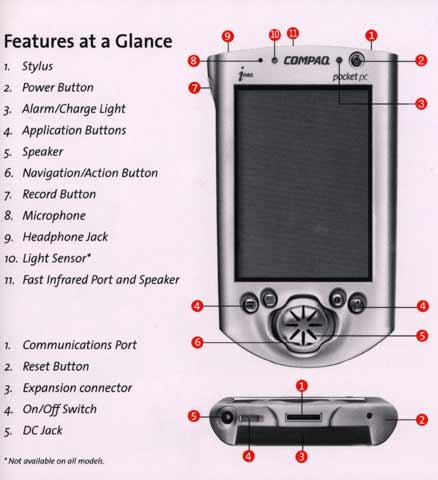
Scheme of the User's Guide

Compaq iPAQ. Myths and Reality
Upper figure:
  1. Stylus.
  2. Switch button.
  3. Signal charge and prevention.
  4. Buttons application.
  5. Speaker.
  6. Navigation buttons / selections.
  7. Record button.
  8. Microphone.
  9. Jack for stereo headphones.
  10. Sensor lighting.
  11. IRDA.
Lower figure:
  1. Communications port (USB/RS232).
  2. Button Reset.
  3. Socket for Expansion pack.
  4. ON / Off switch.
  5. Power Connector (5V-2A).

Photo features iPaq

Myths and Realities "width =" 294 "height =" 63 "/>
Compaq iPAQ. Myths and Reality
CCP is very well arranged in the hand and easy to manage. Lithium polymer batteries are used, the production of Danish firm Danionics. Flash ROM - Intel.

Screen

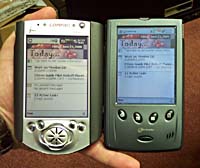
I remember when I was unpleasantly surprised CASIO E-115, when I tried to work in sunlight. Due to the use of light sensor automatically adjusts for iPAQ screen brightness. Look at the picture (for comparison, the HP Jornada 545).
Compaq iPAQ. Myths and Reality
Jobs in sunlight. Both cars are included
Compaq iPAQ. Myths and Reality
Work indoors under artificial light
Everything is clear! There is one little "but". Displaying 12-bit color (4096 colors), instead of 16 bits (65536) as a CASIO E-1xx. In fact, for such a screen is quite decent, and considered a big disadvantage, I would not. In fact, look at the screen shots, and all will see themselves (done on CASIO E-100).
Compaq iPAQ. Myths and Reality
The original 24-bit
Compaq iPAQ. Myths and Reality
16 bits
Compaq iPAQ. Myths and Reality
12 bits
To work quite decent quality. Yes, a little shtrishok. Matrix production SONY.

Sound

Built-in speaker plays back MP3 very high quality and loud. Sometimes you need to turn the volume down (on CASIO E-115 never seen)! Recording microphone obtained legible and low noise.

System Expansion Pack

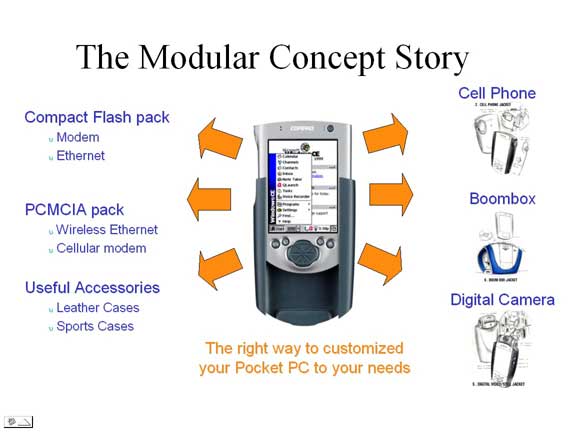
This is a new word! Really good approach to extensibility. In fact, there is no iPAQ Compact Flash slot, and all additional features are implemented using Expansion Pack. Adequate response to Handspring Springboard expansion modules:)!
Compaq iPAQ. Myths and Reality
iPAQ comes with a basic Expansion Pack sleeve, which simply protects the body and a connector for expansion modules.
Compaq iPAQ. Myths and Reality
And here is a list of all plug-ins, which is what any information.
Compaq iPAQ. Myths and Reality
PC Card Expansion Pack

What you need a PDA?

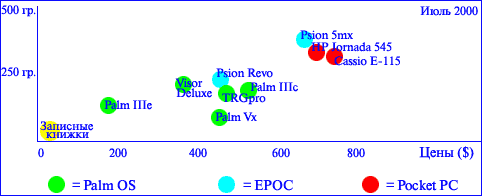
So you need a PDA? Or at least you know how to decipher the abbreviation "PDA (Pocket PC), and for you this word sounds tempting ... Before you go to the store, it seems logical to look to solve any problems, actually, do you plan to use your future assistant? Those familiar with the computer industry, people will confirm that almost always makes sense to accurately represent what it is you're going to spend money! In the case of PDA the most critical characteristics (and at least attractive!) Are functionality, weight and price. The figure below will help you understand the situation of the main varieties of the CPC on two characteristics - weight and price:
What you need a PDA?
You may already be familiar with the presented models? Nevertheless, I hope that the ideas expressed may be useful for you. Immediately it should be noted that the survey covers only a few of the most prominent representatives of the myriad of handheld and not intended to be a comprehensive assessment. The above prices are retail at Moscow officially imported devices with language, in U.S. dollars.

Electronic notebooks

For those who need a device is really very small in size, with built-in simple calculator, to store 20 or more names, telephone numbers, as well as serve as an alarm clock, timer and clock. The battery life time is about one year. Price: $ 20
What you need a PDA?
Notebooks are sold on every street corner at prices ranging from $ 10 and above. Species mass. Basically, in the notebooks is not provided the ability to synchronize with a desktop machine, yes, though not required - data bit, the probability of loss is very small due to the lack of additional applications as well as feeding problems. Memory capacity is measured in tens or hundreds of kilobytes. PDA as such is not due to lack of file system and the possibility of installing additional software.

Attachable Organizer

What you need a PDA?
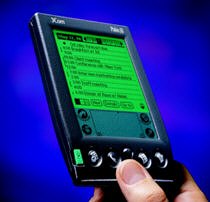
For those who need all the functions of the organizer (address book, tasks, calendar, clock, alarm clock, notepad, diary), but with the possibility of working with lots of information, its categorization and treatment. One of the strengths of this class of devices is the ability to use a huge number of programs developed by third parties: navigation systems, spreadsheets, games, etc. Organiser should really fit in the pocket, possibly not spoiling the form of clothing, as well as having the backlight. As another feature of the organizers should be noted the excellent adaptability to synchronize with your desktop computer. Of course, you can use the organizer and of itself, but coupled with desktop PC performance increases of an order - it concerns the data input and processing. Runtime is about a month or more depending on usage. Prices from $ 200 to $ 500 is no secret that in this market segment is dominated by PalmOS-compatible devices that take up to 90% of all sales. Psion Revo PDA positioned as an organizer, but the lack of illumination can be a crucial drawback for some users. On the other hand, the Revo has its pluses: great stylish gift, a good big screen, speed, keyboard.However, in general the question lingers: what PalmOS-compatible PDA to choose? If you do not need to install more third-party programs, we can recommend the device to 2MB of memory, for example, Palm IIIe, it costs about $ 200. Several upgraded device Handspring Visor Deluxe with an estimated price of $ 390. The main advantage of Visor is a slot for the extensions of Springboard, as well as 8MB of memory. As another interesting option, can be considered 8MB TRGpro, which costs about $ 470. This PDA is distinguished by a beautiful built-in speaker (low-speaker beeper - a big omission on the part of Palm Computing) and a slot Compact Flash, which can be used to connect a variety of devices ranging from memory cards up to 192MB and ending with modems, etc mikrovinchesterami . Palm IIIc and Vx are also quite expensive. In the first set to a color screen that the organizer is not necessarily, the second features a stylish design, the real and miniature aluminum housing branch "Pocket PC" (from licensees Microsoft) can hardly be considered a serious competitor in this market sector, at least for the moment , due to a serious heavy, prices, duration of work from a set of batteries, as well as convenience and variety of existing software.

PDA Keyboard

This section repeats all of the previous, but with the addition of the keyboard, expansion slots, advanced applications and much more serious computing power. Such devices are already quite difficult to put in a jacket pocket, and even more T-shirts, but they get along well in small suitcases, folders, or purses. CCP in this category is fully 32-bit (read: with some margin of obsolescence), and they must built a medium of exchange with other devices, as well as e-mail clients, browsers and means of processing faxes. Hours of battery life is about a week. Prices start at $ 600
What you need a PDA?
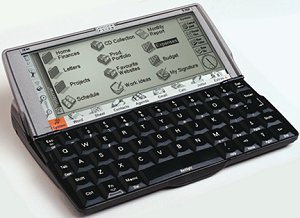
The winner in this category almost the only party to: Psion Series 5mx, running a multi-and extremely stable operating system EPOC. For interfaces and applications Series 5mx is very easy to get used to, especially users of Windows: for example, many hotkeys are the same. 5mx have probably one of the best keyboards for PDAs, big enough and comfortable. Embedded applications are complete and are multifunctional, PDA screen needs for normal functioning fairly good lighting. If you have a mobile phone Ericsson 6xx series or 7hh it is a good alternative would be PDA Ericsson MC218, which is a somewhat reworked 5mx with some additional software and a special infrared adapter to your phone. Series 5mx is worth about $ 650. Psion Revo, mentioned earlier, may also be of interest. It does not have a Compact Flash slot and lights, but most of the functionality 5mx upheld, especially for working with documents and email. And the size, weight and price of the Revo in the third less - about $ 450. Hopefully, some thoughts will be made for you worthless and will help you select a name of the CCP, which will help you in solving many problems. The authors, translation:

The third coming of Windows CE, or look at Cassiopeia E-115 Pocket PC

In mid-April, Microsoft held a noisy presentation of the latest operating system Windows CE 3.0 (brand Windows Powered). This OS was designed specifically for the new series of handheld computers (PDA) class Pocket PC. Microsoft and its partners have made considerable efforts to the fate of Pocket PC was more fortunate than their predecessors - PalmSize PC, the losers in competition with the popular computer-organizer, Palm.

The benefits of good heredity

The third coming of Windows CE, or look at Cassiopeia E-115 Pocket PC
One of the first Pocket PC was Cassiopeia E-115 - the continuation of an important family of handheld Japanese firm Casio. Structurally, Cassiopeia E-115 is an exact copy of the good old E-105. For those who are not familiar, a small excursion into history. About a year ago, the market PalmSize PC - Pocket PC with Windows CE, no keyboard - is closely several major manufacturers: Hewlett-Packard (model Jornada), Compaq (Aero), Philips (Nino), Everex (Freestyle) and Casio ( Cassiopeia). Was creeping struggle in which no one could achieve decisive success. It was not until the appearance of a truly revolutionary model Cassiopeia E-100. For the first time handheld computer was equipped with a decent color screen (active matrix, 65 thousand colors), large memory and powerful processor, capable of twisting MP3 and even digital video. It is utterly superior to all competitors. Initially, due to problems with the supply of high quality screens produce new Cassiopeia was small. But then it was adjusted, and the competitors fell on hard times. Last Six Months Casio completely dominates the market PalmSize PC, leaving rivals far behind. Cassiopeia E-100, and a sister E-105 constructed in a significant foundation for the future. This gave the Casio to rapidly produce a new class of device - Pocket PC - running Windows CE 3.0, without investing heavily in the development and modernization. What makes Cassiopeia E-115 was much cheaper than my classmates: Pocket PC from the Compaq iPAQ with a fashionable name and new Hewlett-Packard Jornada 500-series. In mid-May 2000, ie one month after the official presentation, Cassiopeia E-115 appeared in Russia. That's nice, because usually new items get to our country not so fast. I managed to get acquainted with this curious representative of the family Pocket PC. I'll try to talk about first impressions. The last few months in the world of pocket computers reigned revival. Cause it was a long-awaited announcement of a new, third "big" release of Microsoft Windows CE. According to disseminate information, increase the version number of the operating system almost yedinichku (from 2.12 to 3.0), the brand on the Windows Powered, and the names of computers on the Pocket PC - is not just a publicity stunt, but evidence of revolutionary change in the concept of Windows CE.

Pocket PC as it is

After hearing stories about the wonderful Pocket PC, I am in awe picked up a box with a Cassiopeia E-115.
The third coming of Windows CE, or look at Cassiopeia E-115 Pocket PC
At first I was slightly disappointed and discouraged - apparently nothing has changed. Set in a box is exactly the same set of good old E-100. Exactly the same Cassiopeia, the same stand-cradle, the same CDs and documentation set. Take out the Pocket PC out of the box and turns it on. The screen is as good as the E-105. After admiring the screen saver on the excellent color screen, go to the procedure of the first set. We offer to do the calibration screen, enter the date, time, host country, etc.The new Cassiopeia, this procedure has a fun feature: a dialog button is missing Next (later). Only carefully to get a grasp of the English text, one can understand that we are asked to press the pen into the tablet on the screen and hold it a little by choosing from the menu, click Cut. In the next window, you must do the same action as choosing Paste. To overcome this step, the person who does not know English perfectly, it may take more than one hour. I note that the procedure for Russian users of the first set generally useless. The fact that Cassiopeia E-115 does not know about the existence of a country like Russia. To the regional units appeared cherished item Russian, you need to install special software-crack (see below). Be content until the default settings. Cancel and exit procedures for the first adjustment is impossible, but you can hit all the windows click Next.

Now you can work. Let's see what has changed in Windows CE, but numbers

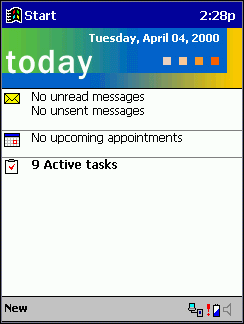
The first thing that catches your eye - no famous vindusovoy "Start" button at the usual place in the lower left corner of the screen. Everything seemed turned on its head: the Windows box labeled "Start" moved to the top of the screen and lost the key - now it's just a picture and an inscription on a blue field. Command menu, by contrast, went down and located on the site of the old button Start.
The third coming of Windows CE, or look at Cassiopeia E-115 Pocket PC
If a whole - Windows CE interface stopped copying large Windows. He lost three-dimensionality, becoming completely flat. This applies both to the appearance of buttons, windows icons, and the organization of control device. The developers explain the transition to a two-dimensional interface, the following circumstances. First, the optimization of the OS to improve speed and reduce the demands for hardware resources. Secondly, the fact that the interface should be simple and clear, even away from the computer man. We can assume that the recognition that the Windows-like PDA is not ideal, despite the complete resemblance to the big PC.

What exactly has changed in the interface?

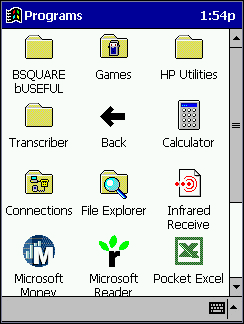
Start Menu has lost cascaded to become one-level, as it did in Windows CE 1.0. In my opinion, this is not very good. Cascading menus - something comfortable, you can go to a program or setting up a minimal number of taps on the screen (usually only three). In the transition to a Pocket PC program is carried out as follows: from the Start menu item is selected Programs, opens a window with icons that look just like a window to launch applications Palm OS. Pressing the stylus on the correct icon, the program starts. The most needed applications can be placed directly in the main menu list on the Start. But if more than 10, the menu will scroll up and down, which is inconvenient. Another convenient feature, which was not in PalmSize PC - at the top of the Start menu will appear tiny six applications that call last. Cause the application by pressing the pen on the icon, which is extremely convenient.
The third coming of Windows CE, or look at Cassiopeia E-115 Pocket PC
Go to Control Panel (Control Panel) is carried out similarly to calling applications. Quite clearly Programs window and Control Panel in its current form ripoffs with similar windows Palm. Subjective - peeled off rather badly and look foreign. Team menu is located at the bottom left. Instruction set - a standard for Windows, only they are much smaller. Some actions are not made directly to the menu, and are a kind of "second tier". Suppose, for switching encoding to Pocket Internet Explorer to select the menu Options, then in the dialog box, navigate to the Advanced tab and in the Language bar to select the encoding you want.I am such a system seemed uncomfortable - it is more convenient would be designed cascading menus, commands are terminated by necessity simple dialog boxes. Memory Cassiopeia E-115 is quite sufficient not only for stable and fast work computer, but also to accommodate the data, additional software and files MP3. And if the place is still not enough, you can boost memory by using the card Compact Flash. Very pleasant novelty Cassiopeia - built-in Windows Explorer (File Explorer), which shows the files and folders in a tree structure. Now, to work with files and folders (such as copying or renaming) is not necessary to resort to tricks, you just call the File Explorer. By the way, it is possible and open the files while running necessary programs. Strange, but still could not close the application when finished with it. That is fundamentally possible, but only as follows: choose the Start menu, click Settings, in the upload icon in the Control Panel, find the Memory and call up the system settings, go to the tab of the Running Programs (analog Task Manager), select closes the application, and then command the Stop. What prevented the usual make a cross in the upper right corner? Although it is not convenient, but applications from time to time need to be closed. Otherwise, nothing is consumed memory, and after a while Cassiopeia E-115 starts to work noticeably slower. What is permissible in single-tasking Palm OS, is not justified in claiming to be multi-tasking Windows CE. So it is impossible to comprehend the absence of the normal taskbar (Taskbar). Why to switch between running applications I have in fact each time to run them (ie, choose the menu Start)? After a full keyboard Windows CE Taskbar long been available, and then from it altogether abandoned. Save space on the screen that does not work exactly. Since Microsoft has not bothered to work comfortably with the applications have to look for the development of third-party products, offering a solution. And those already there, such as Gigabar and bTask. On-site cross that covers the application of Windows, Pocket PC is a round button OK. Appointment of it - closes the current document or window, saving changes. In this case, no question - save the changes or not - is not specified. This eliminates the unnecessary control movements and some speed up, but at first can be misleading. The button OK is the same in different applications and dialogs. Another completely new feature for Windows CE - all actions committed by one click on the screen (same one click). That is one pressing of the icon does not release it, and immediately calls the action (download the application, open the document, plowing the dialog box). Some time will have to get used to, but then you find that it's pretty convenient. If you do not take your pen immediately, but hold it a second or two, then the drop-down menu whose commands apply to the selected object. And lastly, that I wanted to say about the innovations in Windows CE. The operating system has become much less to ask questions. That is, for an action not required to repeatedly confirm that it actually needs to accomplish. It is very nice - finally users do not see the complete idiot.

A few words about ergonomics Cassiopeia E-115

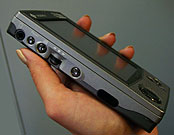
Casio is proud of the fact that their PDA can be controlled in three ways: by rotating and pressing the wheel of Action on the left side devices Disk-joystick on the front panel, as well as with the stylus and onscreen controls.
The third coming of Windows CE, or look at Cassiopeia E-115 Pocket PC
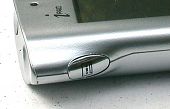
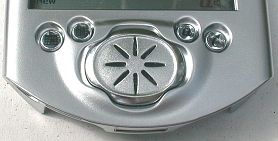
I tried all three ways, and, in my opinion, really works, only the last, or a combination with one of the first two. Without a pen you can get to write in the address book, open and read documents, etc. More convenient to browse page e-book. But as soon as you begin typing, editing, and generally any serious action - reach for a pen. Even before the command menu without a pen to get failed.In addition to the Action and drive round the joystick, Cassiopeia has few external controls: a button that causes the Start menu button and start the voice on the left side, and three programmable keys download applications under the screen on the right. More power button, naturally. Placing the keys is perfect in terms of design, but subjectively, not so easy in real work situations. About the round joystick on the front side of the device, which all initially mistaken for a large power button, I want to say separately. A feeling that it have designed, based on screen rotation by 90 degrees. In this case, the screen is oriented horizontally, the machine conveniently fits in your left hand and the joystick is under the thumb, similar to disk Action in the ordinary (vertical) position of Cassiopeia. No other uses a joystick to come up failed. By the way, turn the screen horizontally - this is not a whim, and a convenient feature that was available back in the Newton MessagePad. It is a pity that the Pocket PC is not available.

What can I do with it?

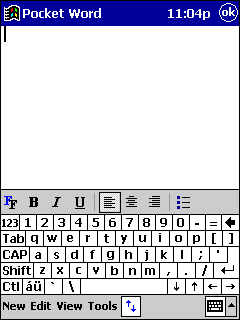
Talk a little about the application of the new Cassiopeia. If the previous model E-105 was positioned as a PDA for entertainment, the E-115 - is a powerful tool for working with e-mail and the Internet, complete with opportunities for recreation. It is no exaggeration. The fact that Cassiopeia E-115, as in all Pocket PC, integrated set of applications, a full keyboard PDA: office software Pocket Word and Pocket Excel, Pocket version of Internet Explorer, e-mail client Pocket Outlook (Inbox). In addition, the integrated program of personal finance MS Money. In their places remained address book Contacts, Calendar and organizer list Tasks. Entertaining part of the programs presented MS Reader (for reading electronic books) and Windows Media (MP3-player). We can not say that the functionality of Pocket Word editor is staggering. But right in the document, you can insert a record in handwriting, drawing and even a sound file. Very useful zoom feature without leaving the document, you can send e-mail and via infrared. But most importantly - Pocket Word can work with documents created in MS Word desktop without any conversion. This means that adopted by e-mail MS Word 97 file can be opened on Cassiopeia, edit, save and send later in the format MS Word. Why are some Pocket Word program duplicated Notes - own a truncated analog. No extra features and benefits of Notes could not be found.
The third coming of Windows CE, or look at Cassiopeia E-115 Pocket PC
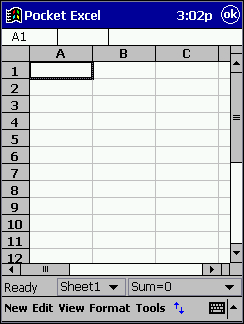
Approximately the same as with Pocket Word, the situation with Pocket Excel. The list of features more modest desktop counterpart, but with files MS Excel friendly. To work with large tables seem too small screen. Here's where to turn the screen horizontally! Several rescues option changes the scale, the benefit is cascading menu and image size is selected in three movements pen.
The third coming of Windows CE, or look at Cassiopeia E-115 Pocket PC
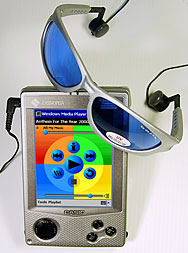
Address book and diary in the Cassiopeia E-115 exist in two copies. First - it is the standard Contacts and Calendar from Pocket Outlook. In addition to these there are, respectively, Mobile AddressBook and Mobile Calendar (resembling Lotus Organizer). Made recordings are shown in both programs, so that you can use the one that more like it. In this case, the duplication of application is justified and understandable. Inbox mailer has not undergone significant changes, but now you can open and edit attached Word documents or Excel. Attached a special utility to configure the e-mail Mail Setup Tool.Finally, a full Web-browser - Pocket Internet Explorer! Much of a difference with analog keyboard for Pocket PC has not been noticed, except that the command menu is less convenient. You can select the code page of the document. Cassiopeia E-115 can be used in the mode of audio player. The new program uses Windows Media for playback of MP3 files you can disable the screen, transferring control to an external player keys. It is extremely comfortable and great saves battery life. Do not forget to close the Windows Media when using other applications, and then change the key actions will surprise you. Some records can be typed in "disk" (Playlists), and listen to continuously.
The third coming of Windows CE, or look at Cassiopeia E-115 Pocket PC
The second program is entertaining Plan - Microsoft Reader. That reader e-books created in a special format LIT. In this format is available for a number of English-language literature, Russian unavailable. However, not very difficult to translate the most favorite eBook format LIT. The quality of the text is displayed on the screen - above all praise. Eyes are not tired when reading. But I must admit, I like regular paper books.

Finally a few words about the Russian language

Unfortunately, this issue, developers Cassiopeia E-115 troubled with not much, so for sure need a special program to support the national language, in other words, crack. I used the freeware Pocket Ex Input Method, available for download at www.crechet.ru. It is designed to PalmSize PC, but works on a Pocket PC, if you put up with some trivia.

More

Information about the Cassiopeia E-115 can be found on the Internet at the following addresses:
  • www.casio-usa.com/hpc/ - the official website of Casio, on handheld computers and organizers.
  • www.cewindows.net - reviews and comparisons, and articles. A lot of useful information.
  • www.hPC.ru - handheld computers in Russia. Device descriptions, questions and answers, library, conference, etc. All in Russian.
When writing this article was used Cassiopeia E-115, provided by MakTsentr. The authors, translation: