Viewpoint: The most significant events of the world PDA for 2004
Summing up the year, his views on the most significant events of the year presents Ed Hardy, editor in chief of a reputable site Brighthand.som. At the end of the year is quite natural to look back and think about everything that happened to us over the past twelve months. In this case, I am reminded of the most significant and important events for the entire year. In my view, these developments have made the greatest impact on the market of portable equipment.
Sonya - a gold pen, or a new Pocket PCs Sony CLIE PEG-NR70 and NR70V
Forced to confess at once - new CLIE PEG-NR70 in my hands have not yet visited, so the machine has to describe to someone else's words, focusing on press releases, photos and articles unknown to me Mr Salmon (Wes Salmon), published on the Internet. So, Sony is once again pleased with the computer society in all respects an outstanding Pocket PC. Even the general view of the new machine is impressive - folding, the two halves, the construction of housing, availability of built-in keyboard, color screen, full sound. In the model NR70V, among other things, there is also a built-in digital camera ... One word - went to get acquainted.
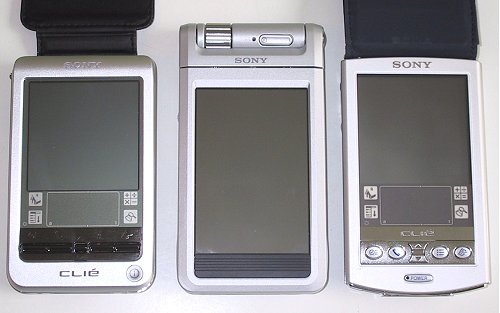
The outlines of the new machines are charming ... Pay attention to "cot" synchronization. The computer is in it at a steep angle, almost horizontal. But it is another thing, look at the slot for a pen. Great, right? However, feather pen, and the sight attracts some too unusual resolution color screen. And it is indeed unusual for handheld computers - big, very big, we can say very much. 320x480 pixels! What? Compare the size of the screen (as well as overall dimensions), a new computer with its predecessors (still actively selling and not obsolete). Distinguish the NR-70 can precisely display area.
There have particularly noted that the high resolution screen remains unused dressing as a program that supports a resolution of 320x480 pixels virtually none. Moreover, even proprietary applications do not support high-resolution (left side of the screen unused). It remains to await the outcome of the labor party developers and programmers to Sony. If high resolution is, then, is someone who needs it? However, since Sony has unveiled its NR series, most developers obyavilio intention to create versions of applications with support for resolutions of 320x480 and a virtual field of Graffiti. That has been done can be read here. A small summary of technical characteristics. Screen (since I started with him) aktivnomatrichny adjustable reflective (reflective) backlight and a 16-bit color. The central processor usual for Palm Dragonball VZ processor with a clock frequency of 66 MHz. (Already interesting, huh?) Memory capacity is also normal - 8 MB of permanent memory (most likely a flash) and 16 megabytes of memory operations. Not a lot, considering the availability of built-in camera model NR-70V. Lithium-polymer battery (moda!), infrared port and USB. Itself - a slot for flash memory cards Memory Stick. Dimensions 13.9 computer x7, 2x1, 7, see now on the construction of housing. Foldable computer and consists of two halves connected by a hinge at the top. The same hinge on the movable base mounted camera lens (model only NR70V), multi-function indicator light and an oblong button on the machine with a battery indicator.If we compare the computer's built-in camera with the Sony attachable camera for Pocket PC Casio, it should be noted that executed in the CompactFlash card format camera JK-710DC produces images of approximately the same quality. But this is a topic for another conversation ... Discarding the top, soft cover, find built-in keyboard. Namely - four ordinary for Palm Quick Launch Buttons core applications, the two navigation buttons on the screen, tiddly "iron" keyboard, and a lot of free (completely useless) space. Yes ...
What is wrong with them? Why are so many empty seats? You can be the same as a cheat, to use the panel under the larger keys, though not located entirely standard. The above-mentioned Salmon said that has not adapted to write via this keyboard, although seemingly very much wanted to get rid of the doodles Graffiti (but work with handwriting input from the high resolution screen has become more comfortable). The keyboard is equipped with not even the keys - tiny buttons. And is designed to provide short notes with the thumbs of both hands. (In words, looks clumsy, but it is easy to provide - the computer is on the palms, thumbs to push buttons. By the same experience with Pocket Computer literacy Sharp Zaurus, which has a similar keyboard, showed that this is a very convenient way to set small amounts of text). To end the system of governance, we note the presence of traditional computer navigation wheel Sony Jog Dial, which can be scrolled by selecting items menu or scroll down the page and click to run.
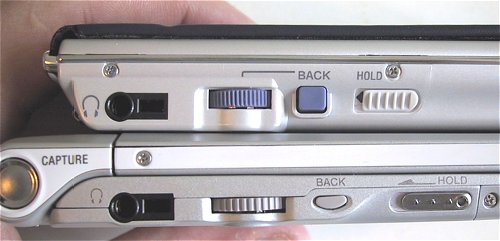
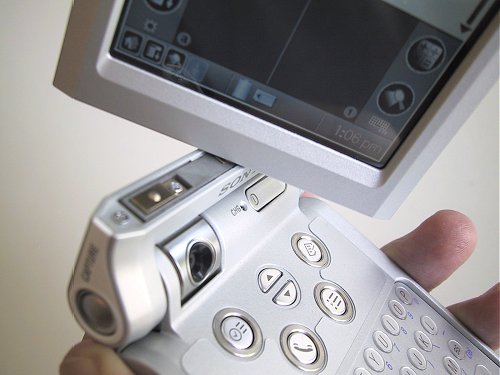
Next to the navigation wheel on the connector stereotelefonov and control buttons (new computer CLIE PEG-NR70V pictured below). More about the keyboard. Buttons (no, this is not the key - and said to try them in the Salmon) in the form of a recessed circular areas. What kind of question arises, one must have a finger to cater specifically to the desired button without clicking the next? Or for typing, use staffing pen? Although it is better to have a keyboard, than none at all. So - thanks, of course ... But the system buttons, and it shows in the photo are made accurately and conveniently. They are in a metal (or metallized plastic - it does not matter) and a frame of sufficient size. Okay, let's leave aside the lower part of the body and turn to the upper part. It is in her home "schtick" NR70. The upper part of the body, which is mounted touch screen, executed swing. Moreover, the two degrees of freedom - the cover can be closed, opened and rotated around the horizontal axis. This allows us to radically alter the computer.
When folded, when the screen is deployed to the "face" to the keyboard, it is tightly closed and most secure plastic housing. Expanding, expanding and storing the screen with the back of the keyboard, we get the usual (only appearance) handheld computer with touch-screen input. And if we expand the computer "house" - the screen facing out, the machine will be required electronic picture frames. None of your co-worker does not go past - says Mr. Salmon, and this with it's hard to disagree.In general, considering a new machine (if still in the photos), we can safely say - the phone is outstanding. Nothing of the kind and number of "do not lie."
Schedule. And again - Picture Gear Lite. With this program you can optimize for high-quality display on the Sony still pictures, then to the viewer through PhotoStand view them and even send someone an e-mail. Program PhotoStand, designed for viewing photos and organizing a slide show (it was her meant Salmon, using a pocket computer as an electronic picture frames). PhotoStand so far the only program that fully implements the graphics capabilities of NR70 and allows to display graphics at a maximum resolution of 320x480 pixels. In this case, the image can be deployed to 90 degrees, replacing the portrait orientation to landscape. Sound. Software player audio file format MP3 Sony Audio Player new PDA model inherited from the PEG-N700. The player has more control over playback, enhanced bass and switch module rendering (as in WinAmp). Salmon was unhappy with the fact that the player does not work in fullscreen mode, limited to the square of 320x320 pixels. We stand in solidarity with him again.
System improvements - backup program backup, overwriting, and synchronization of data on flash memory cards Memory Stick - omit. Suffice it to say that computers are now working with Sony memory cards is better (though I, another user CPC family, and did not know about these specific problems - there is no perfection in the world). Here's what's really funny - the presence in the standard delivery program CLIE RMC. This is nothing like a universal remote control for all types of video recorders, television sets and players DVD ... No, not all, Salmon was unable to activate NR70 with some TiVo production, surprisingly, the same Sony. What can I say ... Rack up expensive equipment and then not know what to do with it. A company is Sony, I think, is so large that the computer part of it does not know what he was doing some TV. And vice versa ...
Of the things you can note new email client that supports multimedia attachments, including photos taken at the CCP. And some super-duper "risovalka - graphics editor capable of producing images with resolutions from 88h88 to 320x320 pixels. That is, full-leaf, no matter how hard you try, you still do not narisuesh ... Well, do not. Let's take a look at the camera, a built-in NR70V. Curiously the same - no strength.
Videography built-in camera does not seem to reach. Although it is somewhat strange - shooting in low resolution with a frequency of 15 frames "afford" the most simple digital cameras, toys. Among the additional features present in the frame automatically imprinting the date and the opportunity to illustrate kadrikami 88h88 address book. (The main thing - then do not be frightened, accidentally stumbled on a similar portrait). Unpleasant feature - the computer automatically assigns the names of images, which change in the CPC can not be ... On the other hand provided a completely correct work with flash memory cards, so you will not be on "starvation rations", clicking the camera (more so a computer) to the left and right. How quickly when using the camera consumes battery power is not yet known. In the usual "nefotograficheskom mode battery lasts for seven hours of continuous operation.
Sonin become
Innovations so that you do not know where to start ... Let's try from the outset. Light base of a new computer is different from its predecessors elongated shape. It is the overall family typewriter Sony, few beyond the limits of the form factor Palm, which is a clone of the CLIE PEG-NR70 is. The large size (although the computer does not look bulky) due to a number of features. First, the larger screen size. Second, the presence of built-in keyboard (to reduce its infinitely impossible). Third, the presence of the camera (in the model NR70V), which in the body requires a certain place.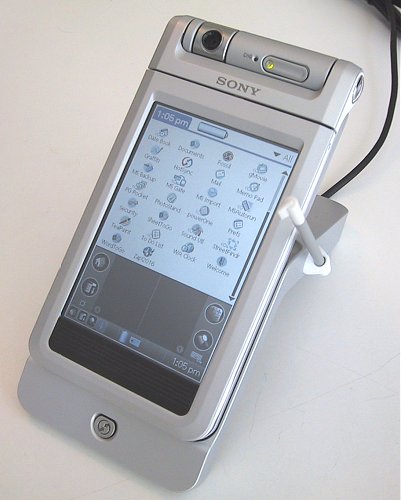 |
 |
 |
 |
 |
Sonya's brains
Sony CLIE PEG-NR70/NR70V running the operating system Palm OS version 4.1. This suggests a complete software compatibility and support for all standard applications for new Palm `s. So to describe, seems to be nothing ... But it's Sony! And new multimedia computer to impossibility. Consequently, the native functions Palm OS extended only as far as permitted by the amazing hardware of the new machines. Here are the most interesting (from my point of view) applets from a kit PEG-NR70/NR70V. Video. Player gMovie known owners of all PDA Sony, since the first model S300. Application, in general, fun, but useless. With the help of the universal program-converter Picture Gear (in the computer suite is its lightweight version Lite) video file is transferred from the MPEG format pdb, is pumped into the machines memory and reproduced by the player gMovie. Salmon wrote that the increased screen resolution and a powerful processor to a large extent affected the quality of video playback, but still close to the Pocket PC machine Sony looks pale.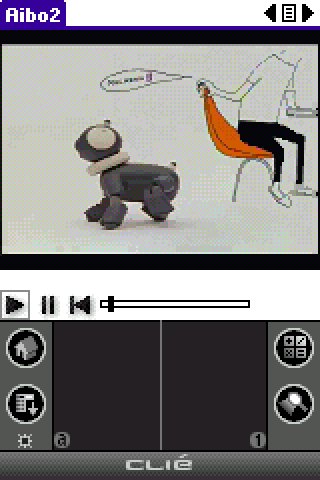 |
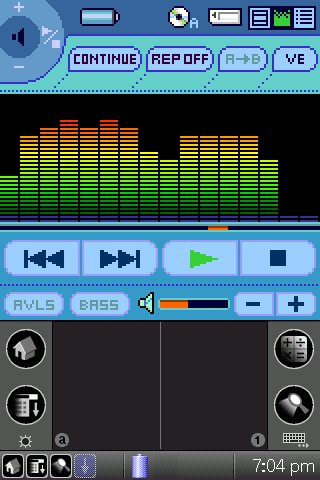 |
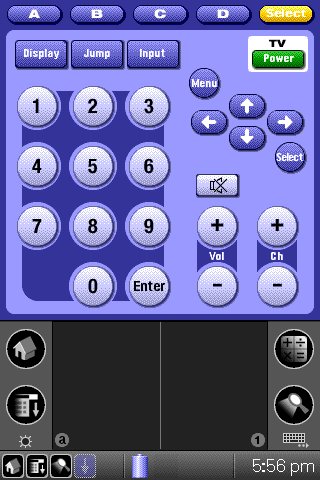 |
Sonin languid glance
New computer, released in two versions - with a digital camera and without it. The reason is clear - someone needs a camera, someone - no. True, it's worth noting that the price difference is not so great, the computer with the camera only costs a hundred dollars more. The same plug-in camera from Casio's two and a half times more expensive. And yet, I personally still questionable - who offended built fotoapparatikom insignificant by the standards of digital photography permit, conditional automatic exposure, no flash, but still not very easy to handle? But Sony produces and refines these models. A camera appear not only in the CPC, but also in cell phones (a boom). Hence, the demand is there? So - is there. In addition, a considerable ... Then, in fact you should at least hypothetically, to try on. All of a sudden like that? Sony would not be Sony, if built into a great handheld camera is inferior. By the way - the company produces high-grade digital cameras, with high-Zeiss optics and a very high-quality automation. This is expensive and prestigious chamber, which is convenient to work with, and hold - it's nice ... From the built-in pocket typewriter camera should not expect high sensitive or high-speed shutter. Maximum resolution as a camera for Pocket PC - 240x320 pixels. There are two low-resolution (although it would seem, let alone below) 160x120 (especially Palm `ovsky" Resolution of the ") and 88h88 pixels. For creativity, even the maximum resolution that will not do for fun - why not. Here's a snapshot of the master Selmana, clearly demonstrating the power of the camera NR70V. (Very artistic photo, is not it?) |
Our dear Sonia
Computers Sony CLIE PEG-NR70 and NR70V just been published. But, recalling the history of previous models of Japanese craftsmen, we can say with confidence - these cars will have very soon. And yet they do not, the cost can only speak in the manner alleged. In the U.S., new PDAs sold at a price of 500-600 dollars (as always - without a dollar) for the NR70 and NR70V respectively. In Russia will be U.S. $ 150 more expensive ...By the way, Sony have to say 'thank you' for what it does not cease to raise the bar and his own example shows how to be a PDA-class - powerful, beautiful and expensive. The authors, translation:Viewpoint: Sharp Zaurus SL-C860 with the installed firmware pdaXrom 1.1
 |
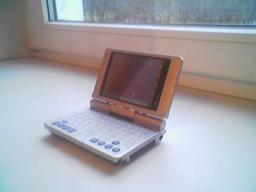 |
Completion
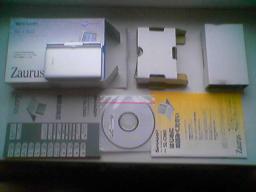
Examination will begin with the packaging.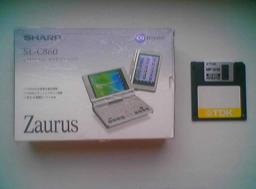 |
- Included:
- Actually, a PDA with a stylus
- battery
- USB sync cable
- charger
- CD with software
- dokumentatsiyayu.
 |
Pros and cons
After seeing the package, turn to the technical characteristics of the Sharp Zaurus SL-C860:- Operating system: pdaXrom Linux
- Processor: Intel XScale PXA255 400 MHz
- Memory: ROM - 128 MB RAM - 64 MB
- Expansion slots: 1 slot - SD / MMC, 1 slot - Compact Flash Type II
- Screen: touch screen, 3.7 inches, resolution 640x480, 65,536 colors
- Communications: Infrared
- Battery: removable Li-ion battery, 1700 mAh
- Dimensions and weight: 120 x 83 x 23,2 mm and 250 g
- Thus, the advantages are:
- Form-factor mikronoutbuk tablet "
- One of the best today screen
- Screen resolution 640x480
- Built-in QWERTY-keyboard
- The operating system Linux.
- Disadvantages:
- Operating system Linux (oddly enough, but this just below)
- Lack of Integrated Bluetooth and Wi-Fi, but do not forget that the problem can be solved with the help of the periphery in the format of CF, ie Bluetooth CF card, Wi-Fi CF card, etc.
- High price.
Appearance and ergonomics
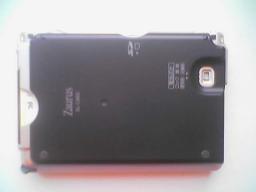
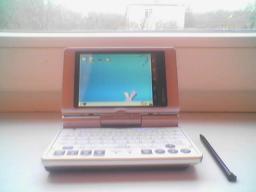
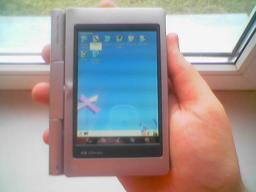
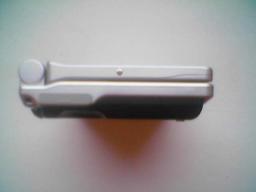
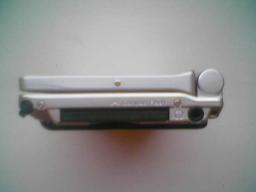
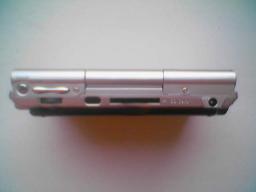
We now turn to examination of the device. First of all, we should say that the 250-gram weight Sharp'a only at first glance, it seems redundant. Believe me, when you use the device no problem in this regard does not arise. The only thing in your shirt pocket PDA, of course, will not put. Rather, this: to put it is possible, but it will be hard to:) The first thing that comes to mind when viewed from the device, so the feeling quality work: all the details of the computer fit is very tight, the case SL-C860 is made of quality silver plastic (Figure . 4), soft-touch, rear cover is made of black matte plastic (Fig. 5), on the back cover is a rubber "feet" to prevent computer sliding across the table. On a five-point scale appearance Zaurus'a, in my opinion, can be evaluated on a solid top five.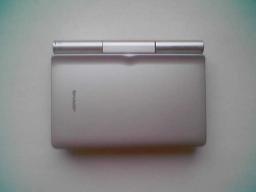 |
 |
 |
 |
 |
 |
 |
Screen
Zaurus'a screen has a diagonal of 3.7 inches, resolution - 640 x 480 pixels, 65 thousand colors. The screen is one of the best to date: the picture clear and bright. Display PDA, in fact, is an active matrix, ie this is exactly the same as in laptops, hence the lack of it: does not reflect sunlight and sun-readable almost zero. It should be noted that the normal brightness of the eyes - the value is roughly in the middle of the scale. Maximum screen brightness is unpleasant to the eye. Side of the screen (or bottom in tablet mode), there is a panel with hardware buttons that run certain applications, such as: calendar, browser, mail, etc. Incidentally, these buttons can be configured independently. Legend of hardware buttons are "angle", ie can comfortably use the buttons in laptop mode and tablet mode. Trifle, but nice.Keyboard
The keyboard, despite its small size, fairly comfortable. After a little practice you can write letters, medium-sized texts, and with decent speed. Buttons too small. Whitelist can be seen that the Japanese do:), but given the size of the device, apparently, is the best possible. Keys are pressed gently with a little click. Despite the fact that a lot of effort to make this need not accidentally press still will not work. The keyboard is made in a single plastic labels, with no gaps that can be attributed to the pluses device posolku this design will not allow the blockage and will be easy to clean. Another advantage of the keyboard is that it can Russify with stickers, labels, seats for a bit, but enough.Battery
In the Sharp Zaurus SL-C860 a removable battery. This is another plus, since battery can be easily removed and replaced. Its capacity - 1700 mAh. It is also said that the CPC is set non-volatile flash memory, ie, with the full battery or just when the computer shuts down, all your data will be saved. About battery life, hard to judge, it all depends on the intensity of work and tasks. With intensive use of PDAs will be enough for 6-8 hours, well, and, accordingly, the smaller the intensity of computer use, the more battery life.Memory and performance
In the computer has 128 MB of nonvolatile flash memory and 64 MB of RAM, which is consistent with the requirements of most users. This volume you will be enough to head to the same, do not forget about expansion slots into which you can install additional memory expansion cards. If we talk about the processor, the PDA is set processor Intel XScale PXA255, clocked at 400 MHz (by the way, the processor frequency can be increased by using a special program). If we talk about the performance of the device, then it is difficult to estimate, because in the computer operating system Linux and compare Sharp Zaurus SL-C860 and PDAs running Windows Mobile or Palm OS, is not entirely correct. On the basis of their own, subjective point of view, I can say that applications run faster, listen music, video looks good. Performance simply nothing to compare, but believe me, your computer's performance is enough to perform common tasks. The only thing you can also add some "heavy" applications such as web browser Mozilla Firefox 1.0 when you first start loading for a long time, but it works well, without complaints.Software
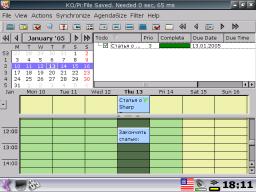
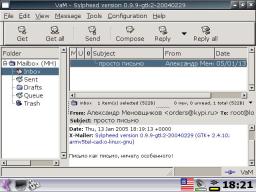
As you already know, a PDA Sharp Zaurus SL-C860 is running the operating system Linux (in this review, we consider the firmware pdaXrom 1.1). Oddly enough, but this fact is just the biggest weakness at the same time the biggest advantage of this device. It is because of the operating system I took this handheld to the category of "Hi-End is not for everyone." We now consider the software. As I have said, it will be a firmware pdaXrom 1.1, representing a set of programs that are used in everyday work: browsers, email-clients, gaming, word processing, spreadsheets, etc. Roughly speaking, different firmware - miscellaneous software. Please note straight away that most programs have an English interface, I mean the firmware pdaXrom, we are considering. However, pdaXrom if desired, and the availability of free time can be completely Russify ie relizovat interface translation. As for the Russian entry, ie writing texts in Russian language, then this was originally not a problem. Now a little bit more, actually, pdaXrom. This firmware is developed by the international community to the system open source (Open Source Software). Chief ideologue and leader of the project - Alexander Chukov (sashz), in addition, a very active part in the development of pdaXrom take Laze, Mikkel Skovgaard, and many others. The main feature of this firmware is that it uses the X Window System, which actually means that the CPC operates a full "desktop" Linux.Thus, on the Sharp Zaurus SL-C860, you can run the program with a "desktop" Linux, namely those that do not require large resources (after all, we should not forget that we are dealing with a pocket computer).- For example, our guinea successfully operate such well-known applications, such as:
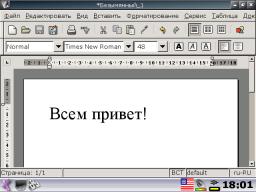
- Abiword - word processor, the functionality of a similar product known Microsoft Word. Abiword is compatible with file formats, Microsoft Office.
- Gnumeric - spreadsheet, the functionality similar to a known product Microsoft Excel. Gnumeric file formats compatible with Microsoft Office.
- Mozilla Firefox 1.0 - a popular web browser.
- Apache - the famous and popular web server.
- PHP - a programming language.
- MySQL - the database.
- Quake - popular game.
- Doom - Another popular game
- XMMS - audio player files
- MPlayer - movie player file
 |
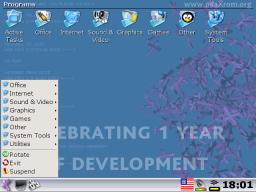
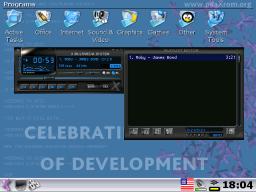
- So, before you screen, very similar to "desktop" Windows, namely:
- desktop with a list of the major groups of programs
- control panel (by pressing the Menu button on the keyboard, an analog "Start" button in Windows, you can see the application groups - Fig. 12)
- Office
- Internet
- Sound & Video
- Graphics
- Games
- Other
- System tools
- Utilities
- And the button:
- Rotate - is designed to rotate the screen from the "laptop" in "tablet mode and vice versa.
- Exit - used to exit the graphics mode in text console.
- Suspend - turns off the computer.
 |
 |
 |
 |
 |
 |
Conclusion
Undoubtedly, Zaurus SL-C860 - a very interesting and controversial model. If we evaluate the external characteristics, ie design, screen, keyboard, ease of use, then, in my opinion, this PDA can be considered one of the best on the market. The main problem - Linux and software. Linux is known for a few and their presence deters many users, although not as scary as it may seem at first glance. Moreover, this problem can be solved by many existing firmware from third-party developers. A prime example - discussed in this article pdaXrom, much like the familiar Windows. If you're ready for serious change in your pocket-computer life, then PDA Sharp Zaurus SL-C860 will come in handy. PS This material is published under the rubric of "Viewpoint". If you have any interesting ideas, news, thoughts, Own reviews and a guide for beginners, of course, fit into the theme of our website, then you are welcome. HPCru ready to provide you with a virtual platform where on your point of view, learns more than one thousand of our visitors.For publication in the "Viewpoint" does not necessarily have to be a professional journalist, it is sufficient competent to formulate its position, it is interesting to present its arguments, and formalized in a small article (whose title story, a curious beginning and ending.) So, if you wish to speak, meet our rules below and send your "perspective" at editor@hpc.ru.- That condition of publication in the "Viewpoint" on HPCru:
- fees for such materials are not provided
- The editors reserve the right to refuse the author in the publication of the text without further explanation
- edited produces a literary text editing
- desirable, but not necessarily in a letter from article to add information about yourself (name, occupation) and a photo.
Casio BE-300: The model is not satisfied with gastrointestinal
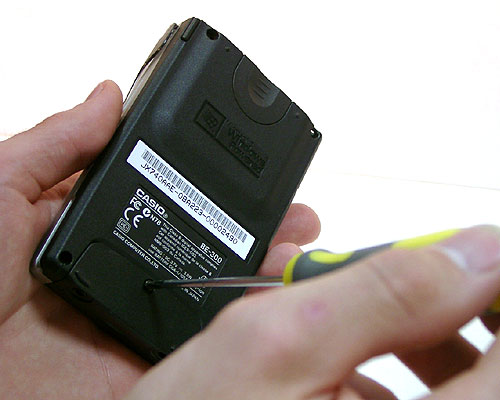
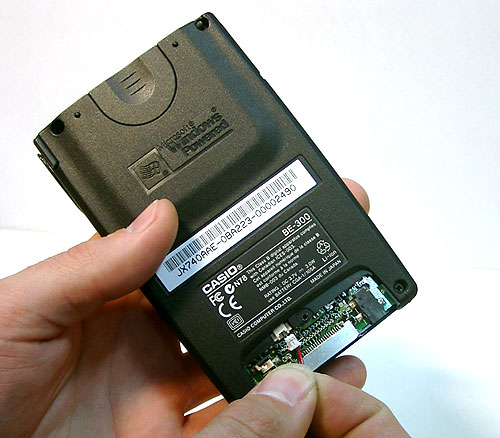
Active selling Pocket PC Casio BE-300 began only recently - in March 2002 and has gradually become clear terms of the major problems faced by users of this machine. Home - a very short period of the internal battery. In the opinion of most users, it is enough for about 3 hours of normal operation. For comparison - the same period Cassiopeia E-200 is about 5 hours, iPaq 38XX - 6-7 hours. Developers BE-300, apparently did not think this issue is too important. Battery itself is very small in size and is physically unable to give the device a longer life. Have to expect from Casio adoption of certain measures in this regard? Probably not. The official position of the manufacturer is as follows. As stated in the instructions to the battery Casio BE-300, the owners of the CPC is guaranteed about a week (during "normal use") or 4 hours of continuous operation of machines before the next recharge. True, the screen brightness at the same time should be located at the bottom mark. "At its zhisnesposobnosti is certainly not the best battery, but vplone acceptable option, - commented the representative Sasio. - If you set the minimum screen brightness and polvozatsya simultaneously a large number of applications, it is possible your device will work and 6 hours. On the other hand, if you listen to audio or watch videos on it, the time will inevitably be reduced to 2-3 hours. In Tokyo office Casio does not accept any complaints about the duration of the BE-300, but, nevertheless, take note of the situation, that avoid its repetition in the future. " Well, future products may be equipped with more energy efficient batteries, but how to be current users of these machines? Try to offer several options for solutions to problems. Firstly, you can buy a spare battery, its number CGA-1/105A. This solution is inexpensive, about $ 10, but quite inconvenient. Replacement batteries - not for the average user. To do this you must first cross-head screwdriver to unscrew the screw.
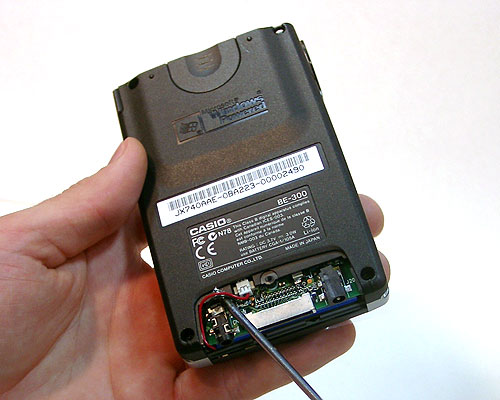
Remove the cover, gently lift the postings
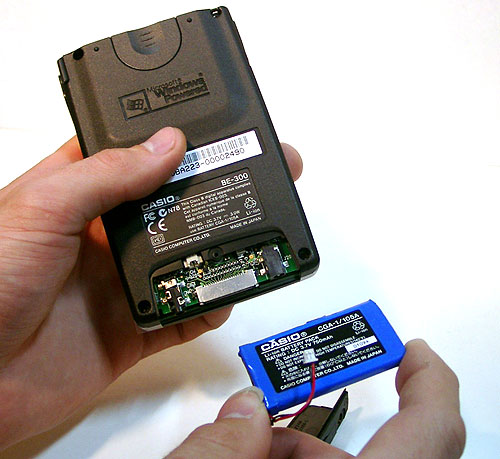
and remove the battery.
Then carefully remove the battery.
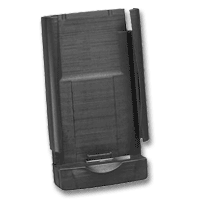
Then it is necessary in the reverse order to put a fresh fully charged battery. For the preservation of data and you can not fear, they are stored in flash memory. On the fly, metro, train to do such replacement is impossible, so we recommend this method can not. The second way - use an external battery production Casio. It looks like this.
Called JK-215LT External Power Pack. This solution is convenient but not cheap, the retail price will be about $ 80. Capacity external battery is unknown, the site www.casio.com stated that it doubles the lifetime of the device, which, in general, not a lot ... A third option - make-up and recharge BE-300 from a portable external source of production MakTsentr. The charger is still in development and have not even got the name. It consists of a simple plastic box, complete its four batteries AA (penlight batteries can be used) and the power connector, suitable to the BE-300. Detailed technical characteristics of the device we are able to communicate in the near future. Make sure not to our news. The authors, translation:
 |
 |
 |
 |
 |
 |
| External Battery External Power Pack |
Mobile panorama of the week. Issue 17 - March 21
Style and practicality RoverPC S7
In the segment of low-cost PDA with navigation capabilities occurred completion. The company Rover Computers from April begins sales of the communicator RoverPC S7 with a recommended price of 12,990 rubles. With such a value it has a standard set of features without any special advantages, but without serious gaps. Communicator must be to the soul of those users who do not want to support third-generation networks and the most top-end options for other characteristics. Unlike many low cost and some inexpensive models of the middle class, RoverPC S7 supports both cellular standard EDGE, and wireless Wi-Fi, which in Russia is much more important opportunity to work in networks of 3G. In other specifications are fairly standard for low-cost model - 2.8-inch display with QVGA, processor Texas Instruments OMAP 850 CPU at 200 MHz, 64 MB RAM and 256 MB ROM internal memory, support for the three frequency ranges networks GSM, 2-MP camera, slot for memory cards microSD, GPS-module based on the chipset SiRFstar III, the operating system Windows Mobile 6 Professional.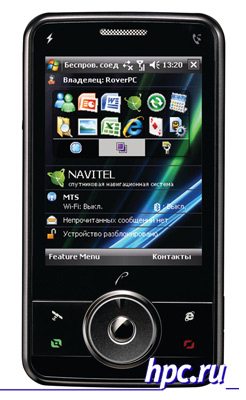 |
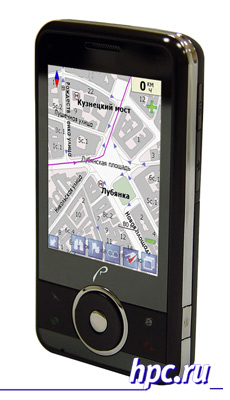 |
| Issue 17 - March 21 "width =" 231 "height =" 400 "/> |
Thin and light Samsung i780
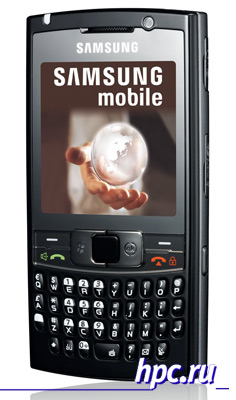
Samsung Electronics Co. Ltd. continues to expand its portfolio of devices based on Windows Mobile. Communicator Samsung i780 was first shown to the public last fall, however, goes on sale announced just now. At first glance, Samsung i780 is quite common, but it has several striking features that distinguish it from the crowd. Candybar with QWERTY-keyboard is already fairly well mastered by many companies, not just the ancestors - RIM Blackberry and smartphones from Palm c communicators Treo. Samsung itself before the release i780 uses a form factor for smartphones based on Windows Mobile without a touch screen. Samsung i780 can rightly be considered the flagship of this line from the Korean manufacturer. Unlike many other smartphones in a similar form factor, the novelty from Samsung uses a display resolution of 320x320 pixels, not 240x240 or 240x320 pixels. Historically communicators with such a resolution releasing Palm, Treo and when there were based on Windows Mobile, they had a more modest 240x240 pixels, as the Operating System from Microsoft itself does not allow permission to all users familiar communicators with Palm OS. Such an opportunity came with the release of Windows Mobile 6 last year, but Palm has not yet had time to enjoy the fruits of collaboration with Microsoft, and the first Windows Mobile smartphone with a display resolution of 320x320 pixels can be considered namely Samsung i780. At the recent CeBIT exhibition was presented a second device with a similar feature - ASUS M536.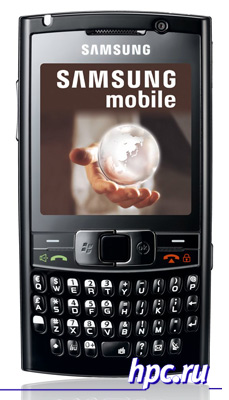 |
- For comparison:
- Samsung i780: 115,9 x61, 3x12, 9 mm mm, 120 grams
- Samsung i600 (Ultra Messaging): 113x59x13 mm, 99 grams
- HTC S630 (Cavalier): 111x62x13 mm, 119 grams
- Palm Treo 750: 111x58x22 mm, 154 grams
- ASUS M536: 117x63x14 mm
- HP iPAQ 914s: 13x64x16 mm, 146 grams
- i-Mate 8502 Ultimate: 116x55x15 mm, 140 grams
- And Symbian-smartphone Nokia E61i: 117x70x14 mm, 150 grams
 |
ASUS P750: and all such VGA!
The story of the ASUS P750 smartphone developed to everyone's satisfaction. Night Vigil Russian hackers and enthusiasts have led to victory over the machinery of bourgeois. They still managed to overcome all obstacles and get to work device with a resolution of VGA. Recall all started with how curious users found that the display device used to technically support the resolution of VGA. However, ASUSTek limited to more modest QVGA with the release of the model on sale. As reported by the company, VGA can not be used as "screen resolution sewn. Substantive discussion of the problem was conducted online resource Asus Mobile Club Russia, participants in the forum under the nicknames Sorg and GreateVK just and made the "impossible". At the moment, no patches, and firmware that are suitable for installation ASUS P750, craftsmen have not yet posted in the public domain. As proof that the problem is still resolved, offers photos ASUS P750 with VGA-enabled mode. As explained by Sorg, this is just getting started, because it is necessary to correct a number of utilities from ASUS to work correctly with the new resolution. The photograph shows that the mode is VGA 96 DPI ("RealVGA"), and as a result - small icons, and other service information, but this was done only for clarity of VGA-opportunities. In the final version of the firmware is expected to VGA mode 192 DPI, familiar to users of most PDAs and smartphones with honest VGA-display, in this case the size of icons, toolbars and the like are identical in physical size with counterparts on a QVGA-display. Is now being refined and polished, with luck, the world will see the firmware to fix the permission for the week. It is planned that the firmware will be closest to the one that produces ASUS, with the majority of utilities. Issue correct permissions as a separate patch is not possible. As the skilled craftsmen, working with a resolution of VGA, of course, affects the power consumption of the device, but not much.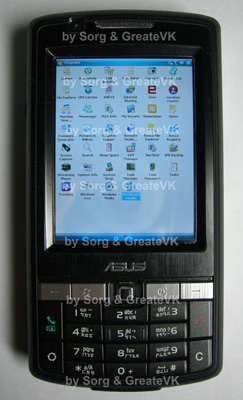 |
Give Samsung DuoS based on Windows Mobile!
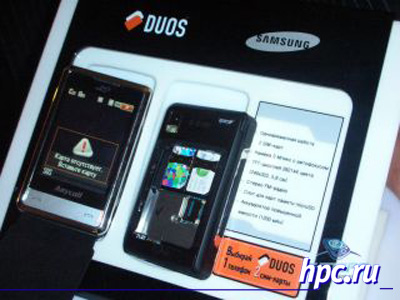
It seems that in the foreseeable future will be widely available model of Windows Mobile smart phone with support for Dual-SIM. Over the last year has increased markedly offer mobile phones that support the work with two SIM-cards, but manufacturers of smartphones and communicators while only promise. The authors of the resource Smape.com talked with the director of the Russian telecommunications company Samsung, Yunsu Kim (Yoonsoo Kim). It turns out that Samsung is not going to restrict the release of a model dvuhsimochnogo phone in May, will be followed by Samsung DuoS D880 will be released over budget phone - Samsung DuoS P240. The recommended price for the phone will be 9,999 rubles. For the money the buyer will receive a model of the middle class (2-inch display, a 2-megapixel camera, media player, slot microSD) but with the ability to receive calls directly on two issues.| Issue 17 - March 21 "width =" 152 "height =" 361 "/> |
| Samsung P240 |
 |
Flight of fancy HTC and Apple
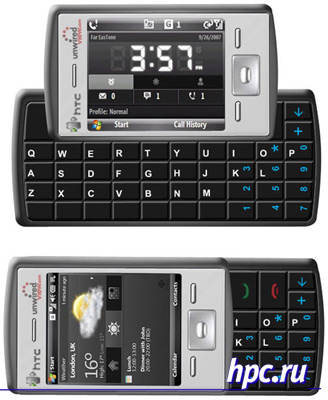
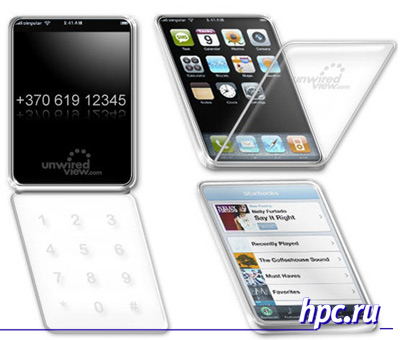
At the completion of the review the highlights of the week, we give a couple of interesting concepts. The first concept was found in one of the patents of HTC. It offers a strange slider with two keyboards - QWERTY for typing and standard digital. As can be seen in the figures, either one or the other keyboard will be visible all the time. If you move the display module in one direction, hidden numeric keypad, but it appears QWERTY, but if you move the display in a different direction, then lost starting QWERTY keyboard. It is obvious that this approach loses one of the main advantages of the slider - reduced size devices without losing functionality. The idea dvuhklaviaturnyh devices is not new to HTC. Same Smartphone HTC S710 (Vox) under the display has a fixed number pad, and can be pulled to the side QWERTY. In comparison with the HTC S710 new concept looks too complicated. It is strange to see such developments in the company, which once made a widely used form factor side-slider with QWERTY for Windows Mobile smartphones.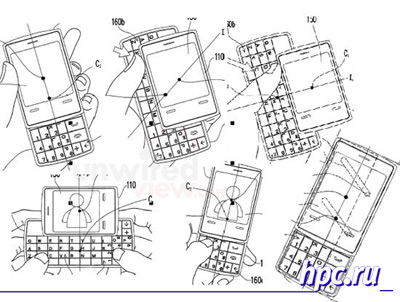 |
 |
| Issue 17 - March 21 "width =" 400 "height =" 282 "/> |
 |
Diamond Mako and Psion Revo - view from the outside
Make a reservation at once, the computer Psion Revo or a complete copy of Diamond Mako are not my typewriter. Experience of my communication with her is reduced to the occasional "let hold" and "oh, what a thing". And because some of the conclusions may be wrong ... But my excuse is that, firstly, the computer I really like, and secondly, I am in no way want to offend either producers or sellers, or owners Revo (Mako). I only see this computer as a possible contender for my personal pocket, which today has one of the models of the family Pocket PC (not quite true, I use the Casio BE-300, which, applying the gastronomic metaphor, can be called "neither fish nor fowl" but with a noticeable bias towards the "meat ")...
Psion computers can not attract the attention of the potential user of PDA, looking for a digital assistant. Quality of performance and functionality of the Psion does not need advertisement. Also at the moment is the only option purchase affordable keyboard machines, as computers class Handheld PC, such as Hewlett-Packard Jornada 720, stand as a budget laptop and their money, given the limitations of the operating system Windows CE, in general, not justify. On the other hand, the shortcomings of Revo written so much that did not have business with him can say with full confidence to self - is nonsense, and not a computer. Although the approval of this truth, nothing more than a glass of kefir alcohol (something that is there, but in very minute quantities). Try again look at and weigh all the cons as pros, and so on mean ...
Computers Diamond Mako and Psion Revo Plus (the first model of Revo had half the amount of RAM - 8 MB to 16) are absolutely the same machine. They are manufactured in China have an identical appearance, hardware and software stuffing. Differ only in color and engraving of Russian letters on the keys (the Mako just changed location). But the differences in the cost of more than important - Mako stands on over a hundred dollars less than the Revo Plus.
This is the first refinement. Second - why are we not asking prices for Psion 5mx. The computer is very good for business applications, perhaps ahead of Revo's head. But the price - also ahead. Compared with the Mako - almost doubled. That is, instead of one 5mx can purchase two Mako (then what to do with two computers, minor matters). And compared with the handheld should 5mx class Hi-end, with the most expensive and prestigious models ... We choose a computer in their pocket, not too expensive and practical ... Best to start with the facts of common knowledge. For example, in a statement that at the Revo (and, accordingly, Mako) not a very good screen - low resolution, and also without light. The truth is exactly fifty percent. That is the screen resolution at Revo and in fact less than half a Psion 5mx, but more than any Palm-size PC, namely - 480x160 pixels ("quarters" VGA). I dare to see it more than any Pocket PC, but the same 5mx keyboard and Handheld PC. Screen at Revo and Mako monochrome, with the ability to display 16 shades of gray. Compared with aktivnomatrichnymi color screens Pocket PC should look more than modest, although in reality looks very good.If it is a working window, the text on the screen, on the information lines, the color PDA hardly needed. Another thing - the game and view graphics. Here, no doubt, Pocket PC apart from the competition (although the new clones Palm - Pocket PC Sony - look at this plan are not less effective). But how often do we need such a function? Are the primitive games for PDAs spent on the computer with a color screen money? Rhetorical question. If the machine has developed a pocket multimedia capabilities, think about how they want it or not, is not necessary. If the game programs are in color, so ... we run them and have fun. And no, so no. Play (if they itch) to something more peaceful, intelligent (incidentally, for Psion intelligent toys such as chess, real-time strategy, role-playing games more than for other platforms - the screen can display a large area of playing field and a set of units at once). Still, Psion computers are mostly used for business than for fun, aided by some of the features of these machines - in particular excellent keyboard. But more about that below, and still talk about the screen. If placed next to any of the monochrome Palm `s and Revo, then the special strain to understand, whose picture is better, do not have to. In reflected light, the screen looks Revo contrast and clarity. Intelligibility problems in bright sunlight just does not exist. But in the twilight or total darkness the screen machine looks ... in any way. Its not at all seen as highlighting a Revo and Mako not. The owners of these machines solve the problem of the most basic way - get Torches ... I wonder what the designers thought Revo, creating a computer? CCP is most often used in the office, in transport - wherever possible to open the machine and, more or less settled, something to read or write. It's not a lawn, bathed in the sun, or even street. The street is easier to use Palm-size PC, which can hold in one hand and do not have to disclose (although the sun is difficult to discern color screens, especially not equipped with reflective light - like a Casio BE-300) ... The saddest thing is that the screen Revo and Mako can not read a book on a train, if the lamp lighting the individual is not working or it is not enough light for your eyes. In short, the lack of a substantial and hardly reparable (lantern - it still is not comme il faut). Another problem with low-end models from Psion and their clones - food. As the main source used here built NiMH battery, which is a pair of "AA-" AAA rechargeable cells. Why they did not interchangeable, as in the Psion 5mx? Why were these technological complexity? Lack of backup lithium battery to preserve memory contents PDA - saving a cheap. A container for replacement elements would occupy in the body Revo exactly the same space as occupied by two batteries. On this difficult to explain the lack of a constructive talk and busy Psion computer repair specialists. But experienced users are advised newcomers attentive to charge batteries, to avoid under-and overcharge and always use the program monitoring battery status. But I do not want to monitor the battery device. I just do not have to think about it. My job - to operate the machine two or three years, then in the studio to replace the worn out battery life, or to change the machine itself (it will probably be more rational). But make a fuss with the charge-discharge? .. No, too "is not comme il faut." They say the Revo Plus and copied from him Mako with batteries, the situation is better than the original Revo. Ostensibly there used some special scheme recharge the battery, which completely eliminates the problem ... But the conference of the Mako is full of questions premature failure of batteries. A Sites psayonistov - Restoration Council batteries ... Hence, there is a problem? Hence, batteries, and in fact the weakest part of these machines? As with no backlight, have nutritional problems have a simple solution - using an external battery pack that prolong the time of the Revo on the road and reduce the risk of danger to small nickel-metal hydride batteries recharge.Moreover, if the "advice seasoned" describes the makeshift construction site www.revo.ru, completely dedicated to Psion Revo and Diamond Mako (have materials and pro 5mx, but seemingly as a side, extra), offers a very inexpensive (from $ 10 or less) industrial battery pack in three different versions. This domestic production, but the dignity of its more than that. The battery pack can be useful to the owner of any PDA, including - and the Pocket PC, which allow higher hog. By the way, Revo important advantages over other handhelds can be attributed for a long time on battery. Due to absence of power-consuming backlight (a blessing in disguise), 10 hours of continuous operation Revo are not bold advertising hypothesis, and - a reality. As a user of handheld machine from Casio say this with ill-concealed sadness. My PDA does not work for longer than 4 hours. Alas ... A third, less obvious, but quite well-known disadvantage - as an extension of one of the obvious advantages Revo - collapsible enclosure of original design. Exiting the test base housing halves (screen and keyboard parts) - this is elegantly made, but still mechanical, and yes even a plastic unit. Accustomed to the absence of any mechanics on Palm-size PC (five buttons do not count), you begin to appreciate its strength. PDA must endure a variety of "bullying" and therefore enhanced survivability is welcome. Very common fault Revo and Mako - open line connecting the screen to the controller (cable buckles for each nomination halves of the computer) and the failure of the hinge to mount the screen and keyboard parts ... But this peculiarity of any folding machine - what can you do ... Now, about the merits of Revo and, naturally, Mako. The first and most striking - the keyboard. You know, it really can work. Not laying out on the table an external keyboard (both attachable for Palm and Pocket PC). Not adapting to a tiny plug a button, put on, and similar keyboards for Pocket PC. We only need to open machine and - type the text (figures and all that should be dialed by the PDA). A distinctive feature of Revo is almost no vertical key travel. According to the descriptions of curious users who have been my machine showdown, the keys have Revo and Mako are glued to the rubber base and are barely perceptible progress only at the top. The decision may seem controversial, but the keyboard tactile feedback allows for easy operation keys, and the nature of the work reminds psevdosensornye button. If the keys 5mx for clear response to press, making a certain movement, which is not too "musical" fingers leads to false positives neighboring keys, then the Revo picture is different. Revo have to press down the keys - in their upper part. Since there is no progress, and effort is required not so insignificant, then the positives surrounding the keys does not occur. In words, looks a bit cumbersome in practice - it is natural and even beautiful. Whether, in this case, the computer Psion Revo serve full pocket typewriter? Based on his brief experience confidently say - yes. Moreover, it is the only handheld device on which to work with text is really convenient - it is more convenient than a clever Psion 5mx (keyboard which my fingers are totally unsuitable unintelligent). I say this quite responsibly, knowing full well the lack of compact keyboards - combining some of the letter keys in the Russian layout. But the convenience of the keyboard hides the Revo as well. Quite easy to get used to. Working with text (to determine the exact - typing, fluent writing, which does not require vyiskivaniya each key and some acrobatic Exercise for getting into it with your finger) contributes to the docking station for syncing and charging Revo. In the expanded form of machine is a gracefully curved, and at the same time a little slender design. Inserting the computer into the dock, get a solid foundation that Revo (Mako), literally embraces the body, forming a single solid structure.
If we compare the dock Revo with "crib" my BE-300 (any machine class Palm or Pocket PC), then we can say that the dock is like a good desktop devices (inkwell, lodgement, paperweights) and the "cradle" - cheap glass of a pencil. Revo inserting into the dock, you can work with the CPC, as if with a small desktop computer. On the computer as Palm-size, set in the "bed", it is convenient only to read but not write or run applications - have a bizarre way to turn out a hand ... However, the pocket-sized machine for such extravagances, and is not intended ... Another issue recurring in conversations about computers Revo and Mako - their principal nonexpanding and the lack of multimedia capabilities. That is what it is - a Mako, as well as in the Revo, you can not add memory - whatever that may be no slots ... But whether they are needed? 16 megabytes of RAM enough for the eyes, if you do not install everything in the program and does not clog your computer's memory code, which will not be read by, and databases that are not in demand ... But there will not be permanent, and often a waste of the increasingly high-capacity flash memory cards, the purchase of which, I know it is once again in my experience, it's hard to resist. With regard to multimedia talents of younger models Psion, for me the lack of a full-fledged player MP3 (some are already there, but it is rather self-indulgence than a player - not enough, not only memory but also the headphone output, and most importantly, power processor for high-quality decoding) is offset by an excellent implementation of the emulator ZX Spectrum. For these ancient computers written many programs that do not have enough lifetime to try them all in action. Thus completely eliminates the hassle of game software for Revo (free, because most of the native games are made to be good, but cost money). Two words about staffing programs Revo and Mako. These machines have an excellent text editor, Word, opportunities which will satisfy any person writing, including a professional. The same can be said about the spreadsheet and the web-page browser Opera. The latter need to install separately, it is a set of basic software is not included. And yet, why not Psion - in my particular case? Defining moments for me were the age of the platform - more interesting to deal with the new, gaining popularity only to the computer. And the absence of my laptop, serial and infrared ports. The word otherwise, synchronize Mako does not work, except that by different kinds of adapters, USB-COM or USB-iRDa. Neither one nor the other I'm not attracted. And the choice of the CPC was not made in favor of the Psion. Maybe you all will be different:) The authors, translation:
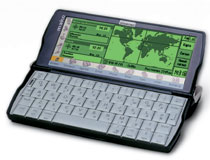 |
| Diamond Mako |
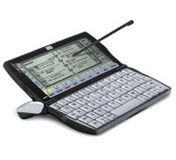 |
| Psion Revo Plus |
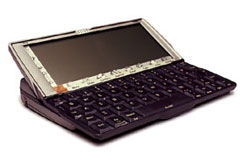 |
| Psion 5mx |
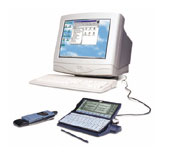 |
Mobile panorama of the week. Issue 31 March - 4 April
April 1, and Windows Mobile
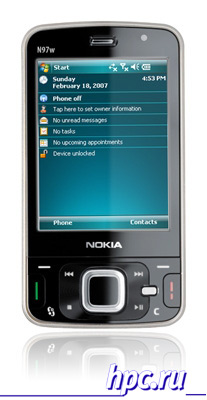
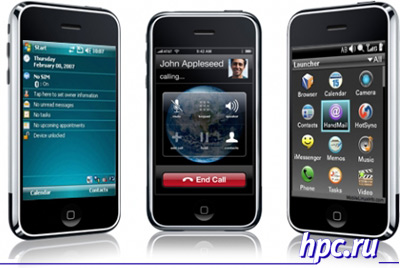
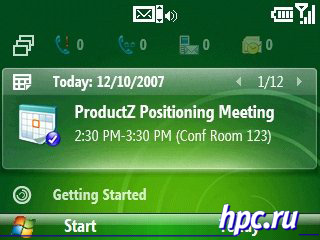
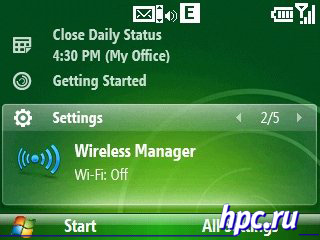
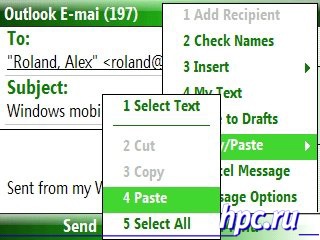
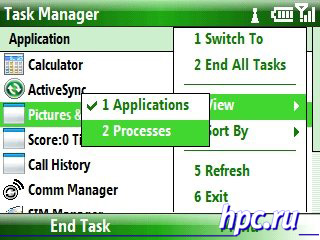
The past week was busy for it rather than the general craziness on April 1, CTIA Wireless 2008, Intel Developer Forum, and several smaller events. April 1 to boom, and with a twinkle, the Internet has not remained indifferent to the professional holiday of fools. Billionaires-original stated intention to build a colony on Mars, Euroset distributed to buyers herb (dill, of course) and promised rebreyning before re-branding, and the famous quote pad Runet Bashorg all day quoting exclusively Rosenthal. From relatives topics to smartphones and communicators drawings stand out a powerful stream of reports about Microsoft smartphone from unfriendly producers, who finally will be running Windows Mobile. For example, a fairly authoritative resource MSMobiles published sensational news - Nokia will release a version of the Nokia E61 smartphone running OSes Microsoft, under the logical name of Nokia 61wm. No less well-known resource PocketPC Thoughts reported that Nokia has announced the May release of Communicator Nokia N97w, also based on Windows Mobile. Both models, and 61wm and N97w, reported as the first device from Nokia built based on Windows Mobile.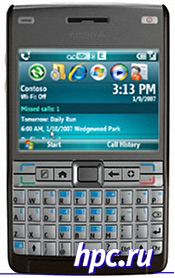 |
 |
 |
 |
April Fools' Day at Microsoft
Many large IT-companies on April 1 was no laughing matter, as in Las Vegas the day kicked off CTIA Wireless 2008. Microsoft has spent his more than serious, finally justified the expectations of many users and mobile device manufacturers, will submit a formal renewal of the operating system Windows Mobile. As expected, the revolutions of Windows Mobile 6.1 is not brought, but boasts a number of deficiencies and nice improvements that many manufacturers and software developers have been forced to make their own. Simultaneously with the submission of Windows Mobile 6.1 was announced a new version of web browser Internet Explorer Mobile, which was previously unavailable features.To the support tab it has not yet reached, but there is support for H.264, Adobe Flash and Microsoft Silverlight, which brings it closer to the modern requirements of web surfing with this browser. For a long time specialized resources come at a loss as to why Microsoft has not released versions of Silverlight for Windows Mobile, especially when the support of multimedia technology has been declared for smartphones based on S60 by Nokia earlier than for native mobile operating system. Now, the injustice continues, and Microsoft no one can accuse the "push" their products. Plus, this an opportunity to zoom to see small text and images on the page and view the entire page without the need for horizontal scrolling with a consequent increase in the desired area. This feature has already been tested in a pair of alternative browsers for mobile devices, Microsoft just trying to keep up. Such an approach is useful when viewing Web pages on small screen, even if it is not adapted to the mobile user does not have to wander without any guidance on its open spaces. As promised developer update Internet Explorer Mobile will be available from partners, manufacturers of mobile devices in the third quarter of 2008.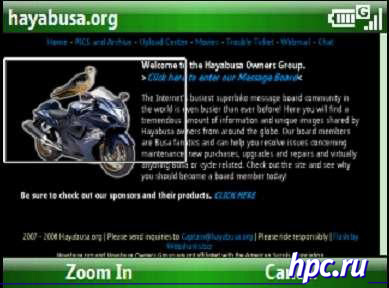 |
 |
 |
 |
 |
 |
- Alltel Wireless: HTC PPC6800, HTC Touch
- AT & T: Samsung BlackJack II, MOTO Q 9h global, Pantech duo, AT & T Tilt by HTC
- Sprint: A new Palm Treo and updates for the HTC Mogul, HTC Touch, MOTO Q 9c, Samsung ACE
- T-Mobile International: T-Mobile MDA Ameo 16 GB, T-Mobile MDA compact IV
- ASUS: New phones including the P320, ZX1, P560, M536 and updates for the P527, P750, M930
- HTC: A new Touch Dual for the U.S. and updates for the AT & T Tilt, HTC Touch, HTC Mogul from operator Sprint, TyTN II
- i-mate: 8502, 9502, 8150, 6150
- Intermec: CN3
- Motorola: MOTO Q 9c, MOTO Q 9h global, MC70, MC9000
- Pantech: Pantech duo
- Samsung: BlackJack II
- Toshiba: Portege G810 and Portege G910
WiMAX in Finnish
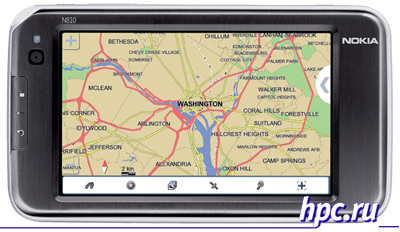
From the exhibition CTIA expect quite a lot in implementing the standard WiMAX. U.S. operator Sprint is now deploying mobile WiMAX network branded XOHM (the first such network in the U.S. on a national scale). Commercial launch was to be held in April and the exhibition were waiting for the submission of the set of subscriber units for the new network.Something went wrong with Sprint and a commercial launch was postponed at least until the summer. Nevertheless, a small sensation all the same has occurred. Nokia Company has long promised to release a number of mobile devices to work in networks of mobile WiMAX. At the CTIA hot Finnish guys are finally presented the first-born. They became the new version of Internet Tablet Nokia N810. The company did not change the marking of the model, because of changes compared with the basic version made quite a bit. In addition to supporting Wi-Fi and Bluetooh, in a model Nokia N810 WiMAX Edition adds support for mobile WiMAX. Thus, the device has three options for wireless communications instead of the previous two. In addition, the software platform has been updated to version OS2008. Members have already sold MIDs Nokia N810 and N800, which operate on the basis of earlier versions of the platform will be able to hold a free software upgrade to OS2008 for the second quarter of 2008. For the sake of a hardware upgrade will have to re-buy Nokia N810 WiMAX Edition.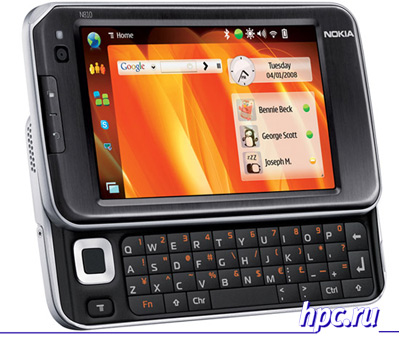 |
 |
High end of the startup
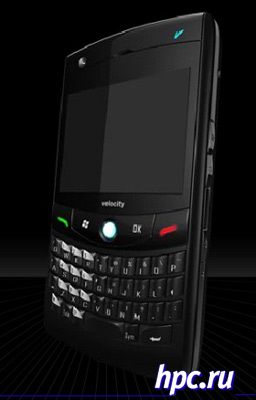
In the market Windows Mobile devices has a new player. Young company Velocity Mobile, in collaboration with a renowned manufacturer Inventec has presented two of their firstborn at CTIA - communicators Velocity 103 and Velocity 111. Sources close to the Taiwanese manufacturers are considering a novice as a promising rival of the infamous i-mate, who was unable to survive the crisis following the break-up with HTC, a recognized leader in the production of Windows Mobile. Velocity Mobile parallels with the i-mate suggest themselves. First, Inventec some time worked with i-mate, and only in the third quarter of 2007, broke her contract. And secondly, President and CEO of Velocity Mobile was David Hayes (David Hayes), former CTO of i-mate.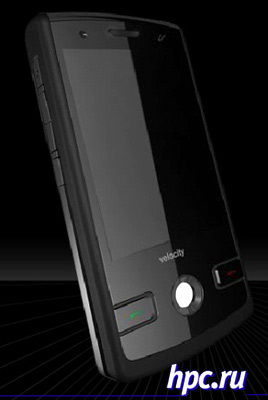 |
 |
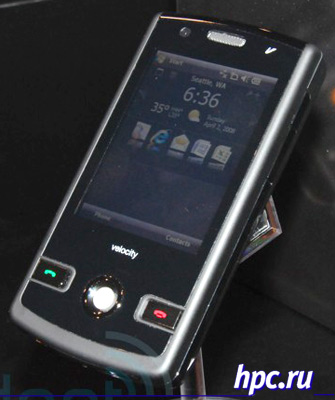 |
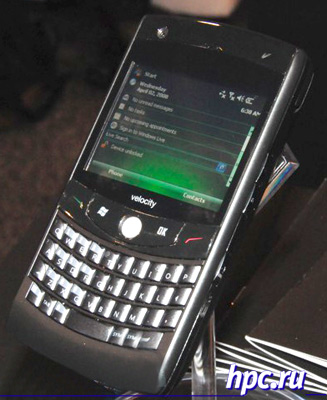 |
Navigation Handsome Mio Lovebird
All on the same CTIA became known details about the new device Mio Lovebird. For the first time this novelty lighted at the beginning of the year at the January CES, but then on the device virtually nothing was known not. The company now has declassified a number of details about the technical characteristics Mio Lovebird. The model gives the impression of mid-level communicator with strong emphasis on design. This is another representative of communicators without top specifications, but with the application for the style. Such models appear more and more, from the HTC P3470 (HTC Pharos) and ending with the ASUS P320 RoverPC S7. Reasonable price with an attractive appearance to cause sympathy of the masses. Appearance Lovebird evoked by journalists at the show stable association with the iPhone through a metal edged case, subtlety and a smooth front panel with no clearly identified buttons (touch-sensitive control). In January, the communicator has received the prestigious IF Design Award 2008 for the combination of design and functionality.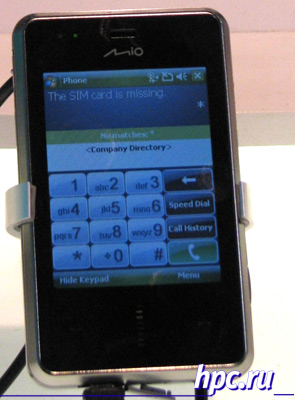 |
Four times as many pixels on the ASUS P750
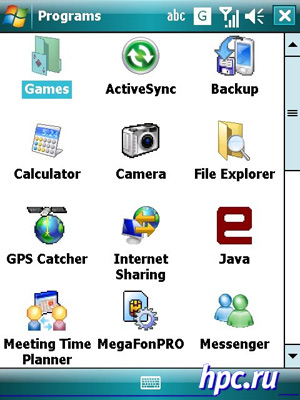
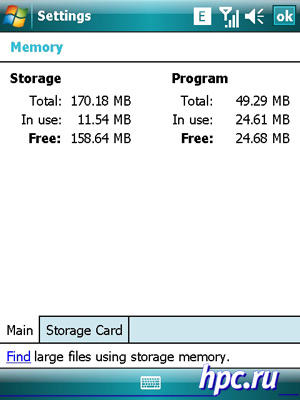
And finally lead to the Russian expanses.Hackers enthusiasts Sorg and GreateVK from the forum Asus Mobile Club Russia brought an unofficial firmware for the ASUS P750 to a level where it is not ashamed to show people. Firmware activating VGA-mode on the PDA ASUS P750 is laid out in easy access, and anyone can conduct an experiment. According to the developers, it is as close as possible to the official firmware v4.9.1 for the functionality, except for remote ASUS Launcher and Location Courier and several other distinctions. We must pay tribute to the hardworking creators firmware - all utilities ASUS adapted to VGA resolution.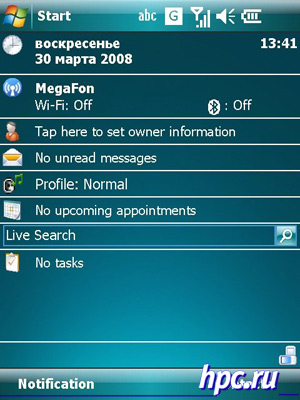 |
 |
 |
Subscribe to:
Posts (Atom)