Pocket Navigator PN-4000 Advanced

The market for GPS navigation is rapidly gaining momentum. And if until recently it was only a few companies able to produce such devices, but now the situation has changed radically. On the shelves there are more browsers as world famous brands, as well as lesser known, but adapted to the realities of the domestic market. One such device is a Pocket Navigator PN-4000 Advanced from the new product line of Pocket Navigator MakTsentr. This is a relatively new trend, because previously most navigation devices under the brand name Pocket Navigator were produced on the basis of conventional PDA, if necessary, additional manning the GPS-receivers and the necessary software. The new line is, the main place is occupied by a device designed specifically for car navigation. So, we proceed to review.

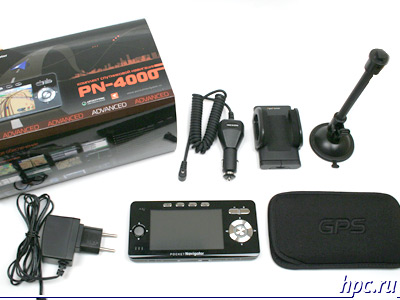
Box appearance, a complete set.

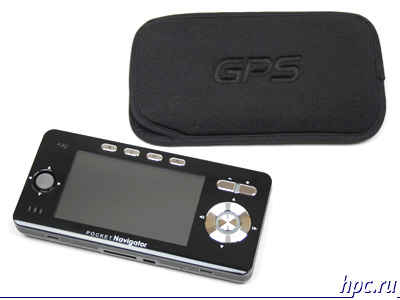
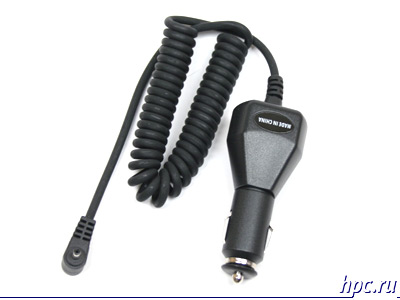
Opening the box of impressive size, we find inside the standard for such devices set: navigator, two chargers (car and Networking), the holder of a car and a neoprene case.
Pocket Navigator PN-4000 Advanced
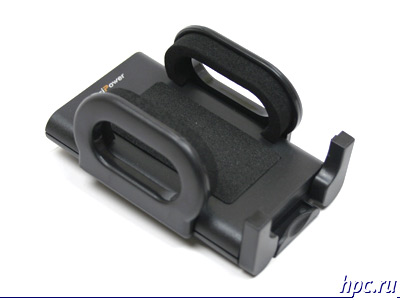
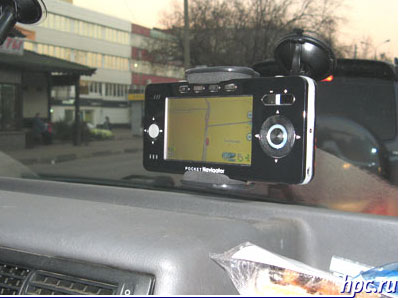
Let us dwell on the holder. It has a structure typical of most universal mount. Yes, it is universal. This solution entails both positive aspects and negative. On the one hand, it can be used not only for the navigator, as such, it is for the phone. After navigator need not every day, but the phone constantly. On the other hand, the flexible design is not strong enough for the device weighs 280 grams. When driving on rough roads PN-4000 starts to wobble, in this case, visually track the given route becomes difficult. However, serious shortcomings are currently not applicable in the process of driving almost do not have to stare at the map on the screen, in most cases, voice prompts.
Pocket Navigator PN-4000 Advanced
The remaining components supplied does not differ outstanding, everything is standard.
Pocket Navigator PN-4000 Advanced
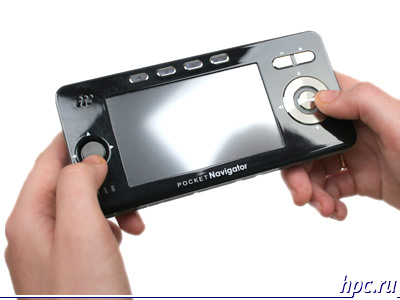
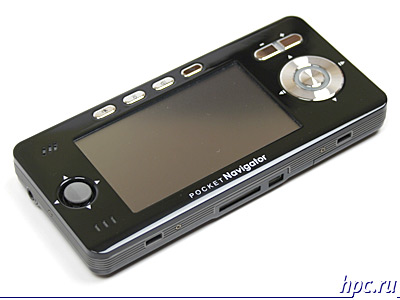
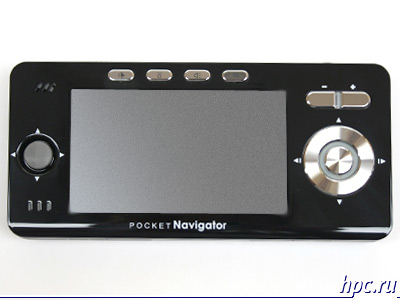
We proceed to design. Most of the front panel, as in most such devices is the touch screen. Its resolution is 480x272 points, and the diagonal is equal to 4. To his left is 4-way joystick, and performed it in a rather unusual style, and looks more like a speaker than the control. The right of the screen is the Five-way key. The presence of two controls at first seems strange, especially considering the fact that in most cases they overlap. Everything falls into place when you start the navigation program AUTOSPUTNIK in which buttons perform different actions.Joystick is responsible for the displacement maps and navigation button switches the day / night, includes quick search facilities and scheduling of routes, and changes the display mode maps with normal viewing mode to the motion.
Pocket Navigator PN-4000 Advanced
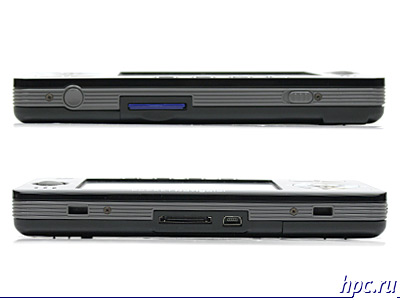
Above the display are four buttons: "Exit", "brightness", "volume", "settings". To the right, over the five-way button are swing «Zoom», with which you can zoom the map, or adjust brightness and volume. On the top of the device are two buttons: «power» and «hold». The bottom is fitted with two connectors - Mini USB and system, the latter is used to connect a UPI-module attachment to download information about traffic jams.
Pocket Navigator PN-4000 Advanced
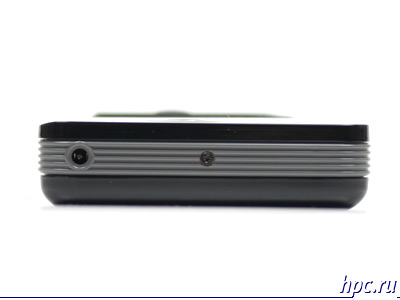
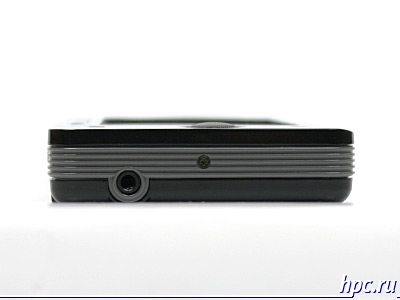
On the right side of the device is a connector for the charger, on the left - 3,5 mm headphone jack.
Pocket Navigator PN-4000 Advanced

Interface

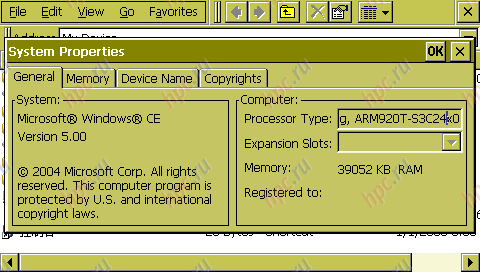
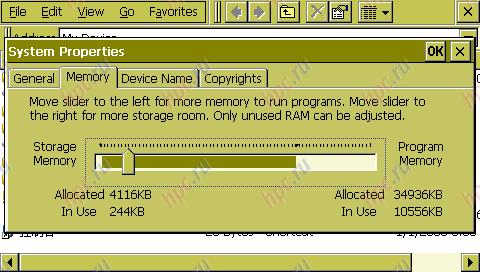
PN4000 is based on Samsung S3C2440 processor clocked at 400MHz. Built-in memory is divided into two areas: flash memory (128MB) and ROM / RAM memory (64MB), the latter is regulated, familiar to users of Windows Mobile 2003, the slider. With it you can increase or decrease the amount of RAM from ROM. Also in the unit supports cards format SD. The operating system uses open Windows CE 5.0. That is, it entails downloading third party applications.
Pocket Navigator PN-4000 Advanced
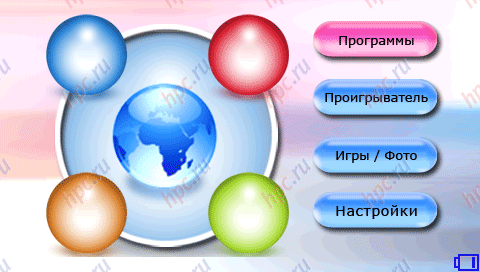
Simple graphical frontend. The main menu is four items: "Programs", "player", "Game / Photo", "Settings".
Pocket Navigator PN-4000 Advanced
The first contains three items: "AVTOSPUTNIK - navigation program," Explorer "- a file manager and Games: Sudoku and Chess.
Pocket Navigator PN-4000 Advanced
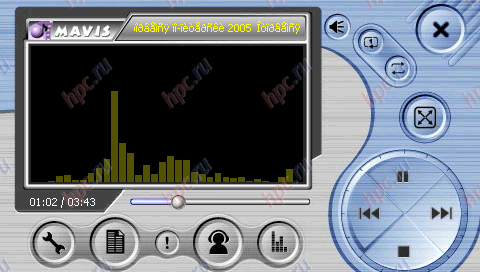
In the "Player" is a multimedia player.
Pocket Navigator PN-4000 Advanced
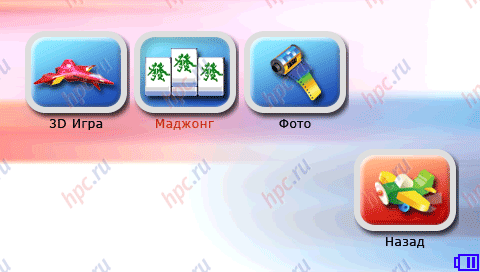
In the menu "Games / Photo" are two simple games and software for viewing images.
Pocket Navigator PN-4000 Advanced
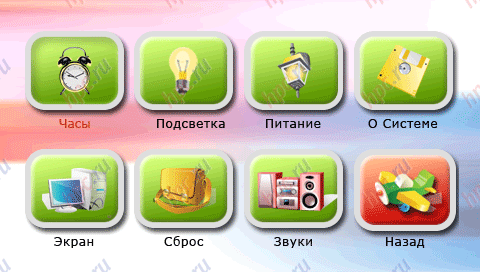
In "settings" you can: set time, change the brightness, see the exact battery and system information, to calibrate the display and set a background image, change the volume of system sounds and multimedia, as well as do a full reset the device.
Pocket Navigator PN-4000 Advanced
We should also note that all menus are traced in such a way that the control with your fingers does not cause any problems.

Navigation

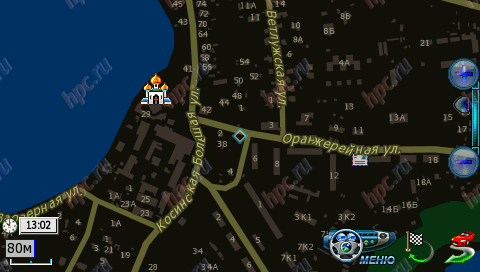
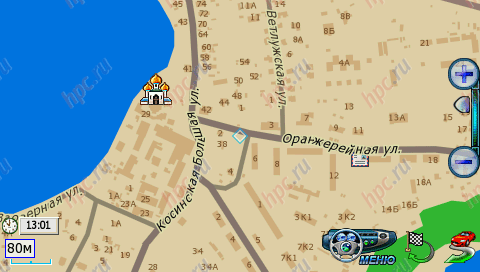
At the heart of the navigation component is PN4000, which became the standard for such devices, GPS-chipset SiRFstarIII. Virtually all navigators, equipped with this module, have similar characteristics starts. Our subject is almost not stand out: "Cold" - 2 minutes 31 seconds, "hot start - 3-5 seconds. However, it is worth noting that from time to time - 1-2 times a week, the device starts much slower than the above figures. The longest lift-off lasted 24 minutes 16 seconds. Explanation of this "meditation" we did not find. But the problem is solved elementarily - on the rear surface of the device is a button reset. After rebooting the machine starts to work in standard mode. Reception quality, as with all SiRFstar III navigators, beyond praise. The only place where reception from satellites is not possible, are the tunnels and underground parking. As a navigation application using the Russian program "AVTOSPUTNIK", which is a logical continuation of the project PocketGPS. She was already familiar to us from devices such as Glofiish X500/700. The program is completely Russified, and all the menus, settings and search adapted for use without a stylus, that is the size of icons correspond to the finger pad.
Pocket Navigator PN-4000 Advanced
Autosputnik: Day mode
Pocket Navigator PN-4000 Advanced
Autosputnik: Night mode
Pocket Navigator PN-4000 Advanced
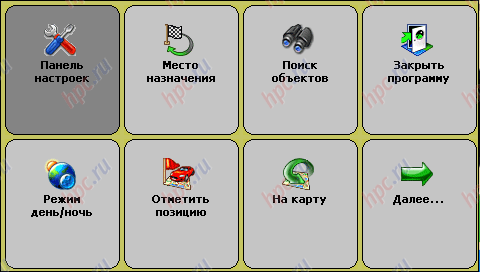
Autosputnik: main menu
Pocket Navigator PN-4000 Advanced
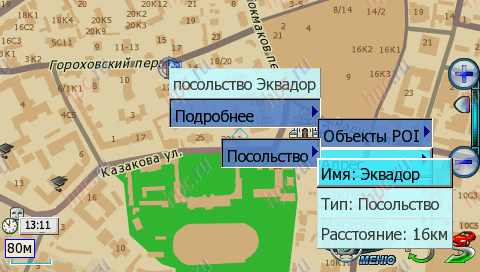
Autosputnik: context menu
Pocket Navigator PN-4000 Advanced
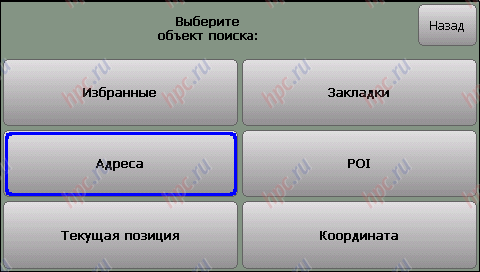
Autosputnik: Object Search
Pocket Navigator PN-4000 Advanced
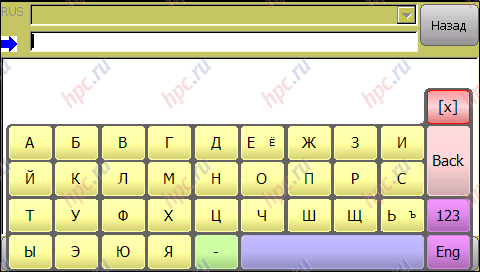
Autosputnik: Keyboard
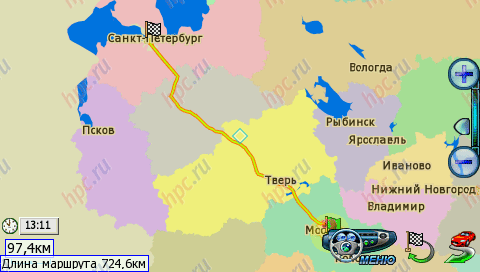
As a cartographic base maps used by the European TeleAtlas. At this stage, one of the best suppliers of cards, whose services are used by leaders of the navigation software like TomTom or iGO. However, there have TeleAtlas and cons, pay renewal cards, and insufficiently detailed coverage regions. That is, if you want to update the map on a date, you will have to pay for this procedure. "AVTOSPUTNIK" has two modes of map display - normal (top) and "pseudo» 3D. If you are using the latest image on the screen as appropriate to the type of the steering wheel. 2D view is useful when using the program as a regular card. And 3D is simply indispensable when driving a car. Speed ​​drawing cards mean, does not cause discomfort. Recalculate the route if you deviate from the set previously performed for 3-10 seconds, depending on complexity.
Pocket Navigator PN-4000 Advanced
In addition to standard features, typical for any navigation software, such as: construction of a route from one point to another, voice prompts, finding objects of interest (POI), the preservation of coordinates, "AVTOSPUTNIK" allows you to upload information about traffic jams and take it into account when a route. As a provider of traffic information used by news agency SMIlink. It is also worth noting that in the forums of the program - www.autosputnik.com there is a section in which users of the program indicate inaccuracies in the maps, in consequence, they are checked and accounted for in the preparation of updates. This enabled users can not boast of every navigation program. PN4000 supports upgrading the navigation software. To do this you must download the latest version on the SD card and insert into the device.

Multimedia features

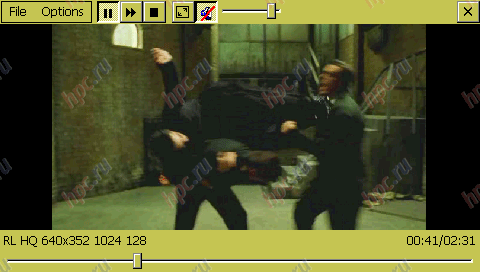
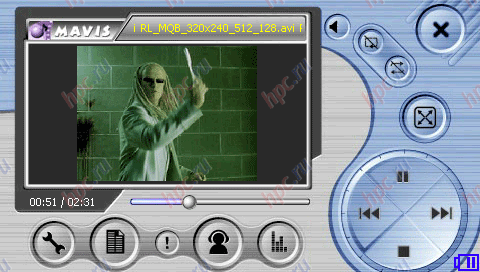
Additional features include a separate paragraph PN4000 selected player.This program is designed for viewing and listening to various multimedia files. To test videos were taken five standard rolls of different resolution and bitrate. Reproduced, only two - 320h176 256 kbit / s and 320x240 512Kbit/sek, two (640h352 1024Kbit/sek 1500Kbit/sek and 640x480) player is marked with a red and refused to lose. Same video, which has characteristics 160h216 192 kbit / s, and did caused the closure of the program with an error. This stems from the apparently exotic resolution video.
Pocket Navigator PN-4000 Advanced
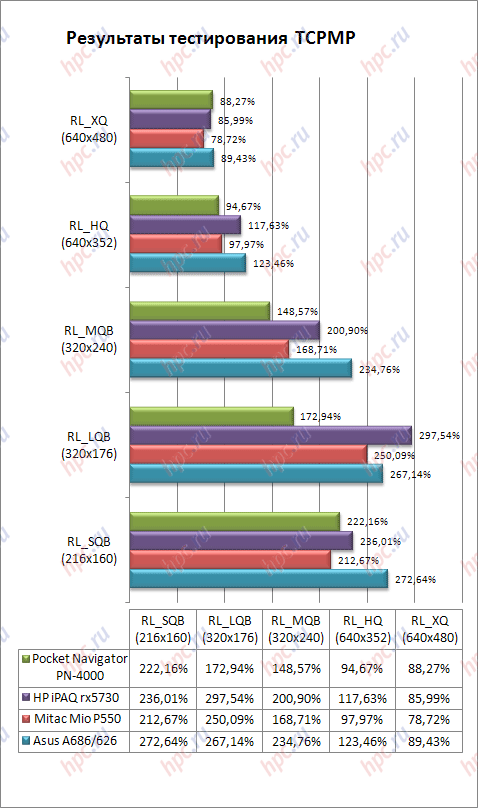
As a result of the test can be said that the player is very picky about the resolution and bitrate. It is therefore logical to view the video clips to use pre-prepared with low resolution and bit rate, or choose the player. For example, the same TCPMP without any problem installed on the PN-4000 and allows you to use all the features. By the way TCPMP coped with playing all the commercials, and naturally we had measured the playback speed of rollers, the results can be found in the table.
Pocket Navigator PN-4000 Advanced
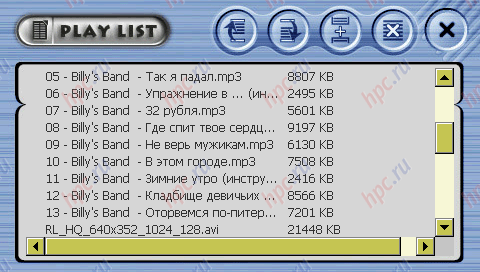
As seen from the comparison, the video capabilities PN-4000 are at a fairly high level. Navigator does not yield the usual PDA with similar characteristics. With your music player handles well, here gripes with no built-in player. The only negative aspect is not very easy system to work with playlists. However, after studying the manual, this problem disappears.
Pocket Navigator PN-4000 Advanced
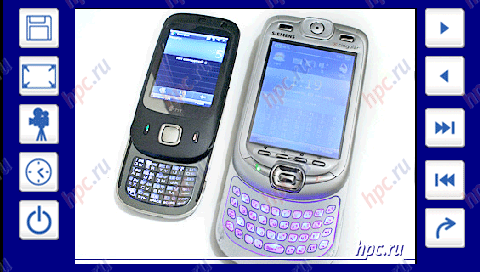
Also among the more applications we find a program for viewing images. It has a fairly modest set of features, among them - the output image on the screen and a slide show. The latter can even set the time of viewing each image. At this function the program for viewing end.
Pocket Navigator PN-4000 Advanced
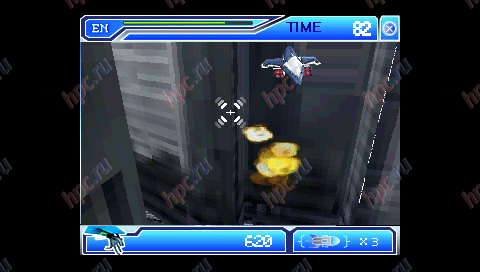
In addition to multimedia programs, PN4000 has multiple games that can entertain the user while parked, list them: «3D Game" - a simple "letalka" with the enigmatic running, and the main mission to "kill all".
Pocket Navigator PN-4000 Advanced
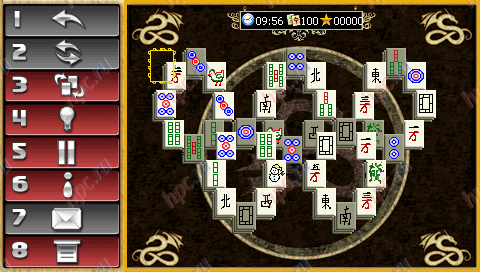
"Mahjong" - logic card game in which we were particularly touched by the presence of a "possible" games over the Internet.
Pocket Navigator PN-4000 Advanced
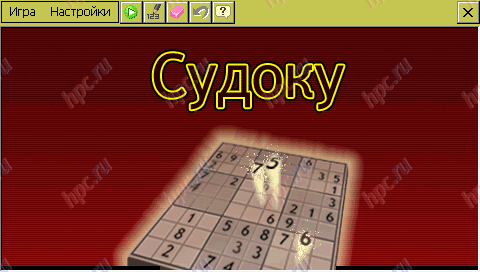
Sudoku - another puzzle with simple and intuitive control. The only disadvantage is the lack of any reference or rules of the game.However, nothing complicated about the game is not for a couple of minutes you can understand yourself.
Pocket Navigator PN-4000 Advanced
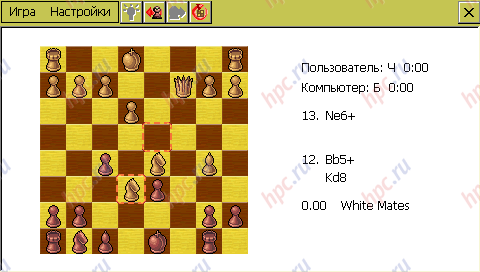
Well, the last game - Chess with the ability to set the difficulty of the game.
Pocket Navigator PN-4000 Advanced
As we have said, among installed programs, you can install other compatible operating system. For example, the famous explorer works fine reader Haali Reader. With his help, turned out to be very comfortable while away the time in traffic jams. A huge screen and set the settings of the text allow us to make this process comfortable even while driving.
Pocket Navigator PN-4000 Advanced

Hours

With daily use for 2-3 hours (the road to work and back) PN4000 worked for 3 days, while we used the maximum backlight and speaker volume. While viewing a video, under the same conditions the volume and backlight unit lasted 3 hours 40 minutes. These results are not surprising, given the capacity of the built-in Li-ion battery, it is 2000 mAh. In a more benign settings navigator can work out in 1,5 - 2 times longer.

Impressions

The unit left a very mixed impression. On the one hand, we see in front of a modern multi-function device is not the most successful implementation of the multimedia part. On the other hand PN4000, first of all, GPS navigator. Moreover, the main functional component is implemented with high quality and thoughtfully. However, given free access to operating system resources, multimedia components can be upgraded with the help of third party software. Moreover, we can not only improve the multimedia capabilities, but also add new, such as in our case to establish reading room. In the end, in front of us is a serious device with superior performance, rather high levels of ergonomics and the possibility of further upgrading through third-party programs.
Pocket Navigator PN-4000 Advanced
The authors, translation:
12 Tee volt car adapter for Casio Cassiopeia A-20, E-15, E-1xx

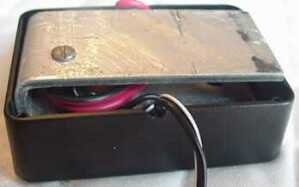
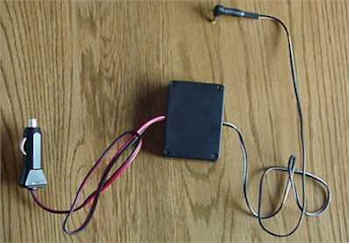
The original is here. I have it translated, slightly modified and added their links and comments. First of all, the question arises: "What is it?" . Very simple. When using GPS, and playing MP3 files, it is desirable to connect the PDA to the onboard network, since the duration of the trip the battery may not be enough. Thus, in the car's cigarette lighter have a 12V (16A max). For Casio, we need to get 5V. The adapter is made on the basis of standard passive voltage regulator 7805 (PDF), the approximate cost of $ 0.35 in Moscow. You can use the domestic analogue - KR142EN5A (in common "KREN5A). Additionally, we need: an adapter for the cigarette lighter (the most expensive part of this set), a radiator for the stabilizer, the plastic box for mounting plug for connecting to Casio (power plug 4.0mmx1.7mm), fuse 2A, wires, insulating tubes.
12 Tee volt car adapter for Casio Cassiopeia A-20, E-15, E-1xx
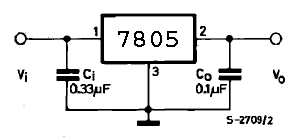
Standard wiring diagram is shown in Figure 1.
12 Tee volt car adapter for Casio Cassiopeia A-20, E-15, E-1xx
Figure 1
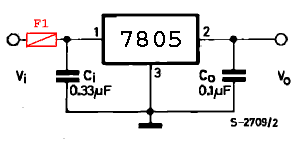
For the insurance of "fool" in the input circuit can be added to fuse 2A (the original was used for the cigarette lighter adapter with built-in fuse 2A).
12 Tee volt car adapter for Casio Cassiopeia A-20, E-15, E-1xx
Figure 2
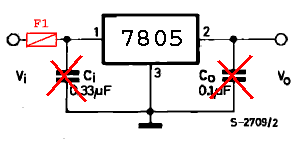
In the above article, the adapter is going to a simplified scheme, without smoothing capacitors (see Figure 3).
12 Tee volt car adapter for Casio Cassiopeia A-20, E-15, E-1xx
Fig.3
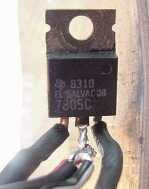
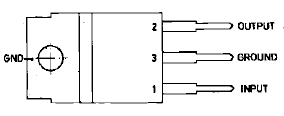
Connect the negative (external) output cigarette lighter adapter to the central (3) concluded 7805. Good (internal) output fluster found input (1) (for reliability it is desirable to use a fuse 2A and condenser). Negative (external) output connectors for Casio just fluster the central (3) concluded 7805. Good (internal) output fluster concluded output (2) (preferably using the capacitor). All carefully isolate. Stabilizer screws to a suitable heat sink (for better heat transfer using thermal paste).For better cooling radiator is necessary to take more!
12 Tee volt car adapter for Casio Cassiopeia A-20, E-15, E-1xx
All farming is going in a plastic box of suitable size (eg, a bar of soap). For better cooling box more desirable. If, after the assembly of the stabilizer is strongly heated, the plastic box you can drill a hole, but it is better to take the radiator with a larger area of ​​dispersal! Now you need to check the correctness of the assembly, connect the adapter to the cigarette lighter to check the output voltage and polarity. WARNING! Before you connect the Casio, do not forget to check the polarity and the voltage at the output of the adapter! All adapter is ready!
12 Tee volt car adapter for Casio Cassiopeia A-20, E-15, E-1xx
During operation, the stabilizer is extremely hot. It becomes very hot when charging the battery. Batteries of this adapter charges a little longer, as the charge current is less than the regular power supply. If the current exceeds 1A or stabilizer overheats, it automatically locks. Stabilizer automatically restarts! If the lamp is lit Casio charge for too long - you need a larger radiator! Almost immediately after the publication of the above material, I received a letter from Oleg Maltsev: I did for the E11 power supply for 7805, just before her stands a bridge and three Conder. This thing is powered by anything (car, battery pack, transformer, power supply from the modem, etc. ...), does not require polarity, is placed in the cradle and operated for over 6 months. There. I naturally became interested and asked Oleg to describe the device in more detail. He sent me an interesting stuff that you and I propose.

Nutrition PPC / HPC "CASSIOPEIA" from "an improvised (pasture) source

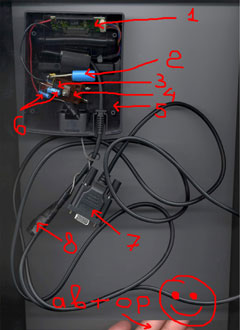
Actually it all started from the fact that I do not have a power supply for Kaskiv E11 ... When I have are dead, ordinary 30R. as AAA batteries I started looking for an alternative to them. For the pocket - the mobile variant of an alternative is not found, but for desktop-Ammunition - here it is: I took a voltage regulator 7805, pinned him three "Conder" hung "bridge" connected to the power supply from the modem - like working. The bridge took a big (KTS402) - 7805 to strengthen him more comfortable (one screw strung) and in general it is a supporting structure for the entire circuit. Possible between the bridge and the stabilizer clamp the metal plate for heat dissipation. You can take a low profile bridge, you can add Conder (before the bridge after the bridge), you can turn down ... For a complete happiness can put the fuse before the bridge and powerful diode (6-8 volts) after the regulator (to be extra protection). All of this farm was placed in Kaskinom cradle. If Kaskiv feed from a car battery or battery pack, there is no need to think where the plus power supply ... Sticks and go. Use the product 6 months - all OK. Slightly heated (normally) without a heatsink. Well that's all.Additionally, Oleg sent by the scheme and photograph the device:
12 Tee volt car adapter for Casio Cassiopeia A-20, E-15, E-1xx
  1. Interface board cradle
  2. Input capacitor
  3. Stabilizer 7805
  4. Diode bridge KTS402
  5. Credle
  6. Output capacitor
  7. Sync cable
  8. Connector for power supply. Oleg used the "mom" to connect the modem power supply.
Sources, Materials:

Keyboard LEOSync QuickPAD

Introduction

Long wanted to test the keyboard, which can be connected to the PDA. And now, thanks to the site and the company HPCru MakTsentr, such an opportunity! I was holding LEOSync QuickPAD.

Completion

In plain white OEM box I found: - camu keyboard - Quick Start Guide - a floppy disk with drivers v.1.0. Just want to say that LEO Systems, Inc. is not the manufacturer of this product. OEM manufacturer of this keyboard is DATACOMP ELECTRONICS CO., LTD. Furthermore LEO Systems, Inc. This keyboard sells more, for example, iBIZ Technology. So, what is of itself, this keyboard?
  • Weight (300 g), size (260X120X30 mm).
  • Polnofunktsionalnaya keyboard with 62 keys and ergonomic design.
  • 6 programmable hot keys.
  • Meals: 3xAAA alkaline batteries.
  • Hours: 400 hours in a print mode / 1200 hours standby.
  • Has a Serial Port for connection to the PDA.
  • Made using mechanical switches Cherry. Without the "clique".
Keyboard LEOSync QuickPAD
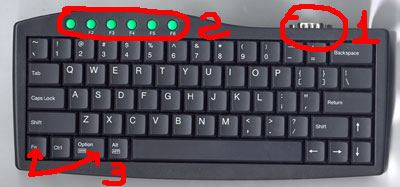
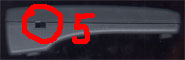
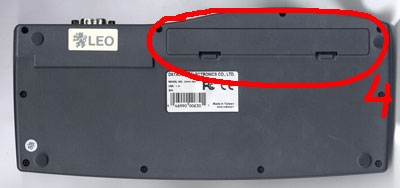
The pictures show views from the top, bottom, right. Numerals indicate:
  1. Serial port
  2. Soft keys F1-F6
  3. Fn key and the Option, are used for programming F1-F6. Option still works as a Start button in Windows CE.
  4. The battery compartment (3xAAA)
  5. Power Switch

Testing

From the keyboard of the software for Windows CE and PALM. I immediately ran into a problem. "Claudia" was equipped with software-Trial: (! 15 minutes of work and restart the program. I contacted customer support and they sent me a normal software for PALM, and for Windows CE is not sent, I sent a second letter asking to send me a normal software, and they began to demand money for it! Here's the text of the letter: Dear Mr. Andrej: According to my knowledge, the WinCE software does come with the package instead of the trial version. I don't know what happened with your case, still that we can give you the price quote if you would like to purchase from us!! It became clear that I have, perhaps, an error occurred while packaging and keyboard was equipped with "wrong" software. However, they tied me to the official distributor of LEO in Russia - company Mosk. That's when me and helped:). I tested this keyboard on multiple platforms: Windows CE (Casio A-20, Casio E-100), Palm, Psion. On all devices keyboard works! The keys F1-F6 can be programmed input sequences up to 30 characters (without software) and challenge programs (with the use of proprietary software, only under Windows CE). Well, now, first things first ...

Windows CE

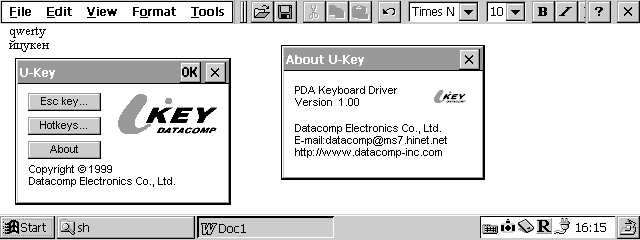
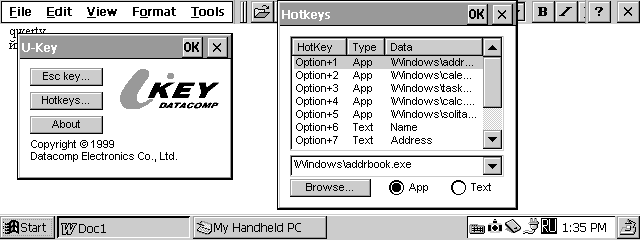
Began testing for Casio Cassiopeia A-20. Put program. All of them worked. The program is an opportunity to set hot keys, temporarily disable the external keyboard. In this case, the keyboard CASIO, of course, is not disabled. With the Russian ... WORKS! You can enter easily in Russian! Just switch the keyboard layout you need using the built-in keyboard. Tested with Paragon LE and RussKey.
Keyboard LEOSync QuickPAD
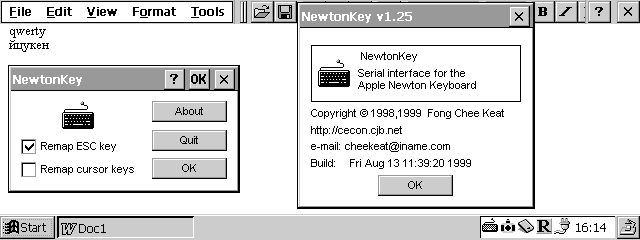
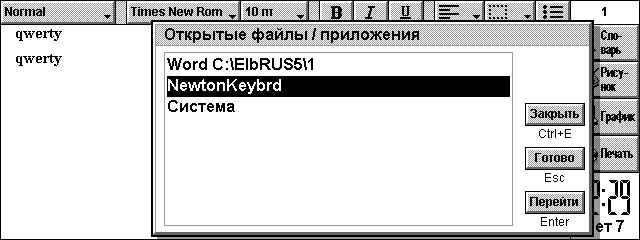
Then tried to use the program NewtonKey. With this keyboard driver also worked and it was possible to enter Russian letters! The only drawback - the inability to program the hot keys, well, well ...
Keyboard LEOSync QuickPAD
Inspired by the first successful experience, I took the test keyboard CASIO E-100. The keyboard works, but typing was possible only in English! No tricks have not helped! Need to rewrite the keyboard driver.

Palm

For PALM company, which manufactures the keyboard, did not bother and supplied its products freeware program KeyZ 1.0.4. There is a regular version and a version for Hackmaster. What can I say? You can print in English. For the Russian press have to rewrite the program.

Psion

The firm LEO Systems, Inc. did not plan their product for use with the PSION. So there are no alternatives, and to use Newton Keyboard driver for PSION device. It supports all devices running EPOC.
Keyboard LEOSync QuickPAD
Well, I think, with bezklaviaturnymi devaysa all clear! And here at PSION "clave" is, maybe in Russian will print? Okay, put the program. Began testing. Similar result. For the Russian press have to rewrite the keyboard driver.

Conclusion

What can I say? Keyboard itself - quite a decent product. Easy, neat, compact. The software allows you to type in Russian only on Windows CE HPC, HPC / PRO. On all other PDA printing is available only in English! To overcome this limitation have to rewrite the keyboard driver.

Dignity

The ability to print documents on a normal, full-size keyboard.

Shortcomings

Can not print in Russian for Windows CE PsPC, PILOT, PSION. The high price (around $ 80). Keyboard LEOSync QuickPAD courtesy of MakTsentr. The authors, translation: