Casio Exilim: the camera in your wallet

Casio Exilim: the camera in your wallet
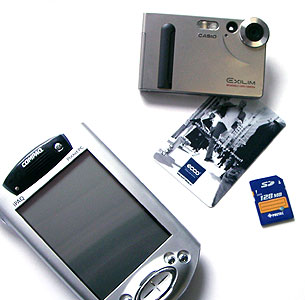
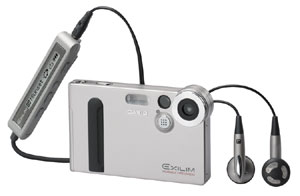
As often happens that we pass by the scene that really want to capture a photo, but no camera with me. Autumn in the park, an old house, a beautiful flower, and other less hackneyed plots are running dry, no matter how hard you try to keep them in memory. But on the other hand, does not carry the same all the time for a bag with a camera, lenses, films. Most digital cameras in this respect is no better - though there is no film and most lenses, but still - the "brick" in a pound of weight. At a dinner outing with a no take. Casio has found an outlet. Output - a miniature digital camera is almost the size of a credit card called the Exilim (there are two models EXILIM EX-S1 and the EXILIM EX-M1, the latter characterized by the presence of the built-in mp3 player).
Casio Exilim: the camera in your wallet
EXILIM with player
The camera is really tiny, it seems that a sophisticated electronic device can not fit into such a tiny package. It really gets to a medium-sized wallet, generally unnoticed in your shirt pocket and weighs (though without batteries) 86 grams. The battery on the eyes, weighs grams of 30, so that in the "combat-ready" status of the camera is very easy.
Casio Exilim: the camera in your wallet
Here's how tiny!
In many ways, this miniaturization is achieved by linking various devices into one. For example, a whole represent a lens and sensor CCD (charge coupled device). They are placed in one housing, which made the camera is very thin. A similar principle is used by engineers at Casio and proektirvoanii rest of "stuffing" of the camera. So, it uses the MCM (Multi Chip Module) - a single chip, which housed a new, specially designed for the camera CPU, application-specific integrated circuit (ASIC), memory SDRAM and Flash-memory, which in this tiny chamber 12 MB that quite a lot, again, given its size. This compact scheme razmeschniya, incidentally, not only saves space (70%), but also reduces power consumption by a third. The third "pillar" of miniaturization - the use of a unique digital interface LCD display on the back of the camera, specially designed for a series of camera Exilim. The digital interface eliminates the need for the converter, which provides space savings of about 10% (compared with control technology TFT-displays in other digital cameras), and also gets rid of many unnecessary details. The very same LCD screen rather large - 1.6 inch (3.84 cm), and perhaps precisely because of the digital interface, shows a very good picture - a clear, bright and contrast (resolution 354x240). As a result of all these innovations, and turned the camera so compact. Moreover, its compactness will not be felt for use. The few controls are well thought out and even a button on / off and shutter release, which are very close to the top panel are made so that turn off the camera instead of a picture, not easy.
Casio Exilim: the camera in your wallet
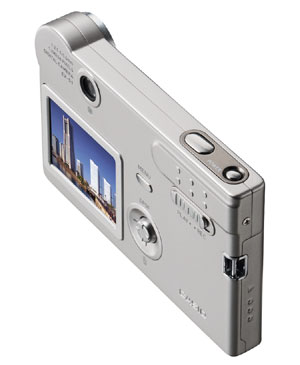
The few buttons and LCD display - both controlled by the camera
Basically management is carried out using the OSD menu displayed on the LCD screen. Called it a separate button, and move on it can be (and quite conveniently) using a small joystick (up / down, left or right, select). Buttons to move up one menu level up there, but the special inconvenience this poses, because the menu itself is not too "branched". The camera does not claim the title of "professional", so the settings are not too many. Thus, during smki can toggle between photo and video (the camera can take pictures and short video), to include a night mode, and the model EXILIM EX-M1 also include video recording with sound or voice memo to a photo. Next, select one of the built-in flash (auto, forced off, forced on, removing red-eye "). You can also include a timer for avtosemki (only 10 seconds), turn off the LCD display to slow down battery planted. To choose from, there are three photo size: 640x480, 1280x960 and 1600x1200 pixels, and the CCD-matrix of the 1.2-megapixel, so that the size of 1600x1200 is achieved through interpolation. The quality of JPEG-compression can also be set independently (photo will be saved only in the format *. jpg). There are a number of more professional settings: several preset white balance setting for shooting indoors, outdoors, under floodlights, plus manual adjustment. In addition, manually adjustable exposure compensation (-2EV to +2 EV, in steps of 1/3EV). In the settings you can also turn on / off four-time digital "zoom" (approximation). Photograph is a pleasure - all the settings at hand, the user can select the most variable parameter and adjust it right during the shoot gorizonitalnymi movements of a joystick. Vertical movement controlled "zoom". One move - change - and captured can be immediately viewed on the camera screen.
Casio Exilim: the camera in your wallet
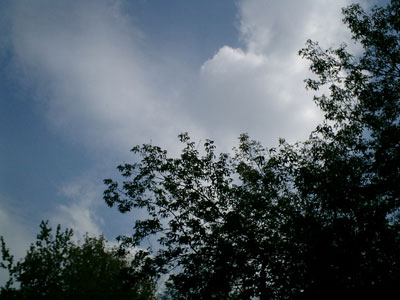
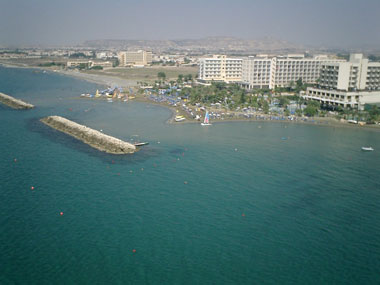
Here's how it is obtained
Video, even though a maximum of 320x240 pixels, is also very decent quality. Recording speed - about 20 frames per second, which provides quite an acceptable smooth change of image, color saturation, brightness, balanced. In general, the look is quite possible. Is that a microphone and speakers rather weak - sounds are recorded and played back too quietly. Such movies are stored in the format of AVI. What this turns out, can be seen by downloading the file from the link at the end of the paragraph. The camera itself decides where to save the photos - if the inserted memory card SD / MMC, then at her - if not the internal memory. You can then insert the card in card reader or a handheld computer to see what happened, but the camera itself can connect to the PC (USB-cable included). No drivers do not need built-in memory card and the computer itself are identified as Mass Storage Device (though, again, individually - if memory card, the computer sees it, if not - built-in memory). Files with them and they can move as they do with conventional disks. To shoot in the camera can be used already something zapolnennnuyu card, Casio Exilim simply create it on my daddy, and where to store all your photos and audio recordings (model EM1). The only thing 'annoying' when using the camera - a short life battery. When the LCD screen, fully charged, it runs 30-40 minutes. Actually, more expected of him is hard - 630 mAh. Once again, the model EXILIM EX-M1 is an MP3 player.Slider switch between on the rear panel has three divisions instead of two as in the low-end model, but to control playback from the camera itself can not. To do this set comes pultik remote control that connects to the same jack as the docking station for PC. The sound is very good - clear, deep and loud :-). That's what the hardware decoder. In general, EXILIM - a great choice for those who want to always be able to capture something - at home or on the road, on vacation, etc. It is so compact that can constantly be in a shirt pocket or even in your wallet. Yes, there may not have any professional functions inherent in other cameras, but photo quality is quite at a level at least, to be photographed with an old friend, accidentally met on the street is enough. Of course, EXILIM of the photos you print the images in a rug, but the family album was a success. Autofocus, instant start, and second the willingness to work make this tiny camera is ideal for spontaneous, nepostanovochnyh images, namely, they tend to get the most vivid and natural. In addition, the camera - great for younger audiences. What could be better player and easy to manage the camera in a tiny and stylish bottle?

PS Specifications

  • Perceived - 1/2.7 inch progressive CCD-square matrix
  • Effective pixels - 1.24 million (1.31 million total pixels
  • File format recording images - JPEG, compatible with standard DPOF (printing without a PC)
  • Information carrier - built-in Flash-memory, about 12 MB card, Secure Digital / MultiMediaCard
  • Image - 1600x1200 (interpolated) / 1280x960/640x480 pixels. Video - 320x240 pixels
  • .
  • Music player - only in the model M1, the MP3 format
  • Deleting pictures - one or all memory (the ability to save individual images
  • Lens - F2.5, f = 5.6mm (equivalent to 37 mm in 35 mm format)
  • Zoom - a fourfold
  • Fokuirovka - fixed
  • Exposure - Centre weighted by CCD-matrix
  • Compensation Arrangement --2EV to +2 EV
  • White Balance - Automatic, plus 4 modes, plus manual adjustment
  • Timer for avtosemki - 10 seconds
  • PC connection - via the docking station USB
  • Sizes - EX-S1: 88h55h11.3 mm (excluding protrusions), about 86 grams (without battery and memory card). EX-M1: 88x55x12.4 mm (excluding protrusions), about 87 grams (without battery and memory card).

PPS - Here's how to shoot with this camera!

Casio Exilim: the camera in your wallet
The authors, translation:

Knacks

Overview of accessories, manufactured and sold abroad, a curious thing, but useful only in part. On the one hand, to want to buy some gizmo, about her need to know. On the other - what a joy to know about it, if this is the gizmo we have not sold and it is unknown whether or not sold at all? Better to talk in detail - about the technique, which can be bought here and now. Therefore, today's hero - not Casio, not Hewlett-Packard and is not even cute to me Pretec (it produces a nice "gadgets" for handheld computers). Today's hero - the company MakTsentr "that sells the products of the same Casio, Hewlett-Packard and Pretec here in Russia. And not only sells, but she produces some accessories ...

Memory cards and adapters for them

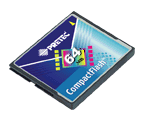
Pocket PC without a flash memory card - it's either an old computer or a very old computer. All new models, including the lowly Palm, equipped with slots for such cards, and therefore have the potential for virtually unlimited capacity of internal memory and an instant (literally, in one motion!) Changing set of business programs. Simply put, changing the memory card, we simply introduce the elementary in a pocket typewriter class Pocket PC (a Palm `s all arranged slightly differently and without the multimedia frills), a music album in MP3, a library of electronic texts or collection of toys. Like a stick into a portable CD player a new drive - again, and ready. On the virtues of flash memory cards say it is hardly worth - the owner of any CCP knows this himself. But the shortcomings should stop. The first major drawback - price. Flash memory is an expensive pleasure. Fifty dollars for a 64-megabyte module is not so trifling money. But the memory of some formats even more. His most expensive and most popular today formats - Compact Flash. However, if you look in network directories, where Moscow (and not only Moscow), firms are offering their wares, it is easy to see that the spread in prices for flash memory card is quite large. The same 64-megabyte card format Compact Flash (CF) can not find $ 50 and, say, $ 32. And if you do not hurry, it is still cheaper. However, should buy it for $ 50. Why? Because the brand. A brand - it is reliable, high speed read and write plus "bug-free." And the warranty, finally. Hardly basement merchant card swap, the failed six months after purchase. A serious company that sells merchandise with a name that will change. We all strive for opportunities to save money. And because the extra five dollars for a proprietary card try not to overpay. But the acquisition cards obscure firms is fraught with waste of money. Many times I was convinced this (I think you are too). Flash memory, like a normal hard drive may have bad sectors, read errors, variable speed of information exchange (in the winchester closer to the spindle - it's faster, and in solid state memory, I do not know, but some relationship exists). It is believed that will work without the error a new memory card is functioning correctly and on. And that it can happen if the supply voltage is stable (controlled by the circuit of the computer itself), and mechanical loads card is not afraid? But the fact of the matter is that, in practice, anything may happen. In Memory unnamed manufacturer suddenly reduced capacity, or general information is no longer readable. Run the disk check utility (card system works just like a regular hard drive), and she begins to close the "broken" clusters. No doubt, the preservation of information in the flash memory card on the order of magnitude higher than the electromechanical drives. Not for nothing is so popular today are relatively expensive drives Flash Drive - Plug into a USB port and shaped key ring. But, again, anything may happen. One is not the most famous, but the tried and trusted manufacturers of flash memory cards - the company Pretec. It sticks I found in "MakTsentr, spent money on them and so far this has not regretted. It seems to be nothing special - a card like card. But - working (that from her, in fact, required).
Knacks
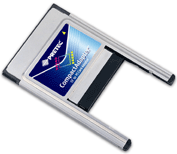
One of the features of the CompactFlash card is built into the controller. This allows, first, simplify the handheld (as well as any digital device that uses memory cards of this standard - for example, a camera) and to reduce energy consumption (the computer does not have to supply the energy untapped controller card in the slot when not). And secondly, to achieve a very simple and logical scheme of modernization of the computer. Once the controller is built into the card, then buying a new module, we also acquire a new controller! That is, increases the recording speed-read anything, in fact, not changing in the computer. Not my idea, I read it in one of the computer magazines. But I liked it before, do not resist the quote ... if this solution was used in hard drives, we would not have thought about the specifications of their interfaces. Sets a new hard drive, and there already and UDMA-100, and other delights of the latest technology ... But while this is not and probably never will. And in memory cards CF - there! No matter how good CompactFlash, a format that is not universal and certainly not perfect. In contrast, SD or Memory Stick (two very popular among the handheld format) on the CF card is no basic protection from accidentally overwriting data. In the cards competing standards, this protection is implemented as a mechanical blocking entry switch - as in the usual three-inch floppy disks. But that's okay - no, so no. What to do with physical incompatibility? The house, for example, two "pickpocket" - Palm slot MMC / SD, and Casio BE-300 with a slot CF. What to do? And how to use a memory card with a desktop computer or laptop? Do not buy this as Flash Drive, if there already is a card (or several maps) of flash memory? Questions, of course, naive. Everyone knows that to connect the memory card to the "big" computer or a handheld machine other family needs a special adapter. The cheapest of them - CompactFlash Type I card slot for PC card. This product from Pretec is the "MakTsentr" only $ 10. A fun (and profit) from it - one hundred thousand (figuratively speaking, of course).
Knacks
For example, I have long and, hopefully, quite successfully using a ThinkPad in the work produced by IBM. This computer has no built-in floppy drive, and external "writing" CD-RW I have to buy as a "not mine". I'll take a lot of disks? Well, one year. Well, two. Then why I like this game? But some "fun" is needed anyway - as a backup device. Information - text and a number of pictures - are becoming not so much, only about 30 megabytes (pictures of them quite a bit because I was not too much like digital photography, in the optional hobbies I avowed conservative). To have some margin, multiply 30 megabytes (in archived, compressed form) into two, we get 60 megabytes. The drive of this size would cover my needs for the next few years ... And this is the standard amount of relatively inexpensive flash memory card - 64 MB. Inserting one of the flash memory card into the adapter and the adapter itself - in the PC card slot of a laptop, I get enough high-speed, extremely reliable and durable drive that easily fits in your wallet. Think of another wonderful device - external hard drive ZIV. Lulu, huh? Ten - twenty - thirty gigabytes in your pocket ... And if you accidentally shmyaknut? Happens then? And - wept bitter tears of 200-300 dollars. And with them, and carefully preserved in the archives of information ... with a card that is not possible in principle. Before Flash Drive, which is much more comfortable and progressive (small, elegant, connects to any PC) memory card has one significant advantage. I can rearrange the map in the PDA or digital camera.Flash Drive - just plug into the USB port of a large machine ... Although, it is necessary to have something, and more. And do not talk too much about such trifles. Of the memory cards of other formats, I really liked the card and MultiMedia card compatible with Secure Digital (and it is clear, I have the same except the BE-300 is also a Palm). But rearranged a miniature SD card into the machine slot CompactFlash I can not, because slots are physically incompatible ... While I can not. And if you buy a CF-SD adapter from the same Pretec - I can. This adapter is made in the CompactFlash form factor with built-in miniature slot MMC / SD. Insert the small card into the adapter and the adapter - in another adapter for PC card. And yet this economy - into a notebook. Now tiddly card from Palm `and can serve as a backup drive wow. And why not?
Knacks
True, my old "pretekovsky" adapter will not work - CF-SD adapter is made in a thick form factor CompactFlash Type II, respectively, and an adapter for PC card slots required format Type II (it costs twice as much - $ 20, but still quite acceptable). There may be opportunities for astute description of an adapter for small and tiny memory cards to round out. But note - this adapter is called Compact Trio. Why would it? And the fact that in addition to MMC and SD, he turns to another and CompactFlash cards Memory Stick from Sony. Moreover, as the old standard of 2.0 and the latest Memory Stick Duo. That is, all conceivable card utility in one plump plate CF. $ 70.

Sync cable and charge batteries

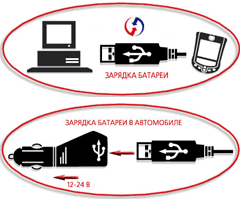
Describe more or less significant part of the "pocket-computer" accessories in one article, there is no possibility. Therefore focus on the fact that most attracted me personally. First, the most obvious - the USB cable to synchronize Casio BE-300 desktop PC and laptop (this cable is available in different versions for all models of PDAs) ... The story here is. Every six to eight weeks I'm going on the road and going to the "middle of nowhere." Every six to eight weeks I break my head - what can I take to the road, and what to leave home. "Beds" to synchronize the BE-300, I pushed into the bag at last. While I am so tempted to give up on Pocket PC hand and push it along with the "crib" to the far desk drawer. Comfortable in a hospital, "cradle" CCP becomes a burden on the road. And then it helps out the sync cable. Still compact and flexible "string" is easier to fit into a crowded bag rather than plastic cuttlefish bulk form. However, the use of this cable will be both in ordinary life. For example, a "crib" can be kept constantly connected to your home computer and to synchronize the handheld machine from the office computer using a cable USB. Its also possible to bring along for the connection with another machine (to, say, hit the nation to its PDA somewhere away). However, in this case it is necessary to take a more compact and with a set of synchronization software ... Another curious item - a cable for synchronization and charging PDA at the same time from the USB port or car cigarette lighter socket. Can not say anything about the practical side of this wisdom, because he did not speak nor cable, nor powerful enough to effectively recharge the USB port on your laptop, let alone a car. But the thing is, I suppose standing. Dimensions of power supply to the BE-300 less than other computers, but everywhere to carry it with you anyway else fun. Besides, too Deanne wire also prevents.
Knacks

And all-all-all

And me, when I go into "MakTsentr, his eyes constantly gets a combined handle - also seems to be from Pretec. Inexpensive (a dozen "green") and very pretty to look at. Handle This may serve for ordinary letters, and doodles in Graffiti. Konopochka pushes alternately writing a node, the Teflon tip.In short, wow style ... Alas, this 'feature' at me all the time is not enough money (I would have tried to steal it, but education does not allow). On the set of sweet additions such as modules Bluetooth, GPRS, wired modems and digital cameras in the card is constructive, we must speak separately. Curious little things, but, unfortunately, not cheap. Appetite comes with eating? Exactly. It remains only to find the money to suffice for all these things ... Ah, heavy share of the very top of the computerized old slacker ... authors, translation:

Power of Presentation - Power Point on the Palm and Pocket PC

Computer presentations using Power Point software have become the standard not only in various aspects of business life (marketing, PR-management), but also in many other areas of life such as education, politics, etc. Technology advances, computers are becoming smaller and smarter, and now comes the day when such presentations are moving from desktop computers and notebooks to tiny handheld devices. This article focuses on three products that are in conjunction with handheld computers on the platforms platforms Palm OS or Pocket PC and allow the mobile presentation. "

Margi Systems Presenter-to-Go SD card - $ 199, 163 grams

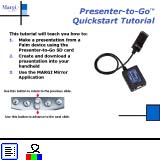
Presenter-to-Go SD from Margi Systems is working with PDA to Palm OS and a SDIO (Secure Digital Input / Output) device that allows you to manage Microsoft Power Point presentations on the Pocket PC and display them on standard VGA monitors and projectors. In addition, Presenter-to-Go allows you to display any image on the screen Palm'a on the projector.
Power of Presentation - Power Point on the Palm and Pocket PC
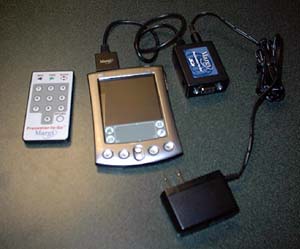
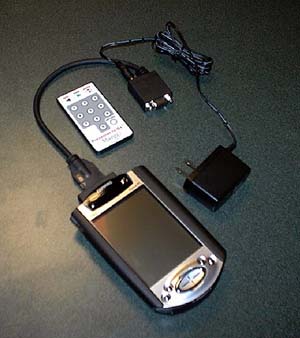
Includes Presenter-to-Go in person, an adapter for recharging, VGA cable and infrared remote control the size of a credit card. The device itself - it is a small box of size 3.81 x 5, 08sm with a VGA connector on one side and the cable with the SDIO card with another, as well as two IR ports on both sides. Using an external adapter allows you to increase the time held presentations with 90 minutes to three hours. In addition, the kit includes CD-ROM, with the necessary software and a small installation guide. User feedback on the work of this device is mainly a very sympathetic. Presenter-to-Go executes its tasks bzukoriznenno clearly. A positive factor is that during testing there were no conflicts with the CPC or other "oddities" (bugs, that is). Software included in the kit, then it takes any presentation format. Pdb to download to a PDA. In addition, during the conversion it is assumed that happens and the file compression, which is better if the presentation is not so many images and complex backgrounds. However, in the case of the device end. Pdb file is larger than the original. Ppt file. And yet, this system does not support slide transitions and animations, so that the work and especially not worth it. In addition, the device provides built-in and printer driver that can at any time to print the required information.
Power of Presentation - Power Point on the Palm and Pocket PC
With regard to a pickpocket, he will need the following applications: driver memory expansion slot SDIO, and program Program Presenter Mirror (Mirror). All of the above will 332Kb of free space. It is worth noting that the Mirror is a program that allows you to display screen PDA to the projector. So, if the special need it is not there, you can save 80k of space. After you create your presentation in Power Point'e and synchronization of the final. Pdb file with the handheld device, you can begin immediately the demonstration. After connecting all required cables, you need to download the program from Presenter, which will find the PDA that exist in the presence of presentations and will plan for one of them. With the help of the menu is easy to find you're interested in a presentation. Plan displays the title of each slide along with graphs of control and an icon for the records. Putting a tick in the box controls, you can skip one or another slide in the presentation, the icon will give the same opportunity to read the text and notes to a slide on the PDA, while the projector to display graphics. Next button on the remote control is used to move to the next slide. On the PDA, you can view the slides in a compressed and reduced format.In this case the user will make adjustments to the image of the stylus, they will also appear on the projector. This function will draw attention to some details on the slide. A icon Eraser allows you to quickly erase all the picture. Now about the speed. According to eyewitnesses, the system pretty quickly, but the rate can hardly compare with desktop or laptop. In principle, the company has developer has done everything possible to make the transition between slides was not noticeable to an outside observer. However, in the event of a return to the previous slide, those 3-5 seconds are needed for the transition between them become apparent. And a few words of support SD. It is logical to assume that the presentation may take quite a lot of space. And since the Presenter-to-Go is the SD card slot, parallel to its use and a memory expansion card is impossible. But Margi System has provided an inconvenience, making it possible to quickly copy the necessary presentation to the SD card into the program Presenter, and then remove it from the handheld RAM. Total. Margi System Presenter-to-Go SD Card as a whole copes with this task, making professional-looking presentations without a laptop.
  • ""
  • - Easy to make a presentation on the go without desktop or notebook computer
  • - The use of presentations stored on an SD expansion card in the cellar
  • - Convenient IR remote control
  • "-"
  • - Transitions between slides and animations are not supported
  • - Return to the previous slide will take some time

Margi Presenter-to-Go CF card - $ 199, 163 grams

Much of what was said about Margi SD Card can be attributed to the Compact Flash version of the device. The differences are as follows:
  • CF version only supports devices running on Pocket PC platform
  • CF version does not support drawing on the screen in preview mode
  • CF version does not support reading presentations Card Compact Flash, the presentation should be placed directly into your PDA
  • CF version has no built-in infrared port on the device. IrDA Remote Control must be aimed directly at the IR port of the CPC, which involves some difficulties
  • CF version is faster. Transitions between slides in any direction is equally fast. Perhaps this is due to faster processors and more built-in memory devices Pocket PC
  • CF version comes with a small handbag. However, the place it will last only a remote and CF card
Power of Presentation - Power Point on the Palm and Pocket PC
It is worth noting that the margi Systems produces more and device Presenter-to-Go interface Handspring SpringBoard.

The Colorgraphic Voyager CF card - $ 176, 117 grams

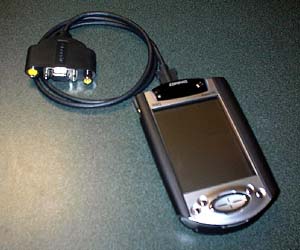
Company Colographic Communications Corporation, which manufactures CompactFlash VGA adapter for Pocket PC, and in contrast to proposals Margi Systems, is just VGA adapter. True, the kit includes the software for presentations from producers of strontium.
Power of Presentation - Power Point on the Palm and Pocket PC
Scope of supply includes CF card, cable and CD with software. In general, the adapter works as described, except that significantly reduces the rate of the old Pocket PC with relatively slow processors. From the above devices, the adapter has the following features:
  • I do not have infrared capabilities adapter and remote control
  • Y adapter has several outputs: VGA, Composite, TV (NTCS / PAL)
  • The accompanying bundled software ClearVue Suite is unique in that it allows to show the normal Power Point files, bypassing the stage of translation
Colographic Voyager comes with a small nylon bag for easy transport.
    ""
  • easy to make a presentation on the go without desktop or notebook computer
  • rapid transition between slides in any direction
  • mapping the original Power Point file (with a software package ClearVue Suite)
  • "-"
  • no remote control
  • no external power source
As a result, the choice is always yours, but with each passing day it becomes more and more alternatives. Importantly, do not lose your head and decide your preference. The authors, translation:

Where to hide Styluses

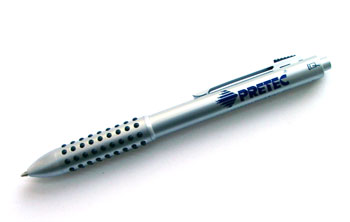
This mini-review was inspired by the agony experienced by people who knew, looking at the multitudes of users, with a puzzled asks "what is a pen-stylus?". Meet, here it is - a universal means for inputting information from the company Pretec:
Where to hide Styluses
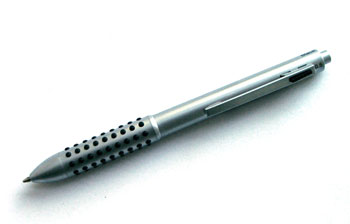
This remarkable enhancement (note that it is suitable for any PDA with a touch screen) on first glance looks like an ordinary, not very thick handle. At second glance, he continues to look like an ordinary, not very thick pen, as it is. There are two quite familiar ball-rod - black and red. That is familiar to those who use PDAs not too long ago and have not forgotten how to write on paper. For example, I almost forgot how. But that's not all! One ball studs PDA user will not be hungry. Must also something to poke at buttons on-screen keyboard and graffiti! And all the instructions to the PDA we strongly advise against doing it scharikovymi handles. Distrustful can try. When these distrustful will change damaged screen, they will be sure to run the stylus is much more profitable and more economically. Those who believe know that the instructions and no extra cost. However, the stylus, which is also in this pen Pretec - for everyone. Together with the rods in the housing handle hid a great tip on its chemical and physical properties similar to native PTFE. For reference - Teflon stylus least expose the delicate surface of the touch screen harmful effects - in short, do not leave scratches. So the stylus can be used even without a protective film on screen (although her presence still desirable). Learn more about Teflon and tip can be read on the site Palmkluba.
Where to hide Styluses
When you decide to buy this pen (it costs only $ 10), do not rush to write letters asking how to use it. Everything is written in the instructions. Yes, everybody knows that the instructions are for cowards. I, for example, that of itself does not consider, held in thinking on the mechanism of the device for about fifteen minutes. Experience shows that this call is still no one will inspire anyone to read the manual will not, however brief the unit handles. On the case is the notation: "red" (red), "black" (black) and "stylus" (drawn by a small computer). So that moved desired rod corresponding label should look strictly at the heavens. To adjust the rotate handle the entire case - no special tools to change the rods in it. Retracts stem-click on the clothespins. In general, use it! A good thing. The authors, translation:

Software and hardware variations on a theme

What happens to your pen?

Being accustomed to feel in his own pocket a nice little weight computer, I can not get used to use it on all cylinders. In the sense - not only to be cut in chess (perhaps in a past life I was a GM, because in this I can only move a bold debut E2-E4, after which I usually give up) or read e-books, but also something to write. The problem is that to get a pen on the tiny keys on-screen keyboard prevents me not very good eyesight, and clearly prescribe the characters Graffiti - the wrong hands. Hopes for a system of handwriting recognition capability in the Pocket PC, has not yet been realized. The reason is that my machine is not completely Pocket PC. This Casio BE-300, running under a reduced version of MS Windows CE 3.0 and has a sufficient degree of compatibility with software for Pocket PC. This is unfortunate, since the nominal program Decuma, in the set of BE-300, in Russian does not understand. (Understand, but only 15 letters of the Cyrillic alphabet, style that you can remember). And those programs that they understand, at BE-300 does not run ... (Yes, and from them, rather, more suffering than benefit. - Ed.) Face similar challenges, and users of full-fledged Pocket PC. Putting the information remains the bottleneck handheld machines. Otherwise ... Otherwise, many of us would have long since replaced the bulky personal computers in pocket.

The keyboard, which is not

One of the most serious shortcomings of any system of handwriting - speed. Moreover, it is not about the ability raspoznavalki read handwritten. New machines, such as Russia's first PDA Rover PC P6 (mention only in order to maintain a gentle word of the domestic "producers" of these hefty machines Taiwan) and its foreign cousins, coping not only with an incremental recognition of standard symbols (System Letter Recognizer, analog to Graffiti Palm `a), but also work well with slitnym spelling of words (system Transcriber). True, fusion-cursive Pocket PC only read in English, Russian handwriting of this remarkable machine still seems to be too tough ...
Software and hardware variations on a theme
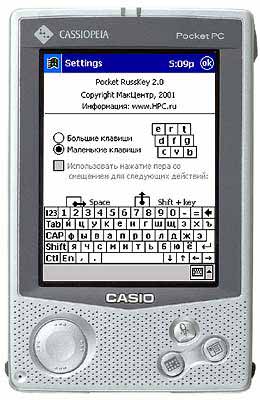
It's about the very principle of the letter. Write by hand as usual, but do not argue. Not without reason writers and journalists, having mastered the typewriter, and now - a laptop, completely mastered writing pen (check for yourself) ... skills, if necessary, of course, be returned. But it feels any discomfort, as if writing with chalk on a blackboard (the surest torture after the good old buck). The keyboard has many advantages. Firstly, it completely eliminates pocherkovye features (remember the therapist from the nearest clinic, which can not read his own prescriptions). Secondly, the discrete serial-by-character input reduces the likelihood of random errors - slips (successfully replacing them with typos). Thirdly, it is indeed convenient and fast. Our hand is perfectly suited to writing with a pen, but still better to cope with short punches on the keys - and the movement itself is simpler than the ornate fountain pen stroke and the trajectory of the finger is shorter. Whatever it was, but a variety of programs handwriting recognition software for Pocket PC remain largely unused. Well, maybe except the original Graffiti, which is on thin Palm `s works almost perfectly - if you have to enter a dozen words ... What if a hundred, but not words, and sentences? And if a thousand? The answer is obvious - for this there is another technique ... But we want to pocket a more versatile tool than the CCP, which we own. Possible or not? Perhaps if, along with handwriting recognition Pocket PC use the keyboard - any software, hardware or software ... or the virtual keyboard, which at any moment and in any application you can display the CCP is the most popular mechanism for entering information into a small car. Who among us plenty played enough with Graffiti, the onscreen keyboard is not included, so as not to waste time in vain? On the other hand, the keyboard keys are different.On the small monochrome screen, Palm m125 keyboard alone, but on a relatively spacious screen, color screen Pocket PC - is another. Although uncomfortable to work ... and on the other, and on the other. The reason - tiny size. The onscreen keyboard is designed for entering information in the same pen - by clicking on the button regular stylus. In stationary conditions, at a desk or even on a park bench, through a virtual keyboard, you can write a whole book. Hand while mercilessly tired, by the way, and eyes. But if you adapt himself - will do. Entering text is accompanied by visual and audible alarms. Key, which you press the pen for a short time, change color, and at the same time, the sound of the system dynamics. Tactile feedback, there can be, in principle, since the keyboard is just painted on the LCD screen ... This is a system beep when the work is usually turned off. Sense of it all the same bit (write is not blind), and terribly annoying - no less than the clang of the big hardware keyboards with the "click". Usability of the virtual keyboard can be somewhat improved if the use third-party utilities. This is a different "floating" keyboard and keyboard oversized. Try these things on your Palm `s I have not had time (but the program is, even if not Russified). But on the BE-300 - pampered. One such utilitok displays a small keyboard, which can be freely dragged around the screen. Sometimes it is convenient - when filling table cells or editing longer texts. Another - just an old keyboard that came with the localization Casio BE-300 from the "MakTsentr" ... I remember everything first (and I include myself in) criticized the size of Russian keyboard, they say, takes too much already scarce screen space. In subsequent versions of "maktsentrovskogo" localization keyboard was tiny and elegant. Not to say that working with her uncomfortable. However, recently returned to the old crack (for the sake of a stupid experiment) and found that the old klaviaturka against anything new, too ... You know how hard it is to please the capricious user ...
Software and hardware variations on a theme
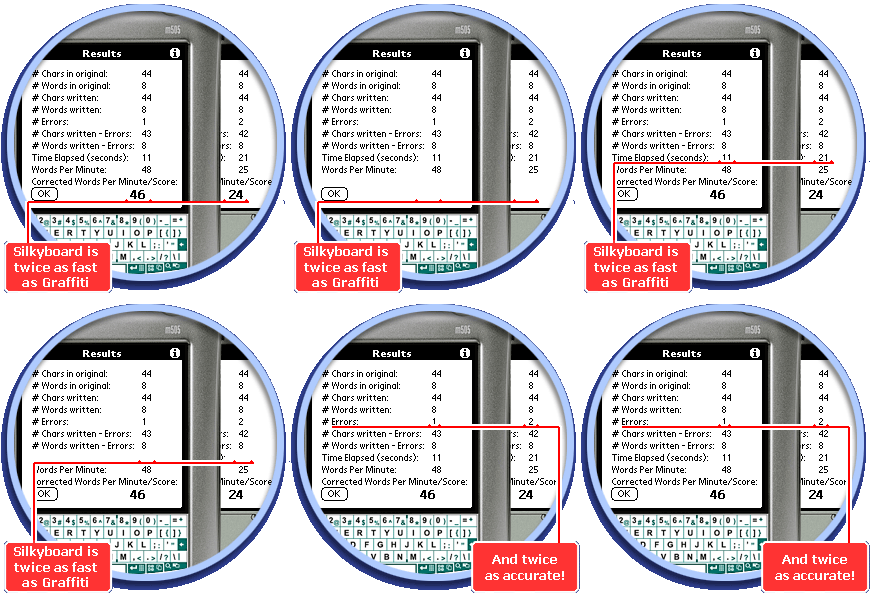
By the software keyboard can be attributed, and a system Silkyboard from the Russian firm SoftAVA Computer Palm. Includes on-screen label that replaces a region of Graffiti, and service software module. As a result, typing is easier than through the standard "raspoznavalki" Palm `Yes. The program has become quite a popular alternative way of entering text to domestic users of Palm.
Software and hardware variations on a theme
Silkyboard: efficiency is twice more than the graffiti ...
Omitting various on-screen keyboards, made in the form of small items can and "hacks" (utilities, which operate on the Palm `s running a special program - the manager of" hacks "), navigate to one of the main news last time - to the great Russian keyboard software development ... But first a few words about the complex software and hardware solutions. From time to time news feeds to bring zines amazing news. For example, the availability of light keyboard, projected onto the surface countertops special hardware module that connects to the PDA. Such a device looks very attractive, at least because of the compactness of the record and unprecedented flexibility ... But the discomfort is evident. Tactile feedback as there was, and is not, because the keyboard is "painted" (not on screen, so on the table).And what about the lighting conditions? Can I work with a keyboard in a brightly lit room, or have to draw the curtains? Does the efficiency of light keyboard on the structure of the surface countertops? From office desks - understandable, but how it will turn to pestrenkoy skaterkoy home or with a lid Suitcase "diplomat"? .. Yes, and we have not seen this thing. Will it work in general, or this is another post on the subject "but as we can"? But the onscreen keyboard from the company called SPB Software SPB Full Screen is a reality that you could try "to the tooth."
Software and hardware variations on a theme
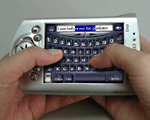
On the screen the Pocket PC keyboard looks so big as possible. The screen is oriented horizontally at the top - a text string that displays the characters typed. As a result, typing is possible with your fingers, as on a normal hardware keyboard. For some skill errors becomes very small - no more than a keyboard PDA Psion ... However, direct contact of fingers with a touch screen PDA expensive machine does not add to life. Have to use a protective screen sticker ... But it all and so enjoy ... I personally new keyboard from St. Petersburg programmers really like. Remarkable in its simplicity, the idea and its implementation is very elegant ... However, it is unclear why SPB Software has made its English-language site only. The Russian company did not consider the Russian market perspective? In vain. Nobody is unable to guarantee that the American market believes very promising SPB Software. And we are computerized from head to toe compatriots already here, beneath the side. And even reached for the wallet, in order to get Full Screen Keyboard for personal use. Yes, only communicate with a foreign language somehow too ... amazing. In any case, this avant-garde sickens me.

Keyboard present

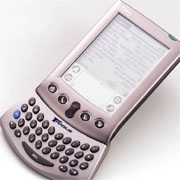
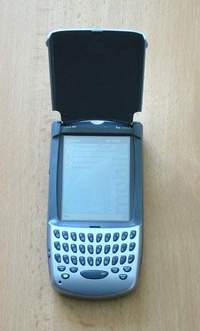
For all the attractiveness of hardware keyboards for handheld machines this is not the best solution. That is not any "real" keyboard is easy to operate. Hardware keyboard can be divided into two groups - the tiny attachable device and full-size keyboard that connects to the PDA itself. What do you think, what kind of keyboard is best? Most full-sized keyboard? How do you say how to say ... the conditions necessary for comfortable operation with keypad handheld two. The first - the screen handheld must be located a short distance from the eye, so it can be, without straining to see. Usually it is 20-25 inches, no more. The second condition - comfortable fit and proper hand position. Work should not inclined to the screen, put your hands on the keys. In this case, the normal distance from eyes to screen more than two feet ... to overcome this contradiction is impossible, since the screen is a PDA is very small, and the device of human hands will not change anything (tried a slightly shortened - failed). In practice, miniature keyboard, made ​​in the form of "tacked on" devices (sleeves with built-in keyboard or a small attachable modules) that are more convenient. Work this involves one or two fingers - depending on the design features of the keyboard.
Software and hardware variations on a theme
However, large keyboard still more common than tiddly keyboard "gadgets". The reason, presumably, in the hopes that are assigned to full-size foldable keyboard. But no matter how to adjust, and replace the laptop pocket machine will not succeed. And buy a keyboard just in case of fire is not too wisely.Do we often find ourselves in extreme situations? And how often do in such situations, we need a computer? If you resist the temptation of no forces, then held and should not (indulge in expensive trinkets are very harmful to your health). Work with large attachable keyboard is possible. Not only should we expect from it some kind of supernatural amenities. For example, in a moving vehicle is connectable keyboard will be useless - by bouncing small screen PDA did not really consider it. Font in a text editor will choose the largest one. Turn on the backlight if it is disabled. And, accordingly, to find a shaded place to work ...
Software and hardware variations on a theme
Small keyboard, unlike the full-size, have only one, but very significant drawback. They fall into the hands of the Russian user absolutely nerusifitsirovannymi. Self-taught Russian language exotic device under the force is not for everyone. And therefore must follow a simple rule - do not buy that whatever and wherever.
Software and hardware variations on a theme
Then recall the recent history with "MakTsentr" in which I once saw put on a miniature keyboard for Pocket PC Hewlett-Packard Jornada 568. Nothing is better for me so far not come across ... A russified this sweet chepuhovina was one hundred percent. Immediately drawn to the serious prose. Settle for half a year somewhere in the boonies, but nachirikat grandiose prose canvas. And call him in opposition to the scandalously popular Sorokin, not "blue lard" and say, "Pink creme brulee." That's with a portable keyboard for PDA and a new Russian literature. The authors, translation:

Klavomaniya

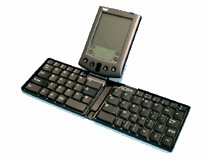
Every decent person should have his own idea-fix, or, in modern, chip. I do without it too, was not. My "Fata Morgana" - a portable typewriter, which would easily fit in your pocket, and in working order would be just as convenient as a good laptop (at least as a tool for writing). Clearly, this is impossible. But we are also talking about the idea fixe, so the logic here and does not smell. Want - that's the whole story ... Over the years I've tried a head-spinning experiments, a lot of different keyboards and was replaced by a set of computers. Nothing did not satisfy me ... except, perhaps, the notebook ThinkPad (laptop machines from IBM renowned comfortable keyboard). Good thing, but not so portable. In my pocket it will not put, not put in some horrible bag. Two and a half kilograms of live weight, "poisons the journey thought about the fragility of a laptop, a decent set of miniature (and in most cases useless) peripherals - from card reader, up to an external drive, from web-camera to the USB radio, all of this fundamentally changes the priorities. In the sense - the center of attention are not vivid impression, and not even their own whims (in our time travelers so picky!), And expensive machinery that pulls the hands of an unhealthy and attracts the attention of fellow traveler. In short, the past six months pillows on a pocket typewriter and a folding keyboard does not come out of my head. With sadness remembering the wisdom of the people (a fool Thought richer), I wandered through life without a suitable writing instrument ... And there you have the first two discoveries. Foldable Keyboard Palm Portable Keyboard, known under many other names (Stowaway, Targus and there is something else) is not as expensive as it seems. In MakTsentr it costs $ 45. However, for owners of new Palm `s price increases by $ 35, because have to buy a special adapter (keyboard designed for older computers to Palm, in which the system connector has a different design than a Palm m125, m130 and m5xx). But this is still cheaper by half than the same keyboard under the universal "palmovsky" connector.
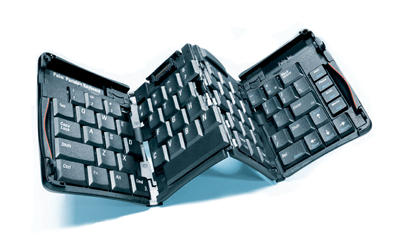
Klavomaniya
This is the first discovery. But the second - the most important. Foldable keyboard displays a pocket typewriter to a qualitatively new level. An electronic organizer into a full-fledged computer for professional work. In simpler terms - as a portable typewriter Palm can replace a laptop. State this categorically and with the evidence in hand. But skeptics, of which more than it may seem, I propose a special Glaucus, which is called ...

Better to see once

Do you think for one was released a software emulator of Palm OS? That's right, for software developers. But really he was "fired" in an adjacent area. The emulator has become the most effective tool of advertising, making it possible to any potential user computers Palm acquainted with the merits of the CPC, in fact, try to utilities that get used to the interface pocket typewriter. Now, not quite a direct association (although in fact there is no straighter). If in computer shops near vitrinkoy was set from Palma and keyboard to it, if everyone was curious ability to type on a tiny screen is a few words, the sales of foldable keyboard would have jumped ten-fold. For the convenience of working with this thing on the eyes does not recognize. Only practice, only a personal experiment. And, mark my words, few people remain indifferent to the Portable Keyboard. She will lead even those who fundamentally do not write (except, again - "do not forget to drink with your neighbor") ... After working with a folding keyboard, I understood why her fame stretches nice, but useless device. Because the articles are written about her vpriglyadku without the need for an objective assessment of practical experience. And apparently she actually looks unpresentable. Some projections, slits, a clue. Not quite the usual set of keys. Little some. One word - nonsense ... And we need a whole - to try. A seller - not to be greedy. From one guinea keyboard, exposed to public torture, the office is not broke.A good will - a wagon and a small truck. Even the copyright on this idea is not put. I give a reason. Very much a shame to read that Palm is not able to replace the "normal" computer. With this here keyboard - is capable of!

Debunking harmful myths

It was like this. I brought home a new keyboard and perehodnichok to it. Laid out a farm on the table. He opened a plastic "harmonica" (before it pulled her out of neoprene elastic case), pulled the outer quarters housing. Keyboard waved "wings" and obediently lay down on the tabletop. The ends of quarters, I moved inside. Lifted the block system connector (fetal mouse, as in Mr. Colt "), has put forward a frame stand. Priladit tried to block Palm ... That I am so clever. And then I simply forgot about the adapter. Then he guessed (I say the same - intelligent), fastened to a shoe adapter and have it inserted the Palm. And it's gone. No, not yet gone. On the screen appeared a picture out of synchronization. To crack CyrHack II, which I use, had to download a special driver. I found it on the native site of Palm. Download, install, and returned to the typewriter keyboard connector. And then really - matter. If I had used crack PaPiRus, then the keyboard would have earned at once. But I do not use this crack. He did not take root on my computer flies. I am also an experimenter, someone who enjoys all of the tooth. A PaPiRus was little with which compatible and very moody. But CyrHack omnivorous and never slips. No translation of system messages and menus? Since the English-speaking programs PaPiRus also did not translate ... I interface translation, of course, necessary. And the same in English or a boom-boom ... On the other hand, suppose I ever will be down and out "country", but the stability of the Palm `but for me it is more important than the Russian settlements in the system menu ... Back to the keyboard. She earned immediately and without any kind "glitches". Launched on the Palm `s notebook MemoPad. I tried to write something. Pinned points. Then another one. Fastened to the third and, if sustained ears. Increase font size to the largest. Everything is visible. (Glasses removed). The screen can fit eight lines of text. If you move away from the keyboard (and, respectively, from the screen CPC) at the maximum distance, the appearance did not deteriorate. So keep the machine directly at the nose is absolutely unnecessary. Another thing is that the eight lines a bit. But when you write "from the head" - is enough. Sufficient in all other cases. We do not require the same from the "adult" Word `and that he showed us on screen desktop monitor just 276 pages? Yes it with a standard 15-inch monitor, and some pages will not display completely. And we - it is convenient ...
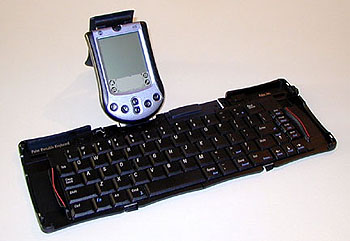
Klavomaniya
One myth, they say, the on-screen Palm `a set of keyboard, can not see anything, down. It is seen very much in sight. And, mind you, I have a monochrome m125 with a fairly hilenkoy matrix. Expensive color machine better in this respect, even the font does not have to increase. Went on - write, write, create. What can I say in this connection about the keyboard itself? No complaints. It's practically the same as the keyboard and a ThinkPad `. Unusual placement of some keys (the two "gap" - a long and close a little - what is?), But you get used immediately, since no significant differences in layout, no. Rather cumbersome to switch languages ​​- three keys at once. However, switching screen, stylus, no one cancels. Besides switching the keyboard layout is not too difficult to key Fn-Shift-1 is easy to reach the fingers of his left hand (all the same size keyboard "notebook" instead of "desktop"). It is time to dispel harmful second myth - the inconvenience of typing on a folding keyboard. Believe in the word (or better - check in store), printed on a small Palm Portable Keyboard is not just comfortable, and very comfortable. The surface area of ​​a standard keyboard. Accordingly, the standard and step. But the key travel is reduced, even compared with the laptop keyboard. My feeling (can not remember the exact figures) the course - only about three millimeters. True, to ensure absolute tactile feedback.Key trigger is easy, at first with little opposition, and then like yourself fail to finish. Quiet, meaningful only click his fingers is recognized as an unconditional positive. Retype the letters occurs after a short delay (these parameters are set to programmke service keyboard - in the same firm the driver).

Continued debunking

In numerous surveys foldable keyboard celebrated its mobility in the middle hinge joint. Like, work on lap uncomfortable design "plays." Let's start with the fact that the foldable keyboard in any way to run lap is not intended. Only a stable and level surface - a table, a diplomat, a table in a railway compartment or inside the aircraft. Now that the comparison is with a laptop, let me counter question - but with a laptop, despite it saying the name on your lap you can work? With his weight and dimensions (at least A4 in fact much more), prone to overheating. I had a case where I could barely any burned. Settled on the couch. Put the laptop on its burghers ... let's call it delicately - his chest. Start the movie. And since staring, slightly puffed nor ... However, this is so, a word in defense of small (ie - Palm `a) ... If we look for solution for entering text into a PDA with hands on weight or on the go, foldable keyboard is no good. But this is clearly different tasks, right? Keyboard for quick marks - one, the keyboard for long life - other. Foldable keyboard thing, rather cabinet. It allows you to organize the workplace in the most unexpected places. For example, somewhere in the garden, on the stump. And, the easiest to have the owner of a cheap machine with a monochrome screen, which is not afraid of bright light ... Or a holiday home on the table, where essentially no electrical outlets. Only the batteries in time and me - write ... Or on the balcony of a city apartment. There and the laptop will "priyatstvenno, but, again, if there is a bright natural light (not otherwise be saved even with a powerful active matrix backlit). Speaking of batteries. Foldable keyboard does not reduce battery life Palm `but little or no decrease. Power consumption so it is not essential that the rule of thumb to reduce working time will not notice ...
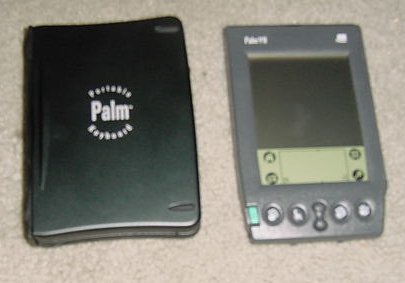
Klavomaniya
Finally, about the size. Many in doubt look at the Palm Portable Keyboard, considering that for a handheld device is too large. When folded, it is easiest to compare with a cassette player. In a folding keyboard of the same weight and same dimensions, that inexpensively uokmena. A lot or a little? To carry the keyboard constantly with him - a lot. Who does it with some bears?

Several dark spots

Myths myths, but there is a foldable keyboard and a few minor flaws. For example, I do not like the fact that the right central quarters during a computer is lifted, so that when you print keyboard clang on the tabletop. The point here is, presumably, is that the adapter is made in the form of a plastic spacer that increases the length of the machine. Relatively heavy Palm m125 outweighs the keyboard, lifting its middle part. I put it under the keyboard with a soft cloth and the clang ceased. Generally, soft lining keyboard does not hurt. Another trouble - not completely rigid joint computer with an adapter. No, the machine did not hang out and strives to fall out on the table. But under intense press suddenly notice how your computer is vibrating. Another "zamoroka - two slots at the top of the base of the keyboard (left and right), seemingly destined for the pen (that was always at hand), but do not hold a pen. I suspect that the feathers of the more expensive computers series m5xx hang out in these nests will not. Check until I can not, therefore, expressing only an assumption. The last drawback that such is unlikely to be. Bring the keyboard, you have to think what to do with an adapter.I was in this case helping out the Chinese (not a fact - the country of manufacture on a product not found) Handy, in which there is room and the keyboard and the adapter, and Palm `y, cell phone, and a pile of small things like pens and key rings.

Notebook or not notebook?

No, of course, not a laptop. But - a PDA with normal (I stress - of normal!), Full-size keyboard. Against this possible, if necessary, write a book. And then reformat and check out this book on a personal computer. Foldable keyboard opens up new possibilities. Laptop on the road (on vacation, the cottage, in a short business trip) can not take - and the machine will tselee, and you without a working tool will not stay. I do not know how much I convincing, but it seems to me that the first accessory for handheld computer should not be fashionable handbag or a memory card, namely the keyboard. Most clearly the advantages of the keyboard can be seen against the background of properly selected programs. Yet staff MemoPad text editor can be called only conditionally. Although the editors and the table topic for another conversation. The authors, translation:
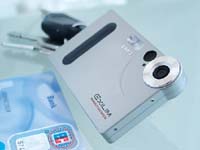
With fotokombaynom in your pocket. Part One, the theoretical

Digital photography is still very young. Just think, from idea to the public dissemination of digital cameras, as a mass commodity, barely more than 15 years. In the mid-eighties Sony Corporation took up the project Mavica, then seemed quite fantastic. But today digital cameras are traded on markets. On electronic markets, of course ... It is sad to admit it, soon the good old film camera will go into retirement, adding to the collection of the greats, but sunk into oblivion technologies. Whatever else is said today by professional photographers, and the days of traditional photography are numbered. This can be seen, looking more closely to themselves photographers and reporters, most of them pulls out her wardrobe trunks followed the usual film-SLR digital camera. We, the humble amateur, technological battle in the pictures cause of practical interest. We want to know - when? When a decent digital "Soap Dish" will be equal in value to the "soap box" film? Technical parameters and quality of the images they are already very close. In the meantime, we, if we decided to try digital photography, in fact, must either settle for cheap "digital cameras" entry-level, or save money for a good camera. Again - that stash, if you do not know, like it? Suddenly this expensive toy, a digital camera does not lie in the soul? Do not catch the fancy, will not cause the desire to roam with it on cities and villages, as we walk around today with the correct film camera? Let's take a closer look to the capabilities and features of the cheapest digital cameras. And, given the specificity of the CCP, to embedded in PDAs and cellphones cameras. You may not believe, but between frivolous digital "soap box" for $ 50 and an integrated photo module PC Sony PEG-NR70V for 649 dollars total more than between foster brothers. The same is true of the latest mobile multimedia phones. Cameras built into these curious devices - the same elementary simple soap dish.
With fotokombaynom in your pocket. Part One, the theoretical
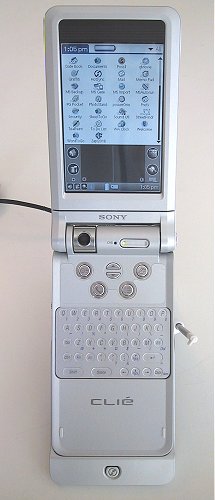
Sony NR-70V: "eye" camera at the junction of the two parts of the body ...
Now compare the cost of kits KPC plus digital cameras and cell-phone plus camera "with the value of the combined devices. And get absolutely incredible difference.

Very cheap digital camera: a brief digression

Let's start with the actual entry-level digital cameras. It is from those that are sold for 50-70 dollars. To know a bit about their device, it will be easier to deal with the combined apparatus. And easier to assess the advantages and disadvantages thereof. Cheap digital camera is very often a sweet bait to unsuspecting buyers. Shops spread of digital technology that small things on the most prominent, accompanying her gaudy price tags. A small price indeed several ogoroshivaet. Is normal "digital camera" may be cheaper budget film "Soap"? Normal - no. And the easiest - yes. However, consider a camera of this class as a real digital camera is not worth it. This is not the camera, and web-camera with an optional opportunity to receive photos. That's it.
With fotokombaynom in your pocket. Part One, the theoretical
Own web-camera - a device for digitizing three-dimensional objects and the subsequent broadcast video feed via the Internet - are classified in two groups. The first group includes cheap device, equipped with plastic optics with an aperture of low luminosity and light-sensitive sensor, built on technology of CMOS. This sensor differs a low cost (due to the adaptability of production) and, unfortunately, low settings.For him, for example, is characterized by a high color noise, low speed and light sensitivity (ISO 50-100 units is high, but usually much less - manufacturers simply do not indicate the parameters of sensitivity, so as not to alienate a potential buyer). The second group is expensive (from $ 100 and above) web-camera with glass optics, light-sensitive sensor, built on technology of CCD, with integrated microphone and Shutter, allowing to use the camera as steady-state (tied to a PC) camera (and, by Incidentally, the projection scanner). The high cost of devices of this type is due to the complexity of the production of CCD matrices. Actually, it's also affects the cost of normal digital cameras, which use only the sensors CCD (except the expensive semi-professional cameras Canon - it uses sensors CMOS, but the product of advanced technology). Go into the details of technologies CMOS and CCD is hardly worth (too long story). We only note that the advantage of CMOS, in addition to cheap, even in the life of the sensor, and the advantage of CCD - a stable photographic parameters. In other words, web-camera with a CMOS sensor will last a long time, but eventually lose its sensitivity. A camera with a sensor CCD, most likely will work for less, but the sensitivity matrix at the same time decrease slightly. By the way, a solid cost CCD sensors due to the extremely low yield of products in the manufacturing process. Percentage of defects at the most advanced, most new plants reach 98 percent. Two percent of suitable sensors! .. Web-camera, as though she may be perfect, realizes only half embedded in its capabilities. To supply the light-sensitive sensor and focal plane, as well as to preserve the digital images of the camera is connected to a PC via a serial interface. Once it has been a slow COM-port, today - Bus USB. And what if a web-camera to add the electronic memory and built-in power battery power? Get a digital camera ... And not only a camera but a video camera. So the producers and they have done - they took the normal budgetary web-camera and use it to make a simple camera. More precisely - the multifunction device, functions as a web-camera at the camera like no one takes away. Cameras Entry-level based on the CMOS sensor produces a lot of Asian electronics companies. Usually these are small firms, which stars from the sky is not enough, but boldly explores new markets. As a result, there are absolutely previously unknown branch - like the industry of the same unpretentious camera. Today, entry-level cameras are available even hundreds of thousands - millions of copies. And it can be understood by the camera for $ 50 is available to people with any income level, introduce them to modern technology. Can not keep and call a couple of active players on the market of cheap digital cameras. This German company Agfa and Taiwanese Aiptek. Why them? Solely for personal reasons - a cheap camera Agfa became the first digital camera I've tried in the action. A baby Aiptek I use during the last year and should be recognized, very pleased with this erundovinkoy ... Although the camera from Jenoptik Rekam or no worse. And all the rest, I think, too ... How is the entry-level digital camera? Oddly - very similar. Sometimes there is even a suspicion that the e-filling chamber produces one or two companies, and all others involved in a production of constructs and the final assembly of cameras.
With fotokombaynom in your pocket. Part One, the theoretical
This assumption has some justification. Judge for yourself, the characteristics of sensors, the vast majority of camera models cost the same - to allow 350 thousand pixels (ie VGA - 640x480), the sensitivity level of 50 units ISA (sometimes interpolated to 100 units), a high level of color noise (also virtually the same on different models ).All cameras are equipped with lastikovymi lenses with simple odnolinzovuyu (lens can be glued from two or three component) design. Mechanism of aperture and focal plane there. Lens aperture, and so low (about 4,5-5,6 units, although this option is specified by the manufacturer is extremely rare) to reduce its aperture. And instead of the gate in the cells of this type used the mechanism of reading the state of the sensor. At the moment the shutter actuation circuitry, the camera captures the brightness level of illumination of light sensitive elements that make up the sensor. A simple, but cheap. Thus, the sensor is always exposed to light flux (which is obviously not conducive to longevity), and when you connect the camera to your computer immediately start working as a web-camera. And yet, some rudiments of exposure automation in budget cameras have. These include the compensation scheme chamber (the level of image brightness varies by electronic means), and built-in flash, which is not in all chambers (built-in flash increases the cost of the camera for at least 5-10 dollars). God knows what, but - working closely ... Suspicion confirmed the origin of the cheap cameras and implement control systems. In these cells have no home "goodies" Digital camera - color LCD screen. There is only symbolic panel that displays the current camera mode. That is, a set of two numbers or letters are constructed from the segments. When you turn on the camera panel displays the number of remaining shots, by pressing the control button - the current mode (resolution, voice recorder function, memory clear, and so on). And the control buttons are only two (if the camera no flash) - the button on the camera she's mode dial, shutter button and ... as a viewfinder with optical prism - as in any film, "soapbox". A mechanism for focusing simply not available, the lens set at hyperfocal distance at which all objects are placed on 40 cm (the value depends on the optics) will come in the picture sharp. It remains to add that cost cameras installed conventional (non flash) E-SDRAM memory, the volume of which (8-16 MB) is enough to save 26 shots resolution of 640x480 pixels or 106 image resolution of 320x240 pixels. Memory card slot is missing, so immediately after the shooting will have to rush to the computer in order to save captured frames. If you do not, two fresh element AAA, which is powered from the camera, keep shots within a couple of days. Then blame yourself.

Can I remove them?

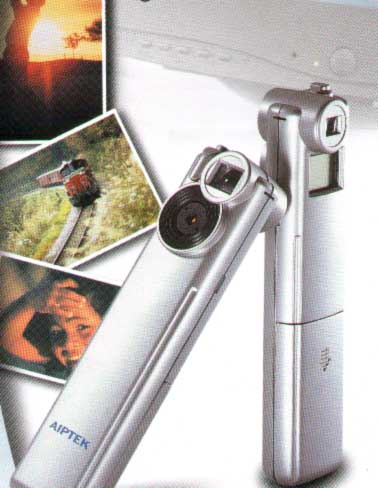
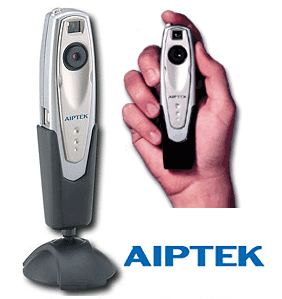
I have to say - you can shoot. Despite the primitiveness of the device, a full-fledged digital camera, albeit with very low performance. For maturing the new foundation pictures teen fit perfectly. And everyone else - if you do not expect from the future of artistic shots of heights (and photographic prints on paper, the entry-level cameras are only designed to receive images for screen display). As an example, talk about their fotoigrushke - the camera Aiptek VoiceCam VGA. This model sells well in Russia, is inexpensive (around $ 55) and their money is completely justified. Anyway, this is not a pity fotoapparatik scratch, break or lose it (not to mention the "present"). So he "lives" in my pocket for a year, accompanying me everywhere. As with most digital cameras, entry-level, constructive VoiceCam has an unusual appearance. Outwardly, this tiny (ochen!) plastic box, elongated. The size of this camera is identical with digital recorders, and looks very similar.
With fotokombaynom in your pocket. Part One, the theoretical
Functionality of the camera are quite diverse. Firstly, a web-camera with a resolution of VGA. Secondly, proper camera with two work permits (maximum - VGA).Third, when you install a 320x240 pixel resolution VoiceCam can serve as a digital camcorder, allowing you to capture a sequence of 106 frames with a frequency of 9 frames per second (on the screen looks very even nothing). Fourth, it is also a voice recorder (can not remember exactly, it seems to 13 minutes playing time, if your camera is not pictures) - the camera is and microphone, and speaker. True, the sound sequences the camera can not record, but mixed up the pictures and voice notes are easily remembers. Unfortunately, the voice notes are written on a personal computer can not ... But what do you want for $ 55? In fairness I will note - a year of intensive use (hundreds of pictures) I've never been able to get a photo of satisfactory quality. All images must be processed in Photoshop, leveling differences of brightness and removing color noise. As for the recorder, the voice recording is possible only in extreme close-mic - camera suffers from a fair deafness. Quality is also not so hot ... but as a cheap digital "pominalnika - amiss. The beauty of this lovely stuff - the amazing versatility, simplicity, cheapness and ease of use. Let the photos are nevazhnetskie, but all I wanted to capture and preserve the memory, I photographed and preserved. After processing in a graphics editor, most pictures takes the form divine. And most importantly - those tiny digital tchotchke is very pleasant to hold in their hands. They are virtually weightless and completely unlike the "older" cameras. Where I could not calm the usual pictures of the camera (in the subway, in a store, for any extraordinary circumstances - when all the angry and the shooting is clearly not located), a small Aiptek `nd I was shooting without any kind of problems. Surrounding simply not recognized in VoiceCam digital camera. Maybe she reminded them player MP3 ... It is time to look at the more expensive "relative" cost camera - built-in cameras to PDAs and cell phones. And along the way to master the basic skills with these toys. Still shooting integrated camera has a number of special features. Method "saw - brought - removed" is not always pass. Like and small science. But without it - one of frustration. The authors, translation: